What Share via HTTP - File Transfer actually does (from store listing)
The easiest way to share files from your Android to any device!
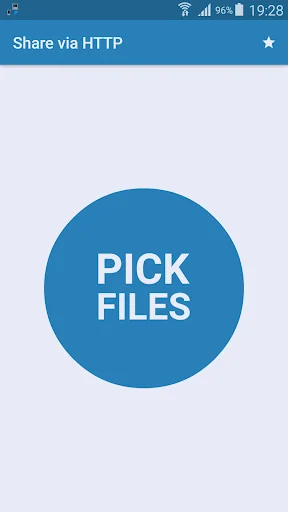
Just choose one or more files.
This app will open an HTTP server in which anyone can download the file.
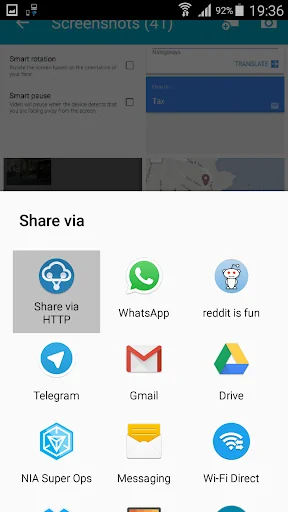
You can also, from any Android app, click on "share" and "Share via HTTP".
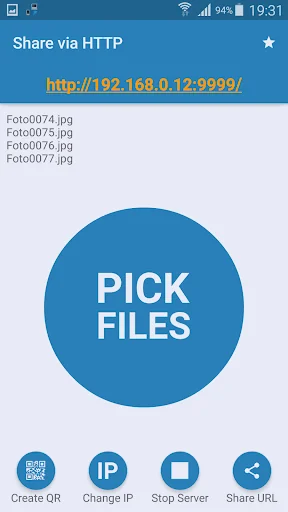
The link will always be your phone's IP address on port 9999. Example: http://10.1.1.100:9999/
If you choose just one file, the link will transfer the file itself. If you choose many files, a ZIP containing all the chosen files will be gene…
The easiest way to share files from your Android to any device!
Just choose one or more files.
This app will open an HTTP server in which anyone can download the file.
You can also, from any Android app, click on "share" and "Share via HTTP".
The link will always be your phone's IP address on port 9999. Example: http://10.1.1.100:9999/
If you choose just one file, the link will transfer the file itself. If you choose many files, a ZIP containing all the chosen files will be generated on the fly. That means you will not have to wait nor space on you device will be used. If you share a contact, a vCard will be generated on the fly.
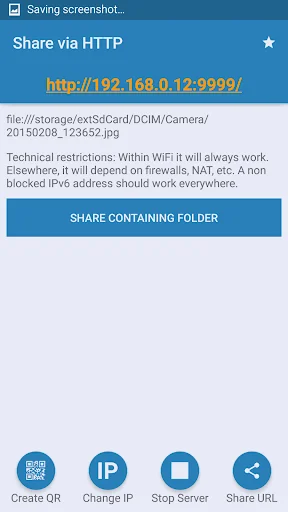
After sharing a file though any program, you can later click on "Share Containing Folder" to share the whole folder in which the file is located. (only for supported file URIs)
It is of course possible to have multiple users downloading at the same time!
If you have a Barcode Scanner, a QR CODE of the URL will be generated.
This app is open source. Grab the source and the APK at https://github.com/marcosdiez/shareviahttp
It is by the way possible to share APPs with this software if used together with AppSender ( https://play.google.com/store/apps/details?id=com.genmy5han.appsender )
The amazing new UI was done by Stefan M.
Comparable Android apps
The five apps in Tools with the closest revenue to Share via HTTP - File Transfer. Click any to see its detail page.
Each forecast combines App Store rating, ratings count, monetisation model, pricing tier, IAP signals and ad-supported flag.
The base estimate is then multiplied by a per-category scaling factor learned from apps with founder-verified MRR.
Every number on this page comes from public APIs and bumetric's own snapshot history.
Full methodology covers input variables, accuracy bands per category and how we treat apps without comparable anchors.
See also the live data on Share via HTTP - File Transfer's tracker page for current rating, reviews and snapshot timeline.
Building something similar? Get a free AI audit with $-revenue forecasts for every recommendation.


 Kavach Authentication
 CNFL
CNFL
 Investigação SESP/PR
 Protect-Home
 QuickIB