What SIM Tool Manager actually does (from store listing)
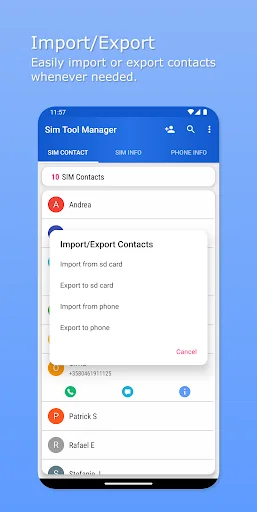
Manage your sim contact number and make a backup your important contact to the sd-card with .vcf format.
make a call and messages, send WA direct without adding contact, adding a new contact number into the sim card, delete, and modified your sim contact numbers easily.
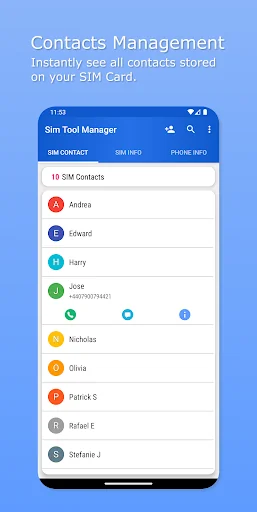
SIM CONTACT:
Displaying contact numbers stored on the sim card! In this tab you can manage your sim contact numbers and adding a new contact number into the sim card.
• Add new contact.
• Modify existing contact.
• Copy a…
Manage your sim contact number and make a backup your important contact to the sd-card with .vcf format.
make a call and messages, send WA direct without adding contact, adding a new contact number into the sim card, delete, and modified your sim contact numbers easily.
SIM CONTACT:
Displaying contact numbers stored on the sim card! In this tab you can manage your sim contact numbers and adding a new contact number into the sim card.
• Add new contact.
• Modify existing contact.
• Copy and share contact.
• Export sim contact into phone.
• Make a call and messaging.
• Send WA direct without adding contact.
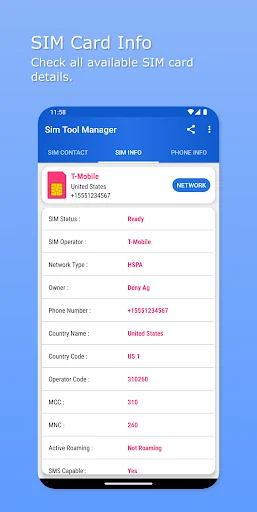
SIM CARD INFO:
Displaying most useful information about your SIM Card! In this tab you can copy and share your sim card information.
• SIM Card status.
• SIM Card operator.
• SIM Card operator code.
• Network type.
• SIM ICCID/Serial number.
• Subscriber ID.
• MCC number.
• MNC number.
• Country name and code.
• SIM Software version.
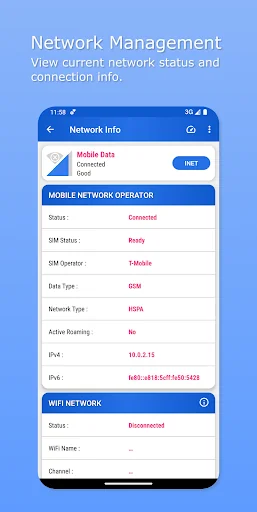
NETWORK INFO:
Displaying connected Cell or Wi-Fi network information on your device.
• View network connected.
• Select network connection.
• Data usage.
• Manage SIM.
• Add/Modify APNs Settings.
PHONE INFO:
Displaying information about your phone device! In this tab you can copy and share your phone/device information.
• Phone name.
• Phone model.
• Phone type.
• Root access.
• IMEI number.
• ID number.
• System info which available on your device.
• Display/Screen info.
• Memory info.
• Battery info.
• View all Sensor and Support Features which available on your phone.
Supports LIGHT and DARK theme.
Only supports for single sim!
Comparable Android apps
The five apps in Tools with the closest revenue to SIM Tool Manager. Click any to see its detail page.
Each forecast combines App Store rating, ratings count, monetisation model, pricing tier, IAP signals and ad-supported flag.
The base estimate is then multiplied by a per-category scaling factor learned from apps with founder-verified MRR.
Every number on this page comes from public APIs and bumetric's own snapshot history.
Full methodology covers input variables, accuracy bands per category and how we treat apps without comparable anchors.
See also the live data on SIM Tool Manager's tracker page for current rating, reviews and snapshot timeline.
Building something similar? Get a free AI audit with $-revenue forecasts for every recommendation.

 MP3 Cutter
 OTG View
 Quick Memo
 Downloader For Smule
 Gallery - Photo Gallery, Vault