What Simple Calculator actually does (from store listing)
[Key features]
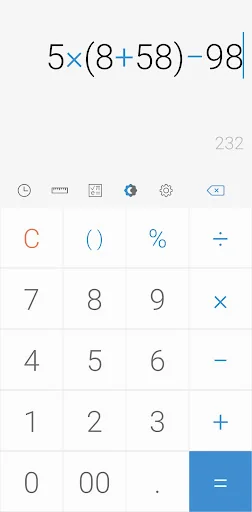
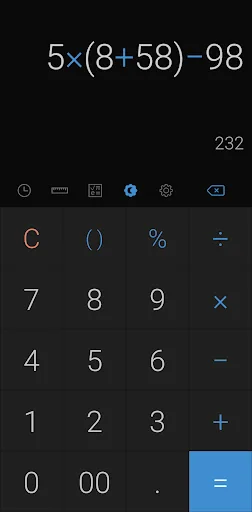
Perform four fundamental operations and engineering calculations.
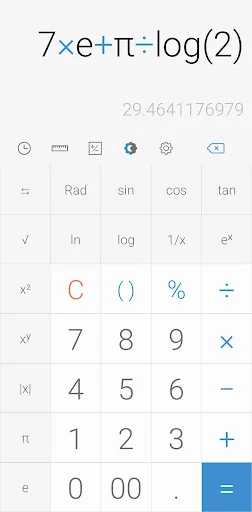
To start the engineering calculator, tap the engineering calculator icon.
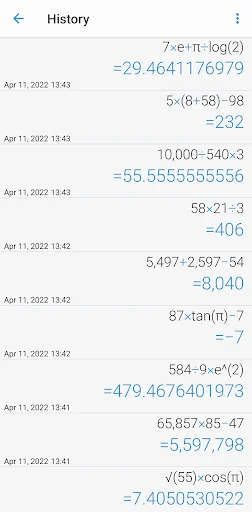
To check the calculation history, tap the calculation history icon.
You can use all the previously inputted formulas. Tap the formula you need from the calculation history.
[Additional features]
To convert units, tap the unit calculator button. You can easily convert various types of
Currency,
Area,
Length,
Temperature,
Volu…
[Key features]
Perform four fundamental operations and engineering calculations.
To start the engineering calculator, tap the engineering calculator icon.
To check the calculation history, tap the calculation history icon.
You can use all the previously inputted formulas. Tap the formula you need from the calculation history.
[Additional features]
To convert units, tap the unit calculator button. You can easily convert various types of
Currency,
Area,
Length,
Temperature,
Volume,
Mass,
Data,
Speed,
Time,
Date,
BMI,
Discount,
Age,
Numeral System,
GST,
Split bill,
Frequency,
Fuel,
Angle,
Pressure,
Force,
Power,
Loan
To change theme mode, tap the night mode icon.
To specify the time of night mode, select time range from settings.
To change color, chose the color you want from settings
To delete a history, long press on it in the history page
To change language, select preferred language from settings.
To play a beep or vibrate when pressing a button, go to settings.
To change numerals, select preferred numerals from settings (All numerals are supported)
To change number format, select the preferred format from settings
To change decimal places after the comma, select the number of decimal places from settings
To enable / disable full screen, enable / disable it from settings.
To keep calculation record, enable/disable it from settings.
To keep the screen on, enable/disable it from settings.
To hide an icon, go to settings.
*****
Last but not least, all of these features come in small size and it is completely free.
Comparable Android apps
The five apps in Tools with the closest revenue to Simple Calculator. Click any to see its detail page.
Each forecast combines App Store rating, ratings count, monetisation model, pricing tier, IAP signals and ad-supported flag.
The base estimate is then multiplied by a per-category scaling factor learned from apps with founder-verified MRR.
Every number on this page comes from public APIs and Bumetric's own snapshot history.
Full methodology covers input variables, accuracy bands per category and how we treat apps without comparable anchors.
See also the live data on Simple Calculator's tracker page for current rating, reviews and snapshot timeline.
Building something similar? Get a free AI audit with $-revenue forecasts for every recommendation.


 Texture Packs for Minecraft PE
 Far Sight
 Emulator of MK 61/54 Donation
 AIDA64
 d20 Attack Calculator