ML revenue forecast.
Calibrated against 77129 apps in this category.
Confidence band
±15%
High — many comparable apps with verified data
At a glance
Earns 3.25× more than the category median (189/mo).
Ranks #8,575 of 77,129 in Tools (top 11.1% by revenue).
Launched Apr 13, 2015 · last updated Jun 12, 2025.
What the app looks like
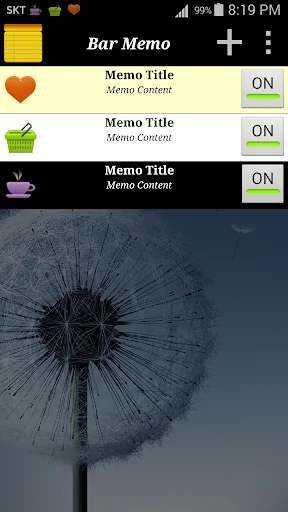
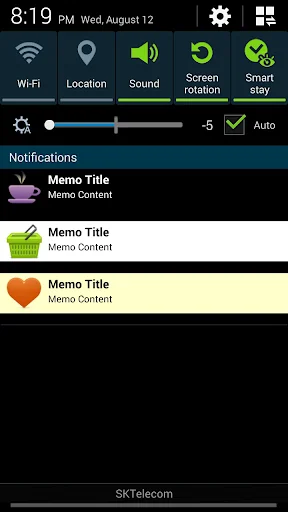
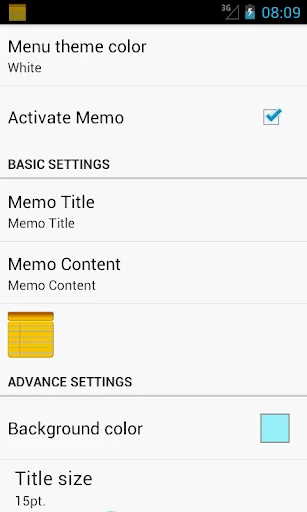
Live screenshots from the Play Store, captured by our snapshot worker. Tap any image to enlarge.
Simple Memo on Status Bar's revenue trajectory
Forecast revenue from snapshot history. Last 1 months.
Where Simple Memo on Status Bar sits in Tools
Revenue distribution of 77129 comparable apps. Simple Memo on Status Bar highlighted.
Simple Memo on Status Bar vs comparable apps
Revenue trajectory side-by-side. Bold = Simple Memo on Status Bar, ghosted = peers.
App spec
Version
0.6.38
Last update
Jun 12, 2025
Launched
Apr 13, 2015
Price
Free
Monetization
Free
What Simple Memo on Status Bar actually does (from store listing)
★ Notification bar notes. This application shows the simple notes on status bar.
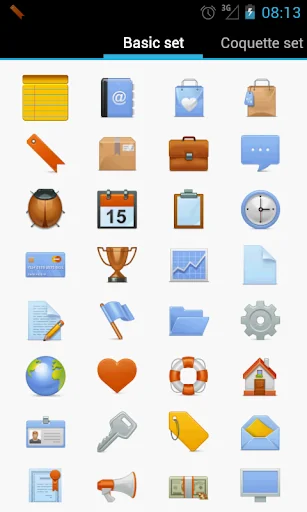
☆ You can change icon of the note.
☆ More than 1000 icons
☆ You can change background color of the note.
☆ You can change text color of the note.
☆ You can change text size of the note.
☆ You can expand size of the note.(from Jelly Bean)
☆ You can turn on/off the note by widget.
***Notes notification content display guide***
As it is updated to the latest version of Android
The notification function is…
★ Notification bar notes. This application shows the simple notes on status bar.
☆ You can change icon of the note.
☆ More than 1000 icons
☆ You can change background color of the note.
☆ You can change text color of the note.
☆ You can change text size of the note.
☆ You can expand size of the note.(from Jelly Bean)
☆ You can turn on/off the note by widget.
***Notes notification content display guide***
As it is updated to the latest version of Android
The notification function is basically hidden
About the problem of not being able to see the content until you click it
We will tell you how to fix it by setting it yourself.
1. Enter the setting menu of your smartphone.
2. Select an application.
3. Select Notepad on the status bar.
4. Select a notification.
5. Click the "Status Bar Notepad" text in the notification type item.
6. Turn off the minimize notification switch.
7. Select the lock screen.
8. Select "Show notification content".
9. Finish setting.
10. Relaunch Notepad on the status bar.
11. From now on, the notepad contents will be shown in the status bar.
Comparable Android apps
The five apps in Tools with the closest revenue to Simple Memo on Status Bar. Click any to see its detail page.
Each forecast combines App Store rating, ratings count, monetisation model, pricing tier, IAP signals and ad-supported flag.
The base estimate is then multiplied by a per-category scaling factor learned from apps with founder-verified MRR.
Every number on this page comes from public APIs and bumetric's own snapshot history.
Full methodology covers input variables, accuracy bands per category and how we treat apps without comparable anchors.
See also the live data on Simple Memo on Status Bar's tracker page for current rating, reviews and snapshot timeline.
Building something similar? Get a free AI audit with $-revenue forecasts for every recommendation.

 Mac Address Ghost
 커키 키보드
 Sarthak
 KopieID
 Home Button