What SkyPro GPS Status Tool actually does (from store listing)
The SkyPro Status Tool is an application for use with the SkyPro GPS Receiver (XGPS150/XGPS160/XGPS500) from Dual Electronics.
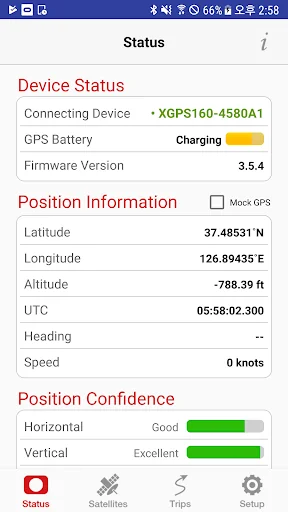
This app shows detailed information from the SkyPro GPS Receiver including:
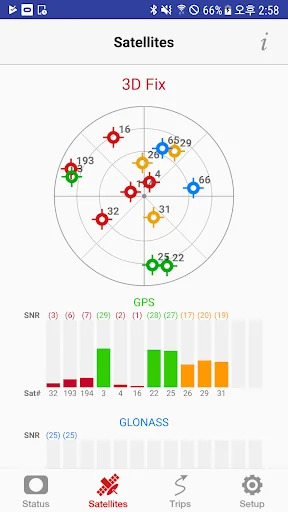
- The GPS and GLONASS(XGPS160 only) satellites in view and their signal strength
- The current location, or an indication that the device is still waiting for satellite information
- The connection status of the GPS receiver
- The battery level and battery charging status of the GPS rec…
The SkyPro Status Tool is an application for use with the SkyPro GPS Receiver (XGPS150/XGPS160/XGPS500) from Dual Electronics.
This app shows detailed information from the SkyPro GPS Receiver including:
- The GPS and GLONASS(XGPS160 only) satellites in view and their signal strength
- The current location, or an indication that the device is still waiting for satellite information
- The connection status of the GPS receiver
- The battery level and battery charging status of the GPS receiver
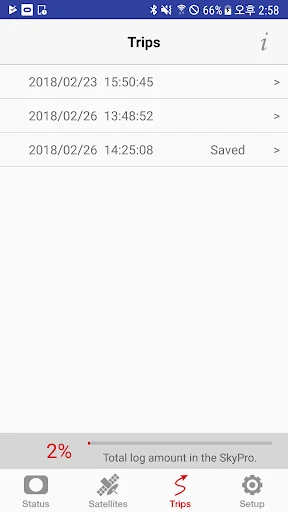
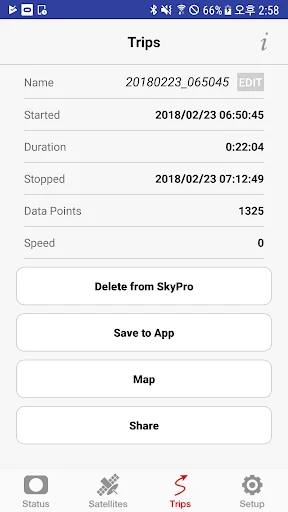
- The recorded route information such as date and number of data points (not supported XGPS150)
This app will also allow you to turn on/off automatic route recording, export the recorded routes stored in the internal memory of SkyPro GPS Receiver, and save the recorded routes from the receiver into the app.
This app includes the GPS helper app function which is required for an external Bluetooth GPS receiver to connect to Android devices. A third-party GPS helper application is no longer required when using this app.
Please make sure this app is running in the background at all times. This will allow all apps to use GPS information from the XGPS.
Android devices require “Allow mock location” to be enabled in order to receive GPS information from an external GPS device such as SkyPro.
To enable this feature, please follow the steps below:
Android version 2.0 to 4.1:
1. Go to the Settings menu
2. Find "Developer Options" under the Settings menu
3. Find and check “Allow mock locations.”
Android version 4.2 and later:
1. Go to the Settings menu, and find "About phone/About device".
2. Find “Build number" under "About phone/About device".
3. Tap “Build number” seven (7) times. A “You are now a developer!” message will appear.
4. Go back to the Settings menu.
5. Find the “Developer options” setting under the Settings menu.
6. Find the “Allow mock locations” under the “Developer options”
7. Check “Allow mock locations”
Note: Compatible ONLY with SkyPro GPS Receiver from Dual Electronics.
Comparable Android apps
The five apps in Tools with the closest revenue to SkyPro GPS Status Tool. Click any to see its detail page.
Each forecast combines App Store rating, ratings count, monetisation model, pricing tier, IAP signals and ad-supported flag.
The base estimate is then multiplied by a per-category scaling factor learned from apps with founder-verified MRR.
Every number on this page comes from public APIs and bumetric's own snapshot history.
Full methodology covers input variables, accuracy bands per category and how we treat apps without comparable anchors.
See also the live data on SkyPro GPS Status Tool's tracker page for current rating, reviews and snapshot timeline.
Building something similar? Get a free AI audit with $-revenue forecasts for every recommendation.


 ALTO
ALTO
 Avicenna
 VMCP
VMCP
 iProVPN: Fast & Secure VPN
 IP Calculator