What Sleep Screen actually does (from store listing)
■ Two Modes
【Device Lock】
・Instantly lock instead of pressing the power button! No extra animations.
・Requires PIN, password, or pattern to unlock (security-focused).
【Quick Resume】*NEW
・Covers the screen with a black overlay and minimizes brightness.
・Since the device is not locked, you can unlock it with fingerprint or face authentication.
・Background playback of YouTube and music apps continues.
・Maximizes power saving on OLED (AMOLED) displays.
・Instantly unlock just by tapping …
【Device Lock】
・Instantly lock instead of pressing the power button! No extra animations.
・Requires PIN, password, or pattern to unlock (security-focused).
【Quick Resume】*NEW
・Covers the screen with a black overlay and minimizes brightness.
・Since the device is not locked, you can unlock it with fingerprint or face authentication.
・Background playback of YouTube and music apps continues.
・Maximizes power saving on OLED (AMOLED) displays.
・Instantly unlock just by tapping the screen.
■ Shortcut Function *NEW
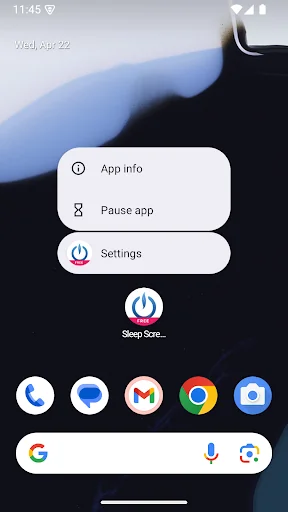
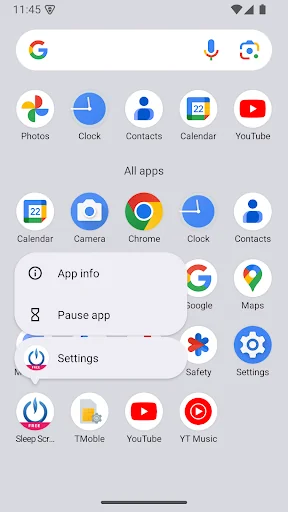
Long-press the app icon to see shortcuts for each mode.
Drag and drop them to your home screen for 1-tap activation of each mode.
■ Initial Setup
【Device Lock】
When you first start the app, you will be asked to enable "Device admin". Please enable it before use.
【Quick Resume】
The first time you use it, you will be asked to allow "Display over other apps". Please allow Sleep Screen.
■ Changing the Default Mode
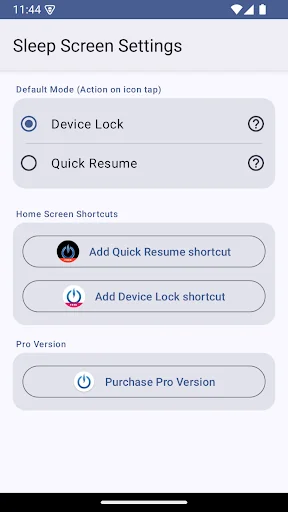
You can switch the default mode by long-pressing the app icon → "Settings" → "Default Mode".
■ How to Uninstall
You cannot uninstall the app while "Device admin" is on. Please follow the steps below to disable it before uninstalling.
1. Go to [Settings] > [Security] > [Device administrators] and uncheck this app.
2. Uninstall the app as usual.
Comparable Android apps
The five apps in Tools with the closest revenue to Sleep Screen. Click any to see its detail page.
Each forecast combines App Store rating, ratings count, monetisation model, pricing tier, IAP signals and ad-supported flag.
The base estimate is then multiplied by a per-category scaling factor learned from apps with founder-verified MRR.
Every number on this page comes from public APIs and bumetric's own snapshot history.
Full methodology covers input variables, accuracy bands per category and how we treat apps without comparable anchors.
See also the live data on Sleep Screen's tracker page for current rating, reviews and snapshot timeline.
Building something similar? Get a free AI audit with $-revenue forecasts for every recommendation.


 VacApp - Livestock management
 Suntime: Sunrise & Sunset
 Remote for Micromax TV
 DVB-T Australia
 Geek Clock Tool