What SmartPassLock NFC actually does (from store listing)
[Description]
"SmartPassLock NFC" is a security lock screen application using the NFC (Near field communication).
You can protect the device which you are using from a malicious third party.
[Basic usage]
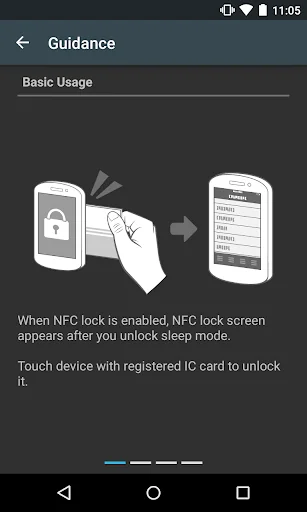
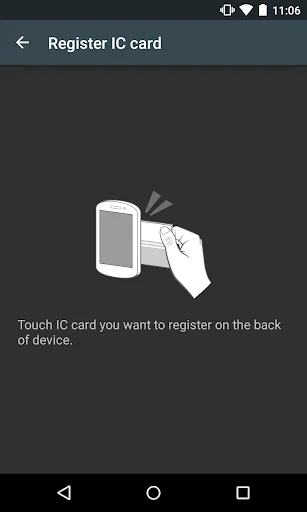
1. After installation, initial setup starts, and you register IC cards ("Suica", "nanaco", "Edy" and so on).
2. After you check that NFC is ON, the device is locked when device is in sleep mode.
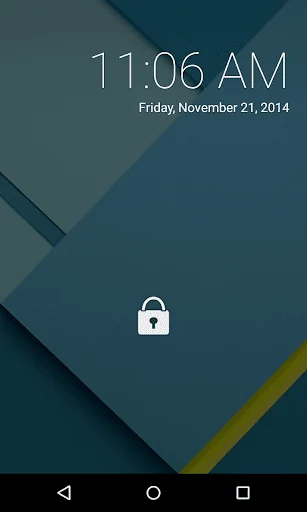
3. The lock screen appears when you push the power button, and you can unlock it by touching…
[Description]
"SmartPassLock NFC" is a security lock screen application using the NFC (Near field communication).
You can protect the device which you are using from a malicious third party.
[Basic usage]
1. After installation, initial setup starts, and you register IC cards ("Suica", "nanaco", "Edy" and so on).
2. After you check that NFC is ON, the device is locked when device is in sleep mode.
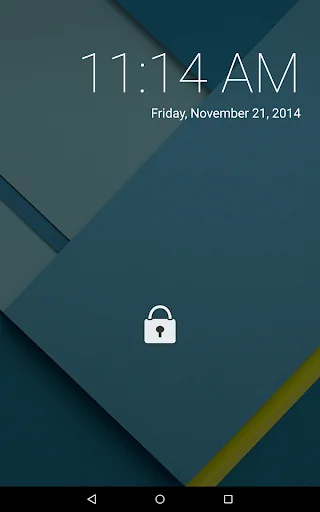
3. The lock screen appears when you push the power button, and you can unlock it by touching it with the registered IC card.
You can register some IC cards ("Suica", "nanaco" and so on). You can prepare spare IC cards just in case that you lose the registered IC card, You can share the devices only among the people who are permitted to use them.
You can add the registration upper limit by buying Add-on.
[Monitoring mode]
In addition to the normal mode, there is the Monitoring mode. While the monitoring mode is working, When Monitoring mode is enabled, "fake" pattern lock is displayed on lock screen.
If someone tries to unlock it, photos are secretly taken by the front camera to identify them.
The photos are saved in Gallery application.
On the Monitoring mode, you can unlock the device by touching it with a registered IC card like a normal mode.
[Precautions]
- This application locks your devices strongly. You cannot unlock the devices without registered IC cards ("Suica", "nanaco" and so on).
Please note that if you lose all of the registered IC cards, you cannot use your devices any more. We recommend registration multiple IC card.
*You can set up an alternative password just in case you lose IC cards. Please note that if you lose all of the registered IC cards and an alternative password, there is no way to rescue from the condition!
- On some devices, the app may be unable to read NFC after rebooting the device.
If NFC cannot be read, follow the steps displayed on the lock screen after rebooting the device to read NFC.
If the steps are not displayed on the lock screen, please reboot your device again.
- Devices cannot be locked when Airplane mode is ON or NFC is OFF.
- Some of devices do not let NFC work while they are being charged.
- If the auto-launch setting for this application is disabled, it may not work properly. Please enable the SmartPassLock NFC auto-launch setting from the device's settings screen.
*"Suica" is the registered trademark of East Japan Railway Company.
*"nanaco" is the registered trademark of Seven Card Service Co., Ltd.
*"Edy" is the registered trademark of Rakuten Edy, Inc.
Comparable Android apps
The five apps in Tools with the closest revenue to SmartPassLock NFC. Click any to see its detail page.
Each forecast combines App Store rating, ratings count, monetisation model, pricing tier, IAP signals and ad-supported flag.
The base estimate is then multiplied by a per-category scaling factor learned from apps with founder-verified MRR.
Every number on this page comes from public APIs and bumetric's own snapshot history.
Full methodology covers input variables, accuracy bands per category and how we treat apps without comparable anchors.
See also the live data on SmartPassLock NFC's tracker page for current rating, reviews and snapshot timeline.
Building something similar? Get a free AI audit with $-revenue forecasts for every recommendation.


 Lux Led Torch
 Wilder
 Anti Malware
 WATASHI IoT
 Random Numbers, Names & Teams