What SMS Backup actually does (from store listing)
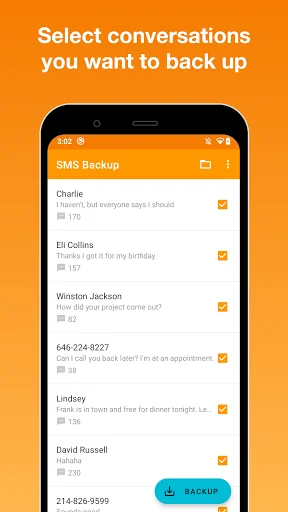
<b>SMS Backup</b> is a very simple app that makes a backup of your SMS and MMS messages (images and audio files), lets you share them and then restore/transfer to another phone (currently only SMS).
<b>Important notice:</b>
- This app doesn't restore deleted messages.
- If you're missing some messages or one side of conversation in your backup, it's probably because this app doesn't back up RCS messages (also known as Advanced Messaging) unless you use Google Messages as your default textin…
SMS Backup is a very simple app that makes a backup of your SMS and MMS messages (images and audio files), lets you share them and then restore/transfer to another phone (currently only SMS).
Important notice: - This app doesn't restore deleted messages.
- If you're missing some messages or one side of conversation in your backup, it's probably because this app doesn't back up RCS messages (also known as Advanced Messaging) unless you use Google Messages as your default texting app. Turning Advanced Messaging off will allow the app to back up new messages only, not those already stored as RCS.
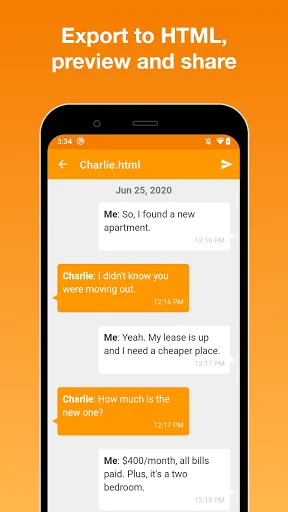
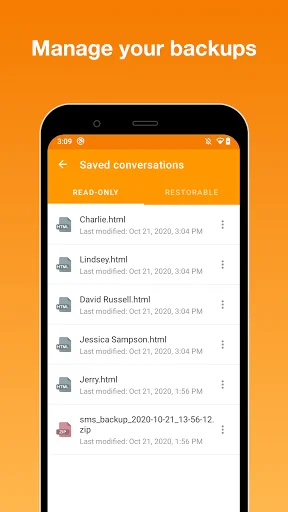
The app can export your conversations to two different formats:
1) nice-looking read-only HTML format with chat bubbles,
2) restorable JSON data file in case you plan to transfer your messages to another phone,
and saves them to your internal device storage.
You can easily send these files to your e-mail, Gmail, Google Drive or wherever you want. If you are switching to a new phone and you want to transfer your SMS messages, this app is exactly what you're looking for. It not only creates a data file which is required to restore messages, but also saves your text messages to HTML format. Therefore you can open and view your backed up messages almost anywhere, whether it is your computer or iPhone!
If you have any questions or any improvement ideas, please send an email to us at japps4all@gmail.com. Thanks!
Comparable Android apps
The five apps in Tools with the closest revenue to SMS Backup. Click any to see its detail page.
Each forecast combines App Store rating, ratings count, monetisation model, pricing tier, IAP signals and ad-supported flag.
The base estimate is then multiplied by a per-category scaling factor learned from apps with founder-verified MRR.
Every number on this page comes from public APIs and Bumetric's own snapshot history.
Full methodology covers input variables, accuracy bands per category and how we treat apps without comparable anchors.
See also the live data on SMS Backup's tracker page for current rating, reviews and snapshot timeline.
Building something similar? Get a free AI audit with $-revenue forecasts for every recommendation.



 ScoreKeeper - points & score k
 E-Kinerja Kota Payakumbuh
 EVM: Voting Machine
 MHW Tools スキルシミュレーター
 Earthlink Reseller