What Snipping Tool - Screenshots actually does (from store listing)
Snipping Tool - Screenshots is a free application that help you capture device's screen easily, conveniently. You can take a screenshot quickly without pressing any hardware button, just one touch for screenshot. You can also edit screen capture image after that with many powerful tools then share your file.
With Snipping Tool, you can:
- Capture screen easily by:
+ Touch the overlay icon.
+ Wave your hand over proximity sensor.
- Edit screenshot with many tools:
+ Rotate, cr…
Snipping Tool - Screenshots is a free application that help you capture device's screen easily, conveniently. You can take a screenshot quickly without pressing any hardware button, just one touch for screenshot. You can also edit screen capture image after that with many powerful tools then share your file.
With Snipping Tool, you can:
- Capture screen easily by:
+ Touch the overlay icon.
+ Wave your hand over proximity sensor.
- Edit screenshot with many tools:
+ Rotate, crop image.
+ Draw on the captured image.
+ Add text to image.
+ And many other powerful tools.
- Manage screen capture image (change name, zip, share and so on)
- Support save screen capture images as png, jpg, webp.
Let's try capturing screen by Snipping Tool - Screenshot Touch free for android, you will enjoy it ^^
Note:
- Application support Android 5.0 and up.
- Application requires WRITE_EXTERNAL_STORAGE Permission to save screen capture images to device storage.
- Application requires SYSTEM_ALERT_WINDOW Permission to draw the fast capture icon over other applications.
Thank you for using Snipping Tool - Screenshots. Any questions please contact email: lta1292@gmail.com
Comparable Android apps
The five apps in Tools with the closest revenue to Snipping Tool - Screenshots. Click any to see its detail page.
Each forecast combines App Store rating, ratings count, monetisation model, pricing tier, IAP signals and ad-supported flag.
The base estimate is then multiplied by a per-category scaling factor learned from apps with founder-verified MRR.
Every number on this page comes from public APIs and Bumetric's own snapshot history.
Full methodology covers input variables, accuracy bands per category and how we treat apps without comparable anchors.
See also the live data on Snipping Tool - Screenshots's tracker page for current rating, reviews and snapshot timeline.
Building something similar? Get a free AI audit with $-revenue forecasts for every recommendation.

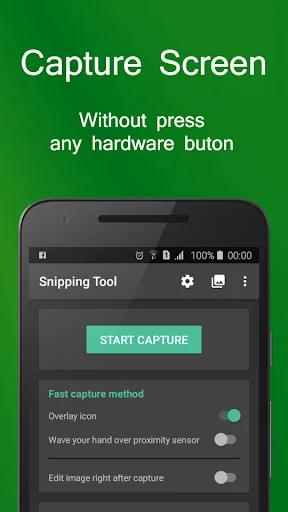
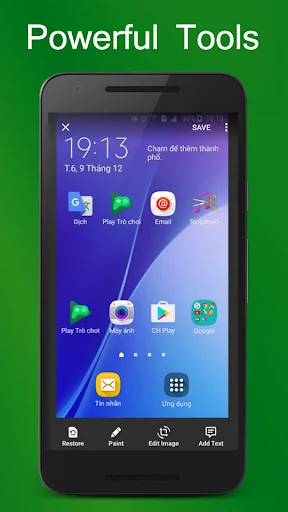
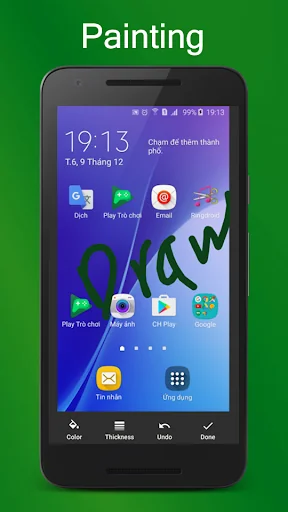
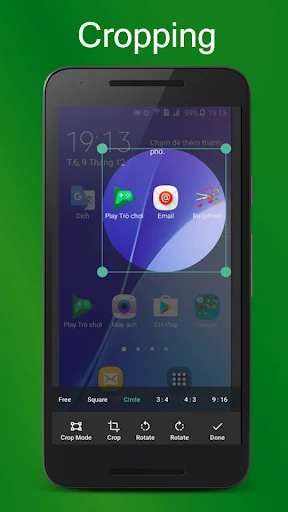
 Photo Recovery : Smart Recover
 Simple Flashlight
 My Solar Family – fotovoltaico
 Phone & SIM Card
 QR Code Scanner