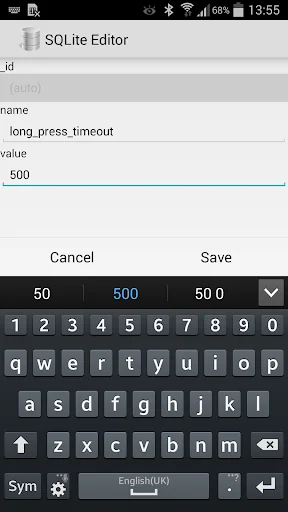
What SQLite Editor actually does (from store listing)
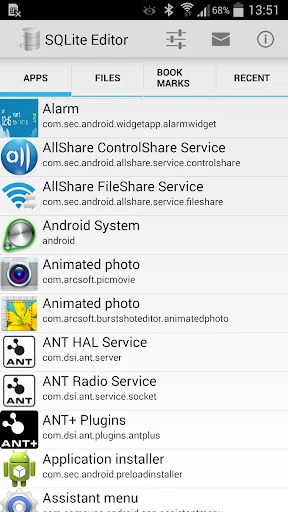
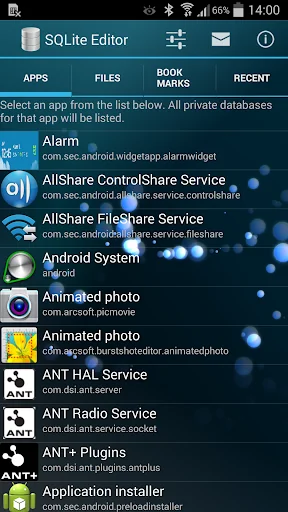
Allows you to edit and delete records in any SQLite database on your phone. For root users, lists all installed apps which have local internal databases. You can then select an app and edit any of its databases.
Fully integrated with Root Explorer. When browsing files in Root Explorer, selecting a database file automatically launches this app instead of the database viewer that is built into Root Explorer.
Non-root users can browse and edit databases on the SD card.
Data is displayed in…
Allows you to edit and delete records in any SQLite database on your phone. For root users, lists all installed apps which have local internal databases. You can then select an app and edit any of its databases.
Fully integrated with Root Explorer. When browsing files in Root Explorer, selecting a database file automatically launches this app instead of the database viewer that is built into Root Explorer.
Non-root users can browse and edit databases on the SD card.
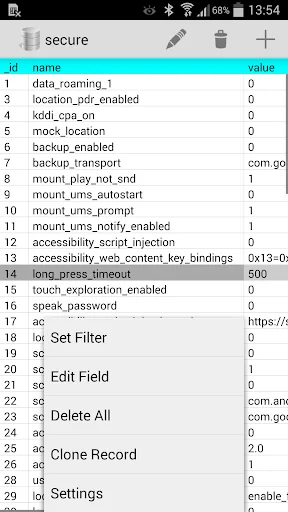
Data is displayed in a smooth scrollable grid and records can be filtered on any field value.
To quickly get to regularly accessed databases you can either add them to the bookmarks list or look on the recently accessed tab.
Comparable Android apps
The five apps in Tools with the closest revenue to SQLite Editor. Click any to see its detail page.
Each forecast combines App Store rating, ratings count, monetisation model, pricing tier, IAP signals and ad-supported flag.
The base estimate is then multiplied by a per-category scaling factor learned from apps with founder-verified MRR.
Every number on this page comes from public APIs and bumetric's own snapshot history.
Full methodology covers input variables, accuracy bands per category and how we treat apps without comparable anchors.
See also the live data on SQLite Editor's tracker page for current rating, reviews and snapshot timeline.
Building something similar? Get a free AI audit with $-revenue forecasts for every recommendation.

 Xender - Quick Share, Transfer
 Fake GPS Location Donate
 Мой МТС
 APRSdroid - APRS Client
 Splashtop Wired XDisplay