What SSH/SFTP Server - Terminal actually does (from store listing)
A powerful application allows you to run SSH/SFTP Server on your phone with full functional terminal.
<b>APPLICATION FEATURES</b>
√ <b>Use any network interfaces</b> in your device including: Wi-Fi, Ethernet, Tethering...
√ <b>Multiple users</b> (anonymous user included: username=ssh without password)
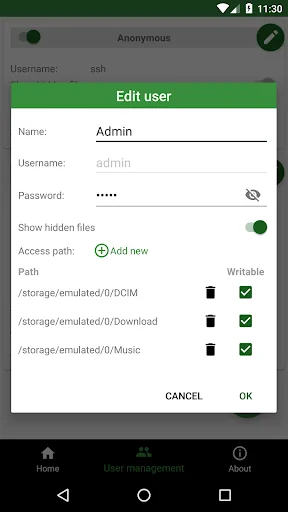
• [SFTP feature] Allow each user to show hidden files or not
√ <b>[SFTP feature] Multiple access paths for each user</b>: Any folders in your internal storage or external sdcard
• [SFTP fea…
A powerful application allows you to run SSH/SFTP Server on your phone with full functional terminal.
APPLICATION FEATURES √ Use any network interfaces in your device including: Wi-Fi, Ethernet, Tethering...
√ Multiple users (anonymous user included: username=ssh without password)
• [SFTP feature] Allow each user to show hidden files or not
√ [SFTP feature] Multiple access paths for each user: Any folders in your internal storage or external sdcard
• [SFTP feature] Can set read-only or full write access on each path
√ Automatically start SSH/SFTP Server when certain WiFi is connected √ Automatically start SSH/SFTP Server on boot √ Has public intents to support scripting For Tasker integration:
Add new Task Action (choose System -> Send Intent) with the following information:
• Package: net.xnano.android.sshserver
• Class: net.xnano.android.sshserver.receivers.CustomBroadcastReceiver
• Actions: either one of following actions:
- net.xnano.android.sshserver.START_SERVER
- net.xnano.android.sshserver.STOP_SERVER
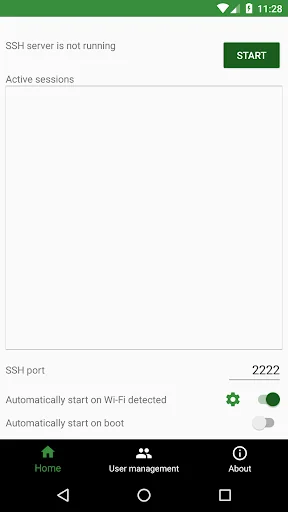
APPLICATION SCREENS √ Home: Control the server configurations such as
• Start/stop server
• Monitor the connected clients
• Change port
• Enable automatically start on boot
• ...
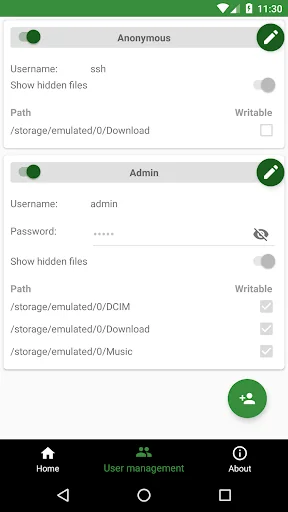
√ User management • Manage users and access paths for each user
• Enable or disable user
√ About • Information about SSH/SFTP Server
NOTICES - Doze mode: Application may not work as expected if doze mode is activated. Please go to Settings -> Search for Doze mode and add this application to the white list.
PERMISSIONS NEEDED √ WRITE_EXTERNAL_STORAGE: Mandatory permission for SSH/SFTP Server to access files in your device.
√ INTERNET, ACCESS_NETWORK_STATE, ACCESS_WIFI_STATE: Mandatory permissions to allow user to connect to SSH/SFTP Server.
√ Location (Coarse location): Only required for user who wants to automatically start server on Wi-Fi detect on Android P and above.
Please read Android P restriction about getting Wifi's connection info here: https://developer.android.com/about/versions/pie/android-9.0-changes-all#restricted_access_to_wi-fi_location_and_connection_information
Which SSH/SFTP clients are supported? √ You can use any SSH/SFTP clients on Windows, Mac OS, Linux or even browser to access this SSH/SFTP Server.
Tested clients:
• FileZilla
• WinSCP
• Bitvise SSH client
• Finder (MAC OS)
• Any terminal/File manager on Linux
• Total Commander (Android)
• ES File Explorer (Android)
SUPPORT If you're facing any problems, want new features or have feedback to improve this application, don't hesitate to send it to us via the support email: support@xnano.net.
NEGATIVE COMMENTS can't help the developer solve the problems!
Each forecast combines App Store rating, ratings count, monetisation model, pricing tier, IAP signals and ad-supported flag.
The base estimate is then multiplied by a per-category scaling factor learned from apps with founder-verified MRR.
Every number on this page comes from public APIs and bumetric's own snapshot history.
Full methodology covers input variables, accuracy bands per category and how we treat apps without comparable anchors.
See also the live data on SSH/SFTP Server - Terminal's tracker page for current rating, reviews and snapshot timeline.
Building something similar? Get a free AI audit with $-revenue forecasts for every recommendation.


 Traductor de Softcatalà
 Lock my Folder - Folder hider
 SetTop Box Remote
 Belote Score
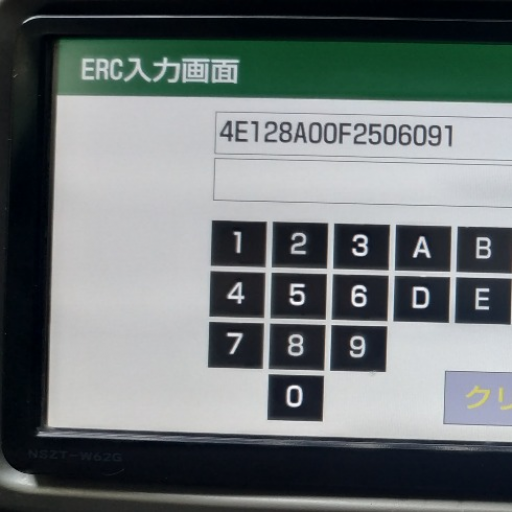 ERC Calculator - UNLOCK Car Na