What Sticker widget actually does (from store listing)
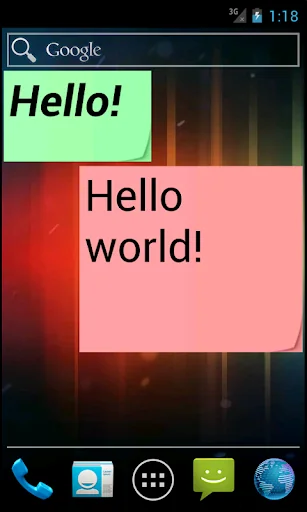
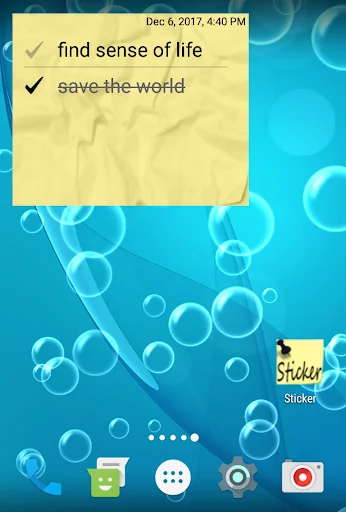
Do you like to use paper stickers to record reminders? This simple application performs the same functions! You can write any text and place it on the screen of your phone or tablet. On the screen you can arrange any number of stickers with different messages, different colors and sizes. Place the widget on the main screen and use it as a notepad for quick notes.
You can add a reminder to the widget for a specific date and time. The time will be notified by a notification, and the background of…
Do you like to use paper stickers to record reminders? This simple application performs the same functions! You can write any text and place it on the screen of your phone or tablet. On the screen you can arrange any number of stickers with different messages, different colors and sizes. Place the widget on the main screen and use it as a notepad for quick notes.
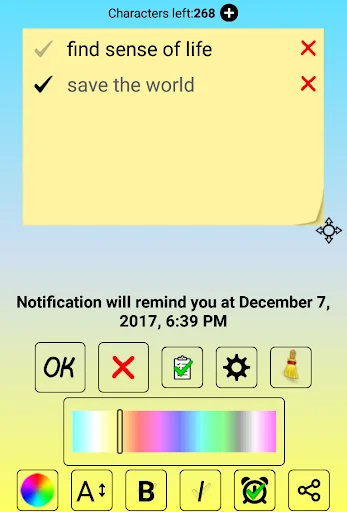
You can add a reminder to the widget for a specific date and time. The time will be notified by a notification, and the background of the sticker will become rumpled.
The entire change history of notes is saved as text files in the phone’s memory, in the Sticker folder. So you will have a backup, which you can open and view at any time in any text editor or in the application itself.
This lightweight app can be turned into a to-do list or shopping list. The completed items from your checklist can be marked directly on the widget without entering the application.
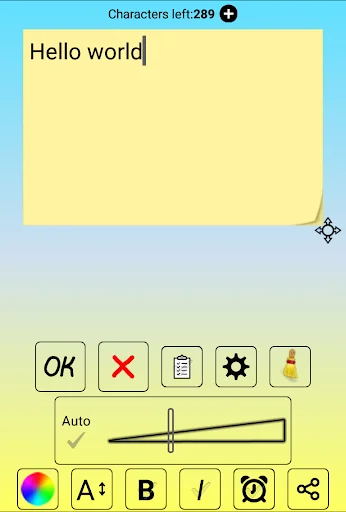
To install the widget, make a long press on an empty space on the screen. Select widgets, then Sticker. Here you can choose between a simple sticker and an advanced one. In a simple widget, nothing extra, type a note and click OK. The font size adjusts automatically to the size of the widget. In advanced, you can control the size and type of the font, the background color, set a reminder, share text with friends and even turn the widget into a checklist (to-do list and shopping).
For normal operation, the application does not need the Internet, that is, it can work offline.
Fill the screen with colorful stickers and you will have an interesting game of colors.
The application can be used as a diary for one day.
To get acquainted with all the functionality, scroll through the short tutorial. The description runs once after installing the application. To start, click on the application icon on the home screen or in the list of applications.
History saving can be disabled in the settings menu.
If you failed to find the Sticker in the list of widgets, try the following:
1. Make sure you are not installing the application on the SD card.
2. reinstall the application
3. Restart the phone (tablet)
Comparable Android apps
The five apps in Tools with the closest revenue to Sticker widget. Click any to see its detail page.
Each forecast combines App Store rating, ratings count, monetisation model, pricing tier, IAP signals and ad-supported flag.
The base estimate is then multiplied by a per-category scaling factor learned from apps with founder-verified MRR.
Every number on this page comes from public APIs and bumetric's own snapshot history.
Full methodology covers input variables, accuracy bands per category and how we treat apps without comparable anchors.
See also the live data on Sticker widget's tracker page for current rating, reviews and snapshot timeline.
Building something similar? Get a free AI audit with $-revenue forecasts for every recommendation.

 Ringtones of Maher Zain for ph
 Birthday calendar
 SEO Checker
 Easy Drawer - App Organizer
 Loomy Night Light