What Stock Management System actually does (from store listing)
📦 Inventory Management System – Smart Stock Manager App
Manage your products, purchases, sales, vendors, and customers easily with the Inventory Management System App — a complete stock and inventory management solution for retailers, wholesalers, and distributors.
Track every item, monitor stock levels, and keep your data 100 % secure.
🔄 Simple Workflow
1️⃣ Add your product details
2️⃣ Add vendor details
3️⃣ Create purchase entries
4️⃣ Add customer details
5️⃣ Create sales entries…
📦 Inventory Management System – Smart Stock Manager App
Manage your products, purchases, sales, vendors, and customers easily with the Inventory Management System App — a complete stock and inventory management solution for retailers, wholesalers, and distributors.
Track every item, monitor stock levels, and keep your data 100 % secure.
Your inventory is automatically updated and synced with each entry.
🌟 Main Features
🧭 Easy & User-Friendly Interface
Clean design and smooth navigation help you manage stock effortlessly.
Choose from multiple product list styles and custom theme colors to suit your preference.
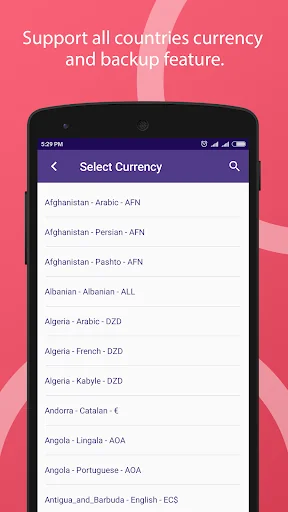
💱 Multi-Currency & Date Format Support
Select your currency and date format according to your region.
Supports ₹, $, €, £, R, ₪, лв, and many more — perfect for international users.
🔒 100 % Data Security
Your business data remains on your device, never stored on our servers.
Cloud backups are safely stored on Google Drive, accessible only through your Google login.
⚠️ Low Stock Alerts
Get instant notifications when any product reaches its minimum quantity.
Set different stock limits for each product to avoid shortages.
📷 Barcode Scanning
Use your phone camera as a barcode scanner to search or add products instantly.
No need to type product names manually during purchase or sales entry.
🧾 Multiple Product List Styles
Choose your preferred layout:
• Big image + Quick Action Bar
• Big image only
• Small image + Quick Action Bar
• No image (compact view)
💾 Local Backup & Restore
Create unlimited backups stored in your phone’s internal memory.
Backups are saved in the “STOCKMGMT” folder for quick restore or transfer.
☁️ Google Drive Cloud Backup
Back up and restore your inventory data on any device with one click — ideal when changing phones or resetting devices.
📊 Export Data to Excel
Export your product, purchase, and sales data into .XLS format for reports, records, or sharing.
⚙️ Advanced Inventory Tools
Manage products, vendors, customers, sales, purchases, and expenses
Add product images and full descriptions
Integrated barcode scanner
View monthly stock-on-hand and profit/loss summaries
Filter and sort by product, date, vendor, or customer
Because it’s a secure, lightweight, and powerful inventory tracker that helps you:
✔️ Save time and reduce manual work
✔️ Protect your data with local + cloud backup
✔️ Track purchases and sales anytime, anywhere
✔️ Stay organised with accurate stock reports
Comparable Android apps
The five apps in Finance with the closest revenue to Stock Management System. Click any to see its detail page.
Each forecast combines App Store rating, ratings count, monetisation model, pricing tier, IAP signals and ad-supported flag.
The base estimate is then multiplied by a per-category scaling factor learned from apps with founder-verified MRR.
Every number on this page comes from public APIs and bumetric's own snapshot history.
Full methodology covers input variables, accuracy bands per category and how we treat apps without comparable anchors.
See also the live data on Stock Management System's tracker page for current rating, reviews and snapshot timeline.
Building something similar? Get a free AI audit with $-revenue forecasts for every recommendation.




 Stock Price Calculator
 Sitagri Mobile
 Rockefeller Digital
 實德金業(SIB)
 Aspia Expense