What Storage Analyzer actually does (from store listing)
** We are aware of performance issues when deleting and modifying files on some devices, and are looking into ways to speed things up while maintaining high reliability **
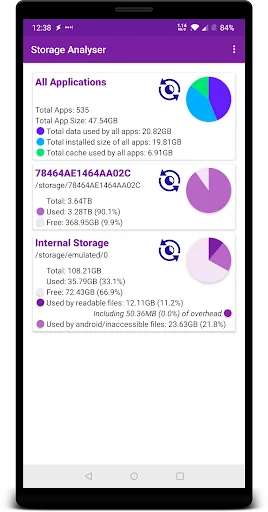
Storage Analyzer is a tool to help visualise and manage the space used on your phone, tablet, or Chromebook. The information is presented in a simple manner to make it easy to understand where your space has gone.
It lists the storage areas and devices available on your phone or tablet including internal storage, SD card…
** We are aware of performance issues when deleting and modifying files on some devices, and are looking into ways to speed things up while maintaining high reliability **
Storage Analyzer is a tool to help visualise and manage the space used on your phone, tablet, or Chromebook. The information is presented in a simple manner to make it easy to understand where your space has gone.
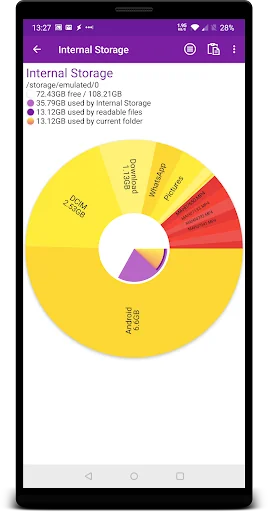
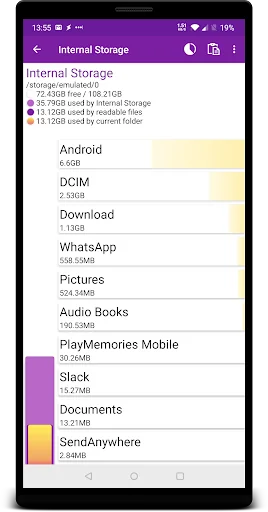
It lists the storage areas and devices available on your phone or tablet including internal storage, SD cards and attached devices such as hard drives, and shows the total and used space on each. You can then scan each one and view them in detail, and delete files which are no longer needed or move files around to manage your free space.
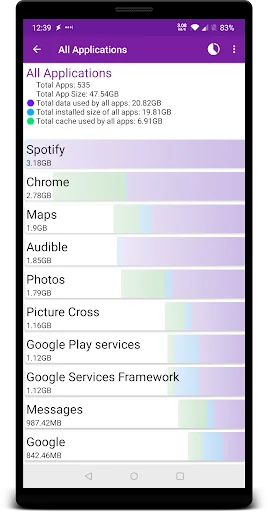
Pro users can also now scan their installed apps to see which are taking up lots of space, and can then go straight to the app's settings to clear data or uninstall the app (where possible).
Storage analyzer has no popup or full screen ads, and is easy to use.
Coming Soon • Wear OS Support
• View your images and videos within the app
Comparable Android apps
The five apps in Tools with the closest revenue to Storage Analyzer. Click any to see its detail page.
Each forecast combines App Store rating, ratings count, monetisation model, pricing tier, IAP signals and ad-supported flag.
The base estimate is then multiplied by a per-category scaling factor learned from apps with founder-verified MRR.
Every number on this page comes from public APIs and bumetric's own snapshot history.
Full methodology covers input variables, accuracy bands per category and how we treat apps without comparable anchors.
See also the live data on Storage Analyzer's tracker page for current rating, reviews and snapshot timeline.
Building something similar? Get a free AI audit with $-revenue forecasts for every recommendation.


 File Converter
 VPN Israel - Get Israeli IP
 Arabic Keyboard with English
 DishPointer (Satellite Finder
 Wipro Next Smart Home