What Storage Manager: app space actually does (from store listing)
Struggling with limited space on your device's internal storage? Tired of Play Store updates constantly moving your apps back to internal storage? Frustrated with not knowing which apps can be moved to your SD card or how much storage space your apps are using?
With Storage Manager, you can identify the apps hogging valuable space on your internal storage and easily navigate to the Android settings screen for any selected app, enabling you to make necessary changes and free up space. From cle…
Struggling with limited space on your device's internal storage? Tired of Play Store updates constantly moving your apps back to internal storage? Frustrated with not knowing which apps can be moved to your SD card or how much storage space your apps are using?
With Storage Manager, you can identify the apps hogging valuable space on your internal storage and easily navigate to the Android settings screen for any selected app, enabling you to make necessary changes and free up space. From clearing cache and moving apps to the SD card, to clearing data and uninstalling apps, it's all just a few taps away.
No need to root your device or rely on other complicated apps. Storage Manager integrates with your device's built-in Android app info screen, ensuring a hassle-free and familiar experience.
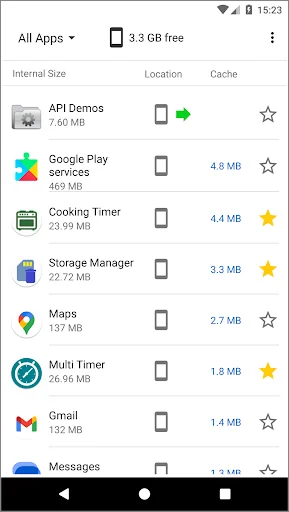
Key Features: - Clear overview of all your installed apps, displaying app icons, names, and storage usage details (internal storage, app size, data size).
- Identify the install location of each app (external, internal, or internal with SD card compatibility).
- View the cache size usage of each app.
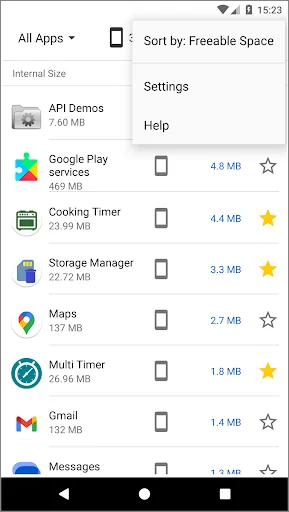
- Filter and sort your app list to gain insights into what apps are using your storage.
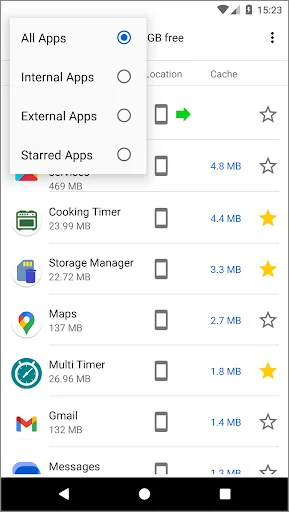
Filter Options: - All Apps: Display all apps installed on your device.
- Internal Apps: Show apps installed on internal storage only.
- External Apps: Show apps installed on the external/SD card.
- Starred Apps: Show apps marked as favourites.
Customization of Your Apps List: - Create a custom app list by starring essential apps to mark as favourites and filter the list to view starred apps exclusively.
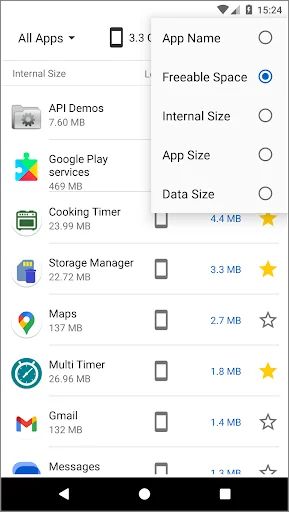
Sort Options: - App Name: Alphabetically order your apps by name.
- Freeable Space: Prioritize apps based on the space that can be freed (movable apps and cache size).
- Internal Usage: Identify apps consuming the most internal storage space.
- App Size: Sort apps by their size, starting from the largest.
- Data Size: Find out which apps utilize the most data storage.
- Last Installed: Order by most recently installed apps.
Take control of your device's storage with Storage Manager and reclaim valuable space for what matters most. Download it now and start freeing up your device storage.
Comparable Android apps
The five apps in Tools with the closest revenue to Storage Manager: app space. Click any to see its detail page.
Each forecast combines App Store rating, ratings count, monetisation model, pricing tier, IAP signals and ad-supported flag.
The base estimate is then multiplied by a per-category scaling factor learned from apps with founder-verified MRR.
Every number on this page comes from public APIs and bumetric's own snapshot history.
Full methodology covers input variables, accuracy bands per category and how we treat apps without comparable anchors.
See also the live data on Storage Manager: app space's tracker page for current rating, reviews and snapshot timeline.
Building something similar? Get a free AI audit with $-revenue forecasts for every recommendation.


 UDP Sender / Receiver
 Clock
Clock
 SATELLITE INFO
 Mini Mirror - Hand Mirror
 Yale CCTV