Android app
from Mehmet Ibrahim
· Video Players & Editors
ML forecast★ 3.2 · 493Free
~341/mo
ML revenue forecast.
Calibrated against 9327 apps in this category.
Confidence band
±15%
High — many comparable apps with verified data
At a glance
Earns 1.59× more than the category median (215/mo).
Ranks #2,679 of 9,327 in Video Players & Editors (top 28.7% by revenue).
Launched Mar 22, 2017.
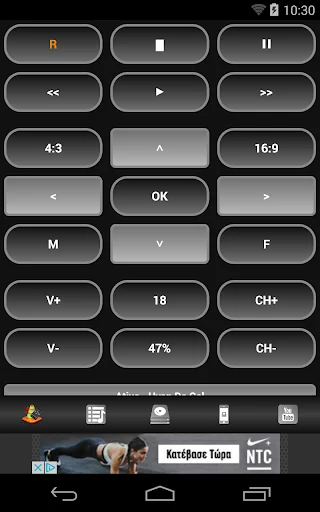
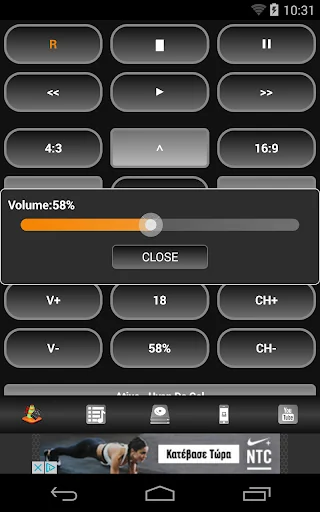
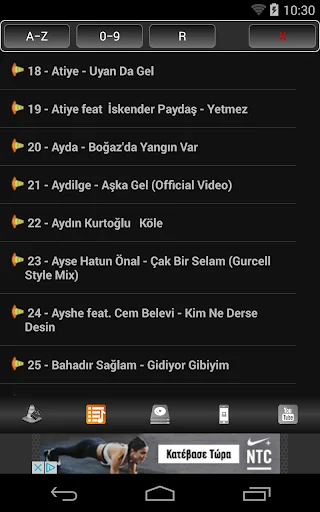
What the app looks like
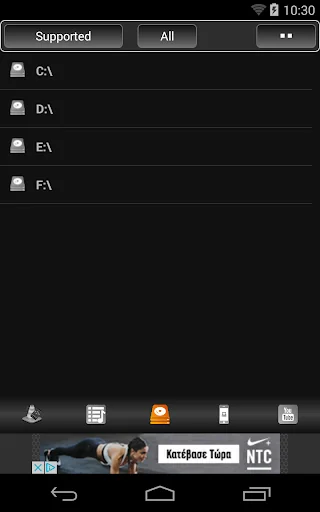
Live screenshots from the Play Store, captured by our snapshot worker. Tap any image to enlarge.
Super Remote for VLC's revenue trajectory
Forecast revenue from snapshot history. Last 1 months.
Where Super Remote for VLC sits in Video Players & Editors
Revenue distribution of 9327 comparable apps. Super Remote for VLC highlighted.
Super Remote for VLC vs comparable apps
Revenue trajectory side-by-side. Bold = Super Remote for VLC, ghosted = peers.
App spec
Version
Varies with device
Launched
Mar 22, 2017
Price
Free
Monetization
Free
What Super Remote for VLC actually does (from store listing)
Control VLC, using Smartphone
Settings:
1. IN OUR PC Go to www.videolan.org , download and Install VLC Player
2. IN OUR Phone Go to play.google.com/store and search "Super Remote for VLC" install
3. IN OUR PC OPEN VLC Player
4. Go to Tools / Preferences "CTRL + P" from the menu.
5. In Show settings, switch to the radio button that says All.
6. At the left, scroll and navigate to Interface / Main Interfaces.
7. From Settings of the main interface, under Extra interface modules check t…
Settings:
1. IN OUR PC Go to www.videolan.org , download and Install VLC Player
2. IN OUR Phone Go to play.google.com/store and search "Super Remote for VLC" install
3. IN OUR PC OPEN VLC Player
4. Go to Tools / Preferences "CTRL + P" from the menu.
5. In Show settings, switch to the radio button that says All.
6. At the left, scroll and navigate to Interface / Main Interfaces.
7. From Settings of the main interface, under Extra interface modules check the box that says Web.
8. In Advances Preferences, navigate further into the settings Interface / Main Interfaces - Lua.
9. Under Lua HTTP, input a password in its respective text box, e.g. "123"
10. Afterwards, restart VLC.
If prompted by Windows Firewall, give VLC the access to public and private networks. The feature has been activated successfully.
11. The only thing that we should know is the local IP of the system which has VLC installed.
To find out the local IP
12. Go to start and type cmd. Run cmd.exe, In command prompt, enter ipconfig/all. OR
13. Look for IPv4 Address. In this example it is seen as 192.168.2.10
Taking an IP like this one, go to your smartphone’s Super VLC Remote
Add computer
Computer name, IP adress, PORT and Password
Features:
Add current directory to Playlist
Add File to Playlist
Add current directory to Playlist and play
Add File to Playlist and play
Add Online TV list to Playlist
Add Youtube video url to Playlist
Add Youtube video url to Playlist and play
Playlist Sort by item number 0-9 or 9-0, item name A-Z or Z-A and random
NOTE: if use playlist random, Vlc will be played files randomly
Create Stream
Streaming from Android devices to VLC "tested files: mp4,mp3,m4a,m4v,webm,flv,3gp"
Thank you
Comparable Android apps
The five apps in Video Players & Editors with the closest revenue to Super Remote for VLC. Click any to see its detail page.
Each forecast combines App Store rating, ratings count, monetisation model, pricing tier, IAP signals and ad-supported flag.
The base estimate is then multiplied by a per-category scaling factor learned from apps with founder-verified MRR.
Every number on this page comes from public APIs and bumetric's own snapshot history.
Full methodology covers input variables, accuracy bands per category and how we treat apps without comparable anchors.
See also the live data on Super Remote for VLC's tracker page for current rating, reviews and snapshot timeline.
Building something similar? Get a free AI audit with $-revenue forecasts for every recommendation.

 CAG TV App
 Air DTV WiFi
 Amcrest Link for 960H DVRs
 TV News - Watch Today’s News
 Slow Motion Video Editor