ML revenue forecast.
Calibrated against 77129 apps in this category.
Confidence band
±15%
High — many comparable apps with verified data
At a glance
Tracks close to the Android app category median (189/mo).
Ranks #31,580 of 77,129 in Tools (top 40.9% by revenue).
Launched Mar 18, 2011 · last updated Aug 17, 2023.
What the app looks like
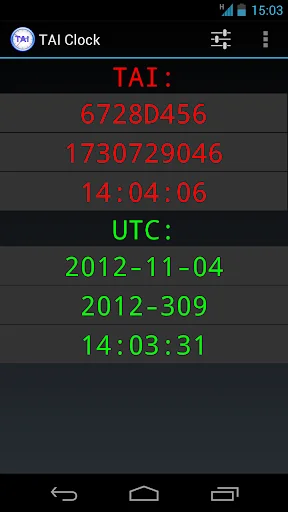
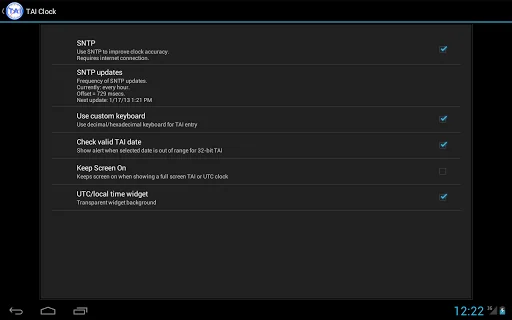
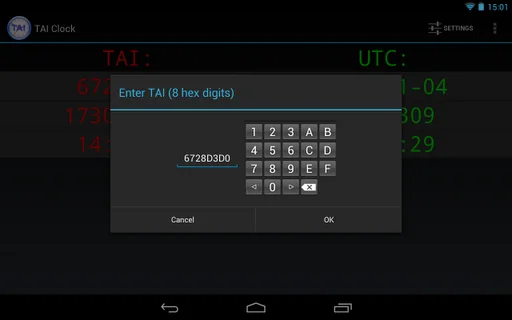
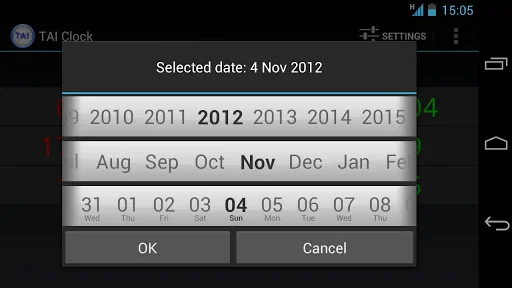
Live screenshots from the Play Store, captured by our snapshot worker. Tap any image to enlarge.
TAI Clock and Converter's revenue trajectory
Forecast revenue from snapshot history. Last 1 months.
Where TAI Clock and Converter sits in Tools
Revenue distribution of 77129 comparable apps. TAI Clock and Converter highlighted.
TAI Clock and Converter vs comparable apps
Revenue trajectory side-by-side. Bold = TAI Clock and Converter, ghosted = peers.
App spec
Version
3.5
Last update
Aug 17, 2023
Launched
Mar 18, 2011
Price
Free
Monetization
Free
What TAI Clock and Converter actually does (from store listing)
Show both/Converts between TAI (International Atomic Time) and UTC (Coordinated Universal Time aka GMT).
TAI is shown in 3 buttons as a 32 bit integer in seconds in both hexadecimal and decimal and as HH:MM:SS.
UTC is shown in 3 buttons:
- YYYY-MM-DD (year, month, day)
- YYYY-DDD (year, dayofyear (0-365/366)
- HH:MM:SS (hour, minute, second)
Tapping any button stops the running clock and allows you to edit it and show the corresponding time in the other representations.
A long pr…
Show both/Converts between TAI (International Atomic Time) and UTC (Coordinated Universal Time aka GMT).
TAI is shown in 3 buttons as a 32 bit integer in seconds in both hexadecimal and decimal and as HH:MM:SS.
UTC is shown in 3 buttons:
- YYYY-MM-DD (year, month, day)
- YYYY-DDD (year, dayofyear (0-365/366)
- HH:MM:SS (hour, minute, second)
Tapping any button stops the running clock and allows you to edit it and show the corresponding time in the other representations.
A long press on either one of the TAI buttons or the UTC HH:MM:SS button starts the corresponding full screen clock. There is a setting to keep the screen on while displaying a full screen clock.
The running clock uses the system clock. The accuracy of the clock can optionally be improved by synchronizing with an internet time server using the SNTP protocol. The frequency of the updates can be set to Never, Once, Every 10 minutes, Every hour and Every 6 hours. Obviously this requires a working internet connection. SNTP updates are only active when the app is in the foreground.
Home screen widgets and a lock screen widget are also included.
Widgets are resizable for Android >= 4.1.
Comparable Android apps
The five apps in Tools with the closest revenue to TAI Clock and Converter. Click any to see its detail page.
Each forecast combines App Store rating, ratings count, monetisation model, pricing tier, IAP signals and ad-supported flag.
The base estimate is then multiplied by a per-category scaling factor learned from apps with founder-verified MRR.
Every number on this page comes from public APIs and bumetric's own snapshot history.
Full methodology covers input variables, accuracy bands per category and how we treat apps without comparable anchors.
See also the live data on TAI Clock and Converter's tracker page for current rating, reviews and snapshot timeline.
Building something similar? Get a free AI audit with $-revenue forecasts for every recommendation.


 AITS
AITS
 Private Browser Care
 Motion Alarm - Triggers on Pho
 Rotation Control
 Remote for Element TV