What Tenuto actually does (from App Store listing)
Tenuto is a collection of 24 highly-customizable exercises designed to enhance your musicality. From recognizing chords on a keyboard to identifying intervals by ear, it has an exercise for you. Tenuto also includes six musical calculators for accidentals, intervals, scales, chords, analysis symbols, and twelve-tone matrices.
A short description of the exercises and calculators follows.
––––––
• Note Identification
• Key Signature Identification
• Interval Identification
• Scale Identificatio…
Tenuto is a collection of 24 highly-customizable exercises designed to enhance your musicality. From recognizing chords on a keyboard to identifying intervals by ear, it has an exercise for you. Tenuto also includes six musical calculators for accidentals, intervals, scales, chords, analysis symbols, and twelve-tone matrices.
A short description of the exercises and calculators follows.
––––––
• Note Identification • Key Signature Identification • Interval Identification • Scale Identification • Chord Identification Tap the button corresponding to the written staff line. For example: if shown a C, E, and G with a sharp; tap the "Augmented Triad" button.
––––––
• Note Construction • Key Signature Construction • Interval Construction • Scale Construction • Chord Construction Construct the specified label by moving notes and/or adding accidentals. For example: if shown a C and an "Augmented 4th" label, move the second note to F and add a sharp.
––––––
• Keyboard Reverse Identification Tap the piano key corresponding to the written note on the staff. While similar to Note Identification, this exercise uses a piano keyboard rather than note name buttons.
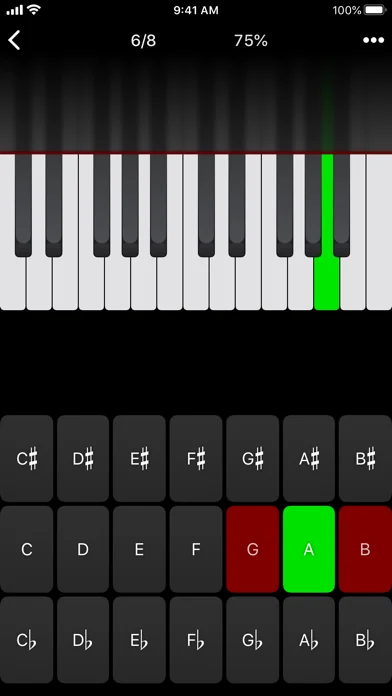
• Keyboard Note Identification • Keyboard Interval Identification • Keyboard Scale Identification • Keyboard Chord Identification Tap the button corresponding to the highlighted piano key(s). If the C and G keys are highlighted, tap the "P5" (Perfect 5th) button.
––––––
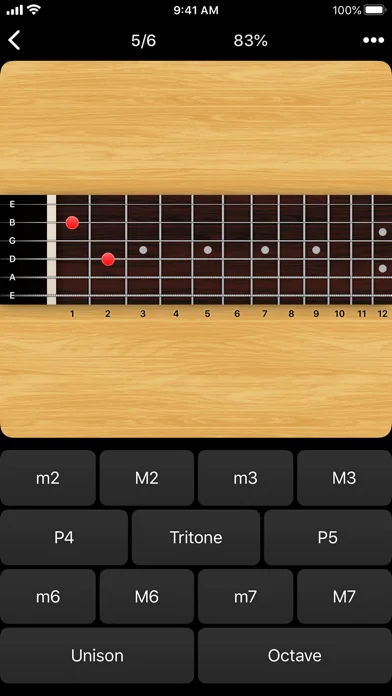
• Fretboard Note Identification • Fretboard Interval Identification • Fretboard Scale Identification • Fretboard Chord Identification Tap the button corresponding to the marked fretboard position(s). If the 2nd fret of the D string is marked, tap the "E" button.
––––––
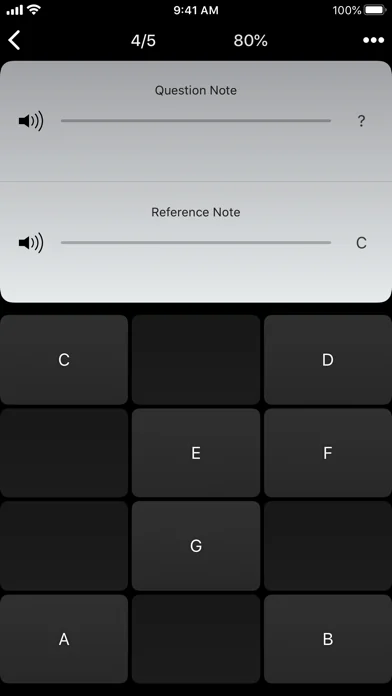
• Keyboard Ear Training • Note Ear Training Listen to the played reference and question notes. Select the piano key or note button corresponding to the question note.
• Interval Ear Training • Scale Ear Training • Chord Ear Training Tap the button corresponding to the played notes. If E and F are played, tap the "Minor 2nd" button.
––––––
• Accidental Calculator Display the accidental for a note and key.
• Interval Calculator Display the interval for a note, type, and key.
• Chord Calculator Display the scale for a tonic and scale type.
• Chord Calculator Display the chord for a note, type, and key.
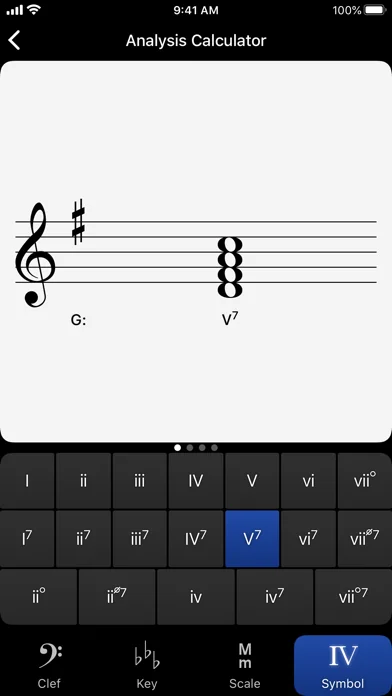
• Analysis Calculator Display the chord for a symbol and key.
• Matrix Calculator Display the twelve-tone matrix for a specified tone row.
🆕 What's new · v5.1
- Updates the app icon used in Dark, Clear, or Tinted modes.
- Fixes several layout and drawing issues when running as a Windowed App.
- Fixes an extremely rare crash when Challenge Mode is enabled.
Comparable iOS apps
The five apps in Utilities with the closest revenue to Tenuto. Click any to see its detail page.
Each forecast combines App Store rating, ratings count, monetisation model, pricing tier, IAP signals and ad-supported flag.
The base estimate is then multiplied by a per-category scaling factor learned from apps with founder-verified MRR.
Every number on this page comes from public APIs and Bumetric's own snapshot history.
Full methodology covers input variables, accuracy bands per category and how we treat apps without comparable anchors.
See also the live data on Tenuto's tracker page for current rating, reviews and snapshot timeline.
Building something similar? Get a free AI audit with $-revenue forecasts for every recommendation.


 Dolphin Cleaner: Cleanup Space
 Sensor VPN - Fast & Secure
 Blue Hound
 Чистка памяти - AI Cleaner
 Image Converter - Easy & Quick