What THR Remote actually does (from store listing)
Description
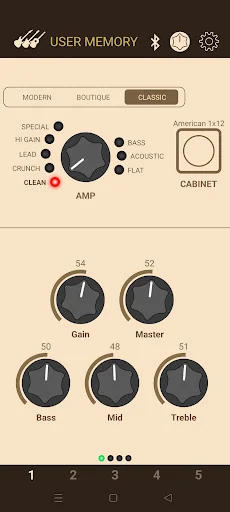
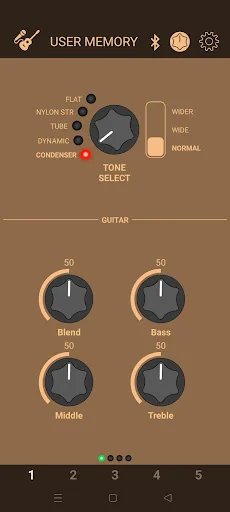
The THR Remote editor lets THR-II players sculpt their guitar tones wirelessly via Bluetooth, with additional parameters for deep editing.
Remote Control
THR-II is built around wireless freedom. With THR Remote on your mobile device, dialing in your favorite sound is just as easy and familiar as streaming your favorite song.
Deep Editing
THR-II amplifiers have simple one-knob controls for the modulation, echo, and reverb effects. With THR Remote, players can acce…
The THR Remote editor lets THR-II players sculpt their guitar tones wirelessly via Bluetooth, with additional parameters for deep editing.
Remote Control
THR-II is built around wireless freedom. With THR Remote on your mobile device, dialing in your favorite sound is just as easy and familiar as streaming your favorite song.
Deep Editing
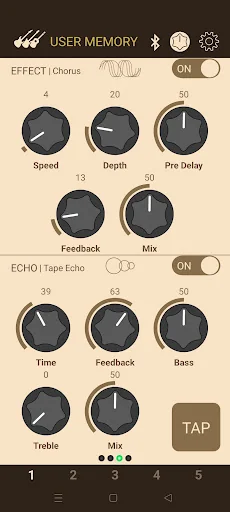
THR-II amplifiers have simple one-knob controls for the modulation, echo, and reverb effects. With THR Remote, players can access multiple parameters per effect for fine tuning, and access a compressor and noise gate.
Footswitch Support
Easily assign a compatible 3rd party Bluetooth footswitch for control that is both hands-free and cable-free.
Advanced Settings
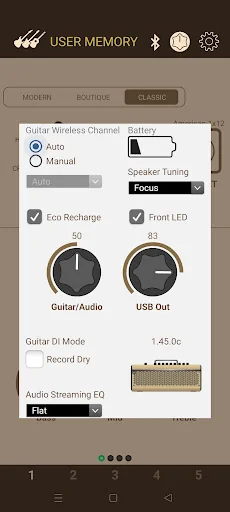
Change the EQ for music playback, adjust the line out and USB out levels, check the battery charge level, and more.
Important Notice:
- To use this app, a smartphone or tablet with BLE communication functionality is required.
- To use this app, please enable location permissions on your Android device.
- Although this app does not use GPS information, location access permissions are necessary on Android devices to use the Bluetooth-MIDI functionality.
- There are instances where Bluetooth MIDI pairing does not complete successfully with specific combinations of devices and operating systems. If you are unable to establish a connection, please try the following steps:
1. Turn on the power of THR-II.
2. Select "Connected Devices" from the Android "Settings" app.
3. Select "+ Pair new devcie".
4. Select "LE_THRII" from the displayed list.
5. A pairing dialog will be displayed; press "Pair" to complete the pairing.
6. Launch the THR Remote app. and connect using the Bluetooth icon.
* The display may differ depending on the model and language you are using.
Comparable Android apps
The five apps in Music & Audio with the closest revenue to THR Remote. Click any to see its detail page.
Each forecast combines App Store rating, ratings count, monetisation model, pricing tier, IAP signals and ad-supported flag.
The base estimate is then multiplied by a per-category scaling factor learned from apps with founder-verified MRR.
Every number on this page comes from public APIs and bumetric's own snapshot history.
Full methodology covers input variables, accuracy bands per category and how we treat apps without comparable anchors.
See also the live data on THR Remote's tracker page for current rating, reviews and snapshot timeline.
Building something similar? Get a free AI audit with $-revenue forecasts for every recommendation.


 Volumio
 Hanuman Chalisa
 FRISKY
 Classical Music Radio WQXR
 Power 98.3 & 96.1