What Auto Blur Background & Photo actually does (from store listing)
Transform your photos with Auto Blur, the ultimate app for creating professional-grade blurred backgrounds, removing backgrounds, and stunning photo edits. Whether you're a photography enthusiast or a social media influencer, this app provides the tools you need to elevate your images.
Key Features:
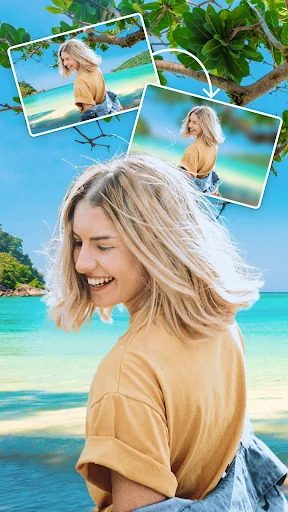
- AI-Powered Background Blur: Automatically detect and blur photo backgrounds with precision.
- Change Background with AI: Replace your photo’s background effortlessly with AI. Choose from a wid…
Transform your photos with Auto Blur, the ultimate app for creating professional-grade blurred backgrounds, removing backgrounds, and stunning photo edits. Whether you're a photography enthusiast or a social media influencer, this app provides the tools you need to elevate your images.
Key Features:
- AI-Powered Background Blur: Automatically detect and blur photo backgrounds with precision.
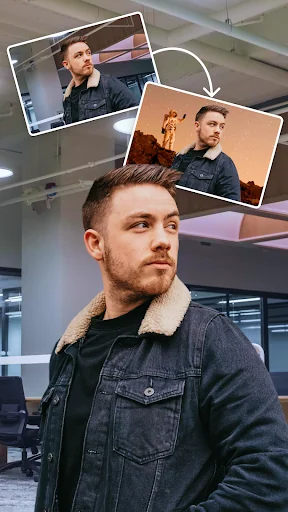
- Change Background with AI: Replace your photo’s background effortlessly with AI. Choose from a wide range of custom backgrounds, including 3D effects, nature scenes, sea views, cityscapes, and more.
- Remove Background: Instantly remove backgrounds with AI, leaving them black, white, or transparent for versatile use.
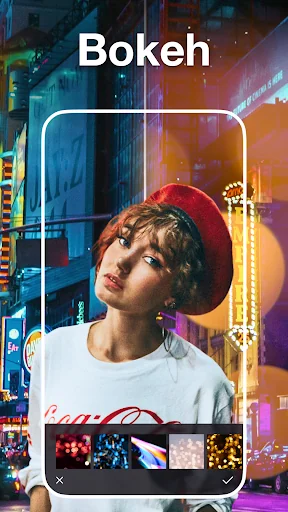
- Effects AI for Background: Apply creative effects to your background, such as black-and-white, pixelated, and more.
- Customizable Blur Levels: Fine-tune the intensity of your blur effect to achieve the perfect look.
- High-Quality Results: Maintain photo quality with HD exports.
- Easy to Use: An intuitive interface ensures anyone can create stunning edits in just a few taps.
- One-Tap Sharing: Share directly to Instagram and other favorite social platforms.
Who Is This App For?
- Photography enthusiasts looking to add depth or creativity to their shots.
- Social media influencers seeking professional-looking content.
- Creatives exploring unique photo editing options.
How It Works:
1. Import Your Photo: Select any image from your gallery.
2. Apply AI Blur: Let the AI automatically blur the background or replace it with a custom design.
3. Remove Background: Make your background black, white, or transparent instantly.
4. Apply Effects: Add creative effects to your background, like black-and-white or pixelation.
5. Customize Your Edits: Adjust blur levels, choose a new background, and refine your image.
6. Save & Share: Export your photo in high quality and share it on Instagram or with the world.
Comparable Android apps
The five apps in Photography with the closest revenue to Auto Blur Background & Photo. Click any to see its detail page.
Each forecast combines App Store rating, ratings count, monetisation model, pricing tier, IAP signals and ad-supported flag.
The base estimate is then multiplied by a per-category scaling factor learned from apps with founder-verified MRR.
Every number on this page comes from public APIs and bumetric's own snapshot history.
Full methodology covers input variables, accuracy bands per category and how we treat apps without comparable anchors.
See also the live data on Auto Blur Background & Photo's tracker page for current rating, reviews and snapshot timeline.
Building something similar? Get a free AI audit with $-revenue forecasts for every recommendation.



 Camera ZOOM FX Christmas Pack
 Gallery
 Emoji background changer
 Change Hair And Eye Color
 Photo Editor pro SnapPic Lab