What Touch Lockscreen photopassword actually does (from store listing)
---
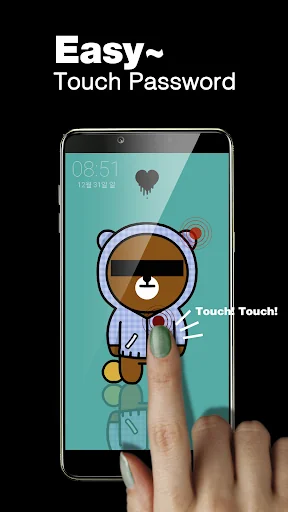
<b><font color="#2f6db4">Display a cool photo on my cell phone screen and use it as a quick and simple way to unlock by touching specific positions of the photo!!</font></b>
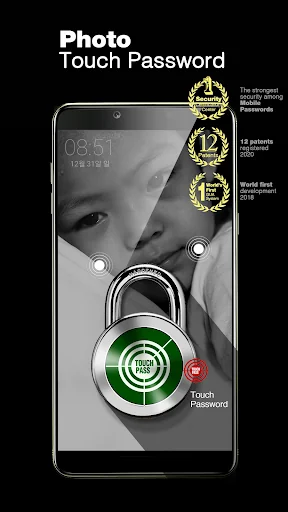
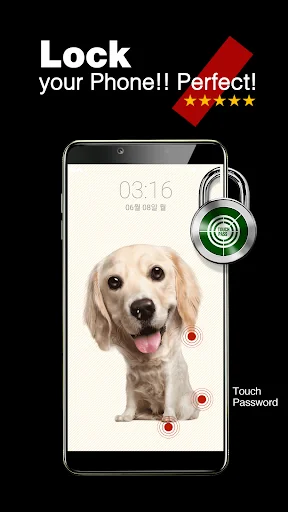
The touch lock screen can simply set a "touch password" with the touch of specific positions on my photo such as eyes, nose, mouth, face, or hand.
- It provides an advanced level of security as both "Photo” and "Touch position" set on the lock screen become a touch password.
- As soon as others touch the sc…
Display a cool photo on my cell phone screen and use it as a quick and simple way to unlock by touching specific positions of the photo!! The touch lock screen can simply set a "touch password" with the touch of specific positions on my photo such as eyes, nose, mouth, face, or hand.
- It provides an advanced level of security as both "Photo” and "Touch position" set on the lock screen become a touch password.
- As soon as others touch the screen on the cell phone, a "warning" message pops up so no one else can unlock it.
- It safeguards my cell phone filled with confidential financial data and personal information.
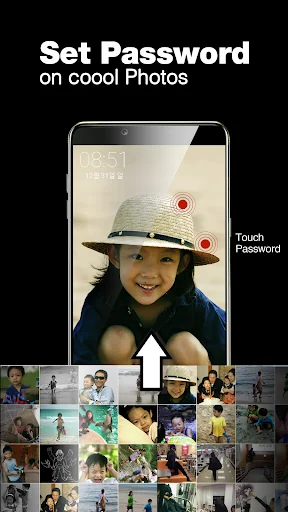
Cool photos turning into my cell phone password!!! @@ - I can also use photos of K-pop stars and their stage performance that I cherish in my phone.
Photos of my girlfriend that I took in person, the lifetime best shot, travel photos, family photos, and some nice photos I downloaded from Internet can be used as strong password as well.
- I can also set my baby’s cute photo on the first screen of my grandmother's cell phone to use it as both photo album and screen lock. Available to use any photo I want, this is a genuine photo touch lock screen~
It is simply done only if I touch any position I want on the photo of my choice. Lock screen compatible with any version of cell phone - Surprisingly, this simple and powerful new security technology is compatible with low-end and old mobile phones as long as their screens are touch-aware.
- Since I can directly set the "touch password" on my favorite photo, my cell phone becomes much easier to use in addition to its decoration effect.
- There is no inconvenience of setting a separate password on my phone once I set the photo password. This is because lock screen’s touch position itself functions as a strong password.
This first introduced "Touch Lock Screen” is a patented technology using graphic authentication.
Security is undoubtedly strong An innovative way to avoid exposing password to others when entering the "Touch Password"! It is because It only comes with the touch-lock screen.
Should I be concerned about the possibility that only touching photos makes my phone vulnerable to certain security breaches such as an attempt to crack my phone’s password by guess or unintended password exposure to others? No need to worry.
- There is a technology hidden inside the touch lock screen that prevents others from finding out what actually makes up the "touch password” during its use. The password is hardly noticeable even if it is shown purposefully.
This magic like technology, which is being introduced for the first time in the world, is also patented technology.
※ "Touch lock screen”’s graphical user authentication(GUA) technology, touch password, random password system, and other technologies are protected by patent so they are prohibited from being reproduced or modified without permission.
[ Our Patents ] - Graphical image user authentication and supplementary service system
- User authentication using password contained with random key
- Image sliding password system
- Password system using characters
- User authentication system using junk data
Total 12 registered patents including above listed technologies. In addition to that, we hold 6 international patents (PCT) and 33 patent applications.
Comparable Android apps
The five apps in Tools with the closest revenue to Touch Lockscreen photopassword. Click any to see its detail page.
Each forecast combines App Store rating, ratings count, monetisation model, pricing tier, IAP signals and ad-supported flag.
The base estimate is then multiplied by a per-category scaling factor learned from apps with founder-verified MRR.
Every number on this page comes from public APIs and bumetric's own snapshot history.
Full methodology covers input variables, accuracy bands per category and how we treat apps without comparable anchors.
See also the live data on Touch Lockscreen photopassword's tracker page for current rating, reviews and snapshot timeline.
Building something similar? Get a free AI audit with $-revenue forecasts for every recommendation.

 FilterBox Notification Manager
 Double A Fastprint
 Speak to Find
 Universal SoundBar Remote Cont
 Keep Screen On Screen Timeout