What True Digital Clock actually does (from store listing)
********* No More Disturbing Pop-Up Ads *********
What's New
- Added 2 (Two) Layout Design
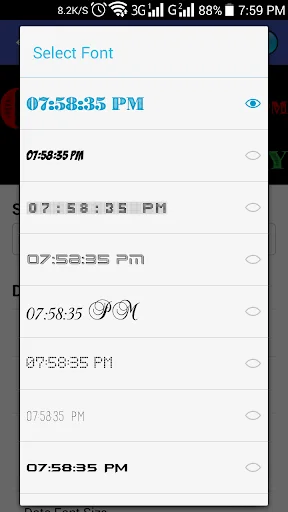
- Custom Font Layout
- 115 Fonts
- Some Minor Bugs Fixed
*** No Pop-up Ads in this App, so you can use it without having any disturbance ***
Please take a look at our really pretty Digital Clock Widget.
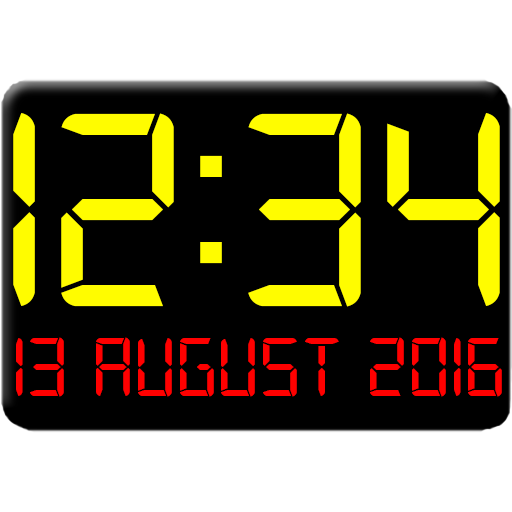
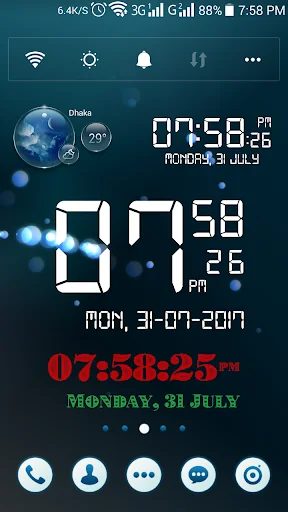
☆ Fully Free Size oriented digital clock widget, the best home screen digital clock and date widgets for Android with Seconds display.
☆ What you can do with this Apps
- Time/LCD Color with …
What's New
- Added 2 (Two) Layout Design
- Custom Font Layout
- 115 Fonts
- Some Minor Bugs Fixed
*** No Pop-up Ads in this App, so you can use it without having any disturbance ***
Please take a look at our really pretty Digital Clock Widget.
☆ Fully Free Size oriented digital clock widget, the best home screen digital clock and date widgets for Android with Seconds display.
☆ What you can do with this Apps
- Time/LCD Color with Alpha/Opacity
- Date Color with Alpha/Opacity
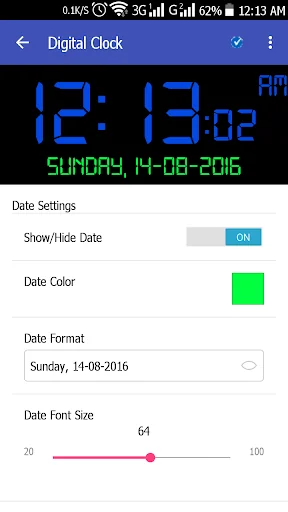
- Date Size 20-100dp
- Shows Alarm Time
- Show/Hide Date
- Show/Hide Alarm
- Show/Hide Second
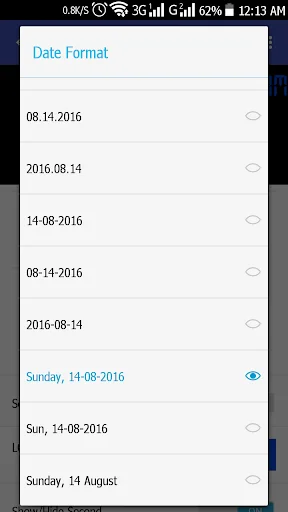
- Date Style Change
- Time Mode 12/24 hour
- Show/Hide AM/PM
- Widget Background Color with Alpha/Opacity
☆ Support both small screen and big screen HD/Full HD devices
☆ You can Resize as you wish by supporting your Device Screen row/Column
☆ Very easy settings - 24/12 hours-format
Digital clock widget is a home screen digital clock and date widget for Android.
We try to build the best digital clock widget in the Play Store.
Feel free to download, enjoy and welcome feedback.
To add the widget to your home screen, use one of the two methods bellow, depending on your launcher and Android version.
Method 1.: Long tap on an empty space on your homescreen, then select "Widgets" and search for "Digital Clock" and tap to view the Widget size.
Method 2: Open your Apps drawer and tap the "Widgets" and search for "Digital Clock" and tap to view the Widget size.
Tap on the Widget to open Settings of your Widget and Select your desire Color, Date format and etc.
After Installing and using "Digital Clock", Please, do not for get to Give your Review and Ratings.
This is Version 1 and Next Version will come very soon with more Features.
Note: DO NOT USE VERY LOW OPACITY, YOU WILL NOT ABLE TO TAP AND OPEN SETTINGS. IF AND YOU CAN GET THE SETTINGS THEN PLEASE OPEN YOUR APPS DRAWER AND FIND "DIGITAL CLOCK" TO OPEN THE SETTINGS.
Comparable Android apps
The five apps in Personalization with the closest revenue to True Digital Clock. Click any to see its detail page.
Each forecast combines App Store rating, ratings count, monetisation model, pricing tier, IAP signals and ad-supported flag.
The base estimate is then multiplied by a per-category scaling factor learned from apps with founder-verified MRR.
Every number on this page comes from public APIs and bumetric's own snapshot history.
Full methodology covers input variables, accuracy bands per category and how we treat apps without comparable anchors.
See also the live data on True Digital Clock's tracker page for current rating, reviews and snapshot timeline.
Building something similar? Get a free AI audit with $-revenue forecasts for every recommendation.

 Pink Love Diamonds Theme
 Zen Monkey Animated Keyboard
 Lovely Couple Heart Keyboard T
 Red Roses Heart Keyboard Backg
 Amoled 4k wallpapers Wallpaled