Manual : http://hlds.co.kr/sw
DVD Video Playback Application for DiscLink Platinum
Movie player for Copy Protected DVD Video disk
* Support Device (Smartphone/Tablet)
- Android 4.4.2 or later and USB OTG support
- Test Device
1) Smart phone : Samsung, Huawei, Xiaomi, OPPO, LG, Lenovo, etc.
2) Tablet : Samsung, LG, Huawei, amazon, Lenovo, etc.
※ This app. might have some compatibility issues depending on devices.
* Support Portable DVD Writer
- Model : GPM2 / K…
DVD Video Playback Application for DiscLink Platinum
Movie player for Copy Protected DVD Video disk
* Support Device (Smartphone/Tablet)
- Android 4.4.2 or later and USB OTG support
- Test Device
1) Smart phone : Samsung, Huawei, Xiaomi, OPPO, LG, Lenovo, etc.
2) Tablet : Samsung, LG, Huawei, amazon, Lenovo, etc.
※ This app. might have some compatibility issues depending on devices.
* Support Portable DVD Writer
- Model : GPM2 / KP95+ / KP96 / KP99 / GP96 / GP75Y / GP78Y
* Guide for connecting this application to a portable DVD writer :
1. Connect a supported portable DVD writer and smart device according to user's manual.
2-1. If DVD Video is used while DISC LINK Platinum is running, TrueDVD is automatically executed.
2-2. If TureDVD is not installed, you are automatically taken to the installation page.
3-1. It can be used even if you run TrueDVD directly.
3-2. Click 'OK' on pop-up window to choose TrueDVD for USB device on smart device.
※ Note : At this time, please execute it with pushing 'JUST ONCE' after selecting TrueDVD
If you execute it with pushing 'ALWAYS', you can't execute DiscLink App in next ODD connection
In this case, please connect ODD after cancelling 'LAUNCH BY DEFAULT' of sMedio TrueDVD Streamer+ at Apps menu in Settings on smart device.
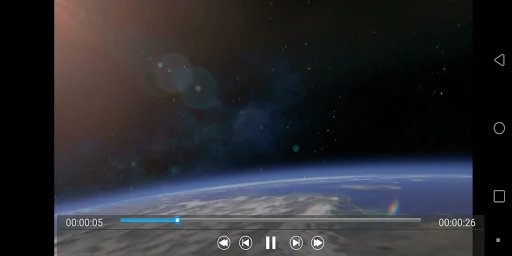
4. Press the return button more than once to stop playing video or exit TrueDVD.
Comparable Android apps
The five apps in Video Players & Editors with the closest revenue to TrueDVD+. Click any to see its detail page.
Each forecast combines App Store rating, ratings count, monetisation model, pricing tier, IAP signals and ad-supported flag.
The base estimate is then multiplied by a per-category scaling factor learned from apps with founder-verified MRR.
Every number on this page comes from public APIs and bumetric's own snapshot history.
Full methodology covers input variables, accuracy bands per category and how we treat apps without comparable anchors.
See also the live data on TrueDVD+'s tracker page for current rating, reviews and snapshot timeline.
Building something similar? Get a free AI audit with $-revenue forecasts for every recommendation.



 Crop Video - Editor And Cutter
 notélé
 Trentino TV
 AXIS Camera Station Edge
 HD Video Player