What TurboCollage - Collage Creator actually does (from App Store listing)
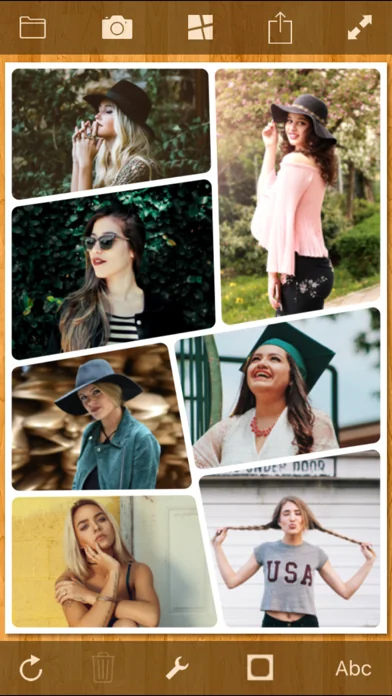
Create stunning picture collages on your iPhone. Setup a collage with a prominent center picture, arrange pictures in a regular grid, or create a random picture pile. Tie fond memories together into gorgeous picture mosaics. With an intuitive interface, TurboCollage gives you complete control over your collage design.
Simply start by adding a few pictures to your collage. Choose a collage style from six exciting variants. Select from a range of aspect ratios. Select Landscape or Portrait orien…
Create stunning picture collages on your iPhone. Setup a collage with a prominent center picture, arrange pictures in a regular grid, or create a random picture pile. Tie fond memories together into gorgeous picture mosaics. With an intuitive interface, TurboCollage gives you complete control over your collage design.
Simply start by adding a few pictures to your collage. Choose a collage style from six exciting variants. Select from a range of aspect ratios. Select Landscape or Portrait orientation. Exchange pictures by dragging one picture on another. Add text to your collage. Shuffle the collage to get another exciting layout. TurboCollage even lets you pan and zoom individual pictures within their frames so that they are positioned just as you wish.
• Add unlimited number of pictures to collage • Add text to collage • Drag a picture on another picture to exchange them • Shuffle collage to get a completely new layout • Pan and zoom pictures within their frames • Drag, scale, or rotate pile pictures • Change pile order to bring more prominent pictures on top • Create Landscape or Portrait collages • Customize text color, opacity, and alignment • Resize, rotate, or move text • Use Instant Camera or Postage Stamp border styles in Pile collage • Set rounded corners on pictures in Grid, Mosaic, Center Frame, Zig Mosaic, and Photohive collages • Upload collage directly to Facebook • Share collage on Twitter • Save collage design to edit later • Works in both Landscape and Portrait orientations
FEEDBACK & SUGGESTIONS
We love to hear from our users. You might have a suggestion for a feature or you might like to report an issue you faced. Please email us at apps@silkenmermaid.com
🆕 What's new · v2.3.1
-Improves performance and fixes bugs
Comparable iOS apps
The five apps in Photo & Video with the closest revenue to TurboCollage - Collage Creator. Click any to see its detail page.
Each forecast combines App Store rating, ratings count, monetisation model, pricing tier, IAP signals and ad-supported flag.
The base estimate is then multiplied by a per-category scaling factor learned from apps with founder-verified MRR.
Every number on this page comes from public APIs and bumetric's own snapshot history.
Full methodology covers input variables, accuracy bands per category and how we treat apps without comparable anchors.
See also the live data on TurboCollage - Collage Creator's tracker page for current rating, reviews and snapshot timeline.
Building something similar? Get a free AI audit with $-revenue forecasts for every recommendation.





 Fine - Photo Editor
 Photoshop Express Photo Editor
 Video to Photo Grabber
 Beep - Censor videos easily
 Anamorphic Cinematic Filters