What Typefinity actually does (from App Store listing)
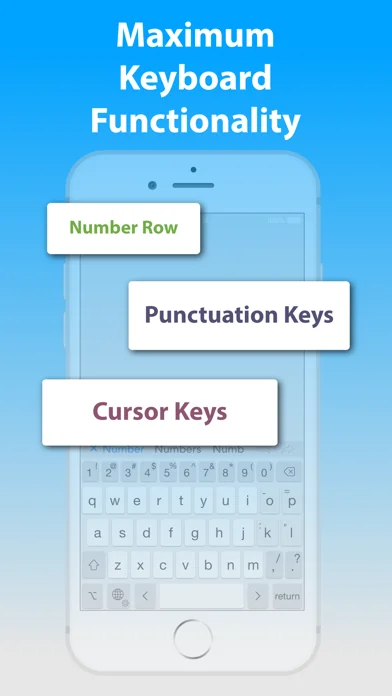
Typing without limits on iPad and iPhone. When it comes to on-screen keyboards, bigger IS different, and Typefinity is built to take advantage of the larger screen size on tablets and modern phones. Stay in the flow when it's time to type a number or symbol or you need to move around, because the needed keys are right there in the main layout. And we use the full width, not just the middle, to display word suggestions.
Ergonomics aren't sacrificed either. The main keys are big enough to typ…
Typing without limits on iPad and iPhone. When it comes to on-screen keyboards, bigger IS different, and Typefinity is built to take advantage of the larger screen size on tablets and modern phones. Stay in the flow when it's time to type a number or symbol or you need to move around, because the needed keys are right there in the main layout. And we use the full width, not just the middle, to display word suggestions.
Ergonomics aren't sacrificed either. The main keys are big enough to type fast, and autocorrect is fine-tuned for catching common finger misses. You'll find using Typefinity is almost like having a full bluetooth keyboard -- without the weight and bulk!
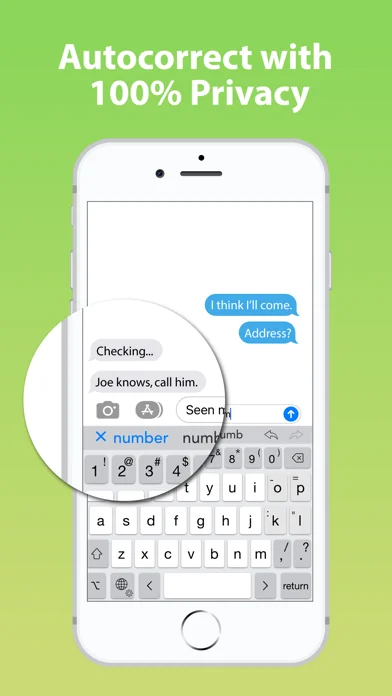
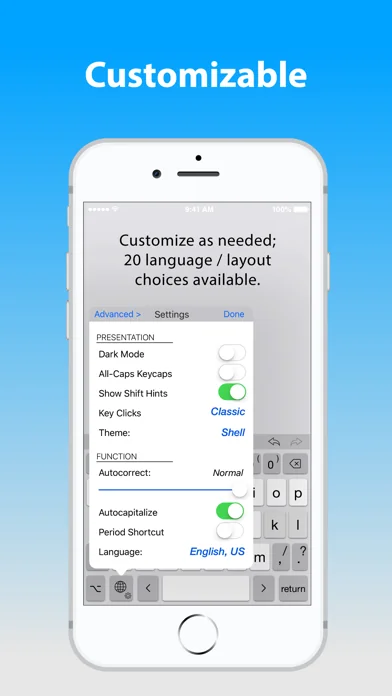
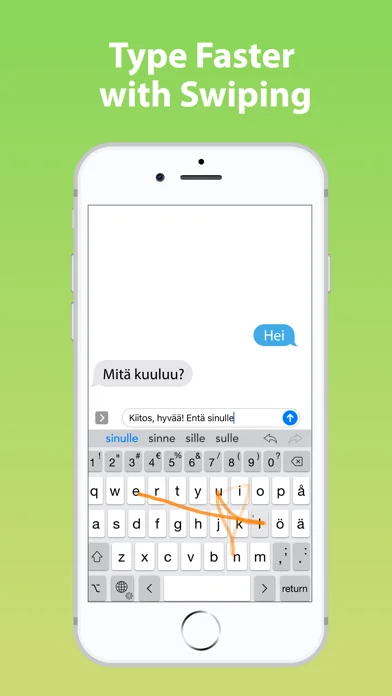
• Numbers and punctuation in one layout, where your fingers remember. • Cursor keys for easy, precise movement by letter or word. • Dedicated keys for accented characters in your language. • Option switch for typing other symbols and accented characters. • Full autocorrect in all supported languages, showing more than three words. • “Short” layout option for more screen visibility in landscape orientation. • Swipe input (trace words with your finger), and flick up on number and punctuation keys for shifted versions. • Numeric and calculator modes. • Privacy friendly (“full access” is NOT required for most functionality, including autocorrect).
Languages / layouts supported: English (US and British / UK / Aus, Dvorak), Czech, Danish, Dutch, Finnish, French (France and Canada), German, Italian, Norwegian (Bokmål), Polish, Portuguese (Portugal and Brazil), Romanian, Spanish, and Swedish.
🆕 What's new · v2.3.1
• Restored ability to grant Full Access to the keyboard. Apple is requiring this now not only for pasting text as mentioned last release, but also for providing haptic key feedback on iPhones. If you won't use Haptic feedback and can do without the paste button on iPad, you do need Full Access. See our prvacy policy for more information (https://typefinity.com/privacy)
Comparable iOS apps
The five apps in Productivity with the closest revenue to Typefinity. Click any to see its detail page.
Each forecast combines App Store rating, ratings count, monetisation model, pricing tier, IAP signals and ad-supported flag.
The base estimate is then multiplied by a per-category scaling factor learned from apps with founder-verified MRR.
Every number on this page comes from public APIs and bumetric's own snapshot history.
Full methodology covers input variables, accuracy bands per category and how we treat apps without comparable anchors.
See also the live data on Typefinity's tracker page for current rating, reviews and snapshot timeline.
Building something similar? Get a free AI audit with $-revenue forecasts for every recommendation.


 Fast Flash -Browser and Player
 Shift Planning Calendar Pro
 Daily Achievements with 3 Wins
 Tiny Calendar: Planner & Tasks
 Media Converter Flex