What Ubuntu Countdown Widget actually does (from store listing)
Keep an eye on the days remaining before the new Ubuntu release!
Features:
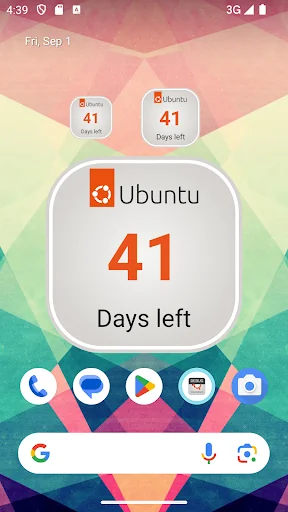
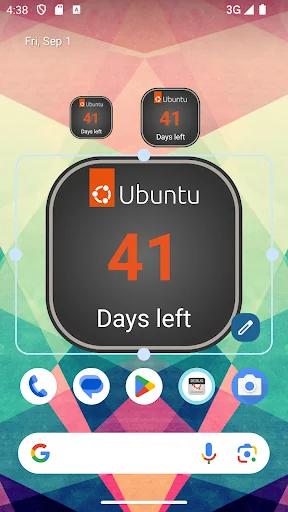
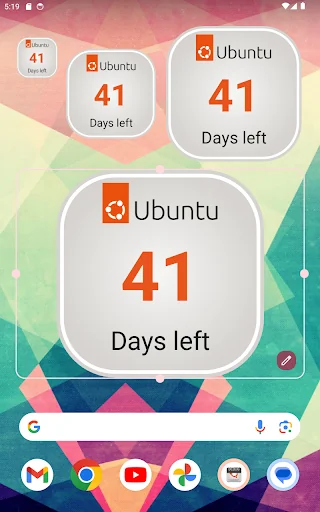
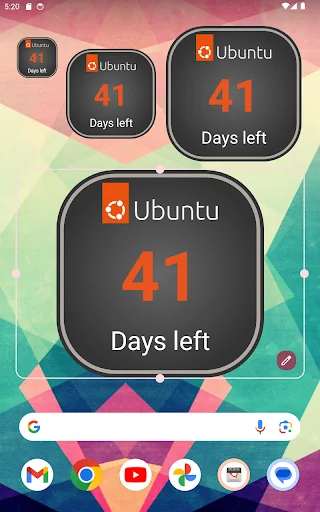
* Two square widgets (1x1 and 2x2)
* Ability to set a custom date
* Built with an eye on battery consumption (widget refresh at most twice a day)
* Light and Dark themes
* Good-looking (thanks to Martín Césare)
******
/!\ REMEMBER:
Do NOT move widgets to SD: they must be installed on internal memory! Otherwise they will not be visible in the widgets list.
******
= How to add Widgets to the Home scree…
Keep an eye on the days remaining before the new Ubuntu release!
Features:
* Two square widgets (1x1 and 2x2)
* Ability to set a custom date
* Built with an eye on battery consumption (widget refresh at most twice a day)
* Light and Dark themes
* Good-looking (thanks to Martín Césare)
******
/!\ REMEMBER:
Do NOT move widgets to SD: they must be installed on internal memory! Otherwise they will not be visible in the widgets list.
******
= How to add Widgets to the Home screen =
Adding the Ubuntu Countdown Widget to your Android Home screen is easy! Just follow the instructions below:
1. On your Android Home screen press the MENU key and select "Add" or, alternatively, tap any blank/empty area and hold down your finger.
2. An "Add to Home screen" window will pop up. From that window, tap "Widgets".
3. Select one of the two "Ubuntu Countdown Widgets".
= Acknowledgements =
I would like to thank all of those who directly or indirectly contributed to the creation of this software.
In particular, thanks to:
* Martín Césare for creating all the software graphics.
* Canonical for creating this wonderful GNU/Linux distribution.
ubuntu-countdown-widget.googlecode.com
Comparable Android apps
The five apps in Tools with the closest revenue to Ubuntu Countdown Widget. Click any to see its detail page.
Each forecast combines App Store rating, ratings count, monetisation model, pricing tier, IAP signals and ad-supported flag.
The base estimate is then multiplied by a per-category scaling factor learned from apps with founder-verified MRR.
Every number on this page comes from public APIs and bumetric's own snapshot history.
Full methodology covers input variables, accuracy bands per category and how we treat apps without comparable anchors.
See also the live data on Ubuntu Countdown Widget's tracker page for current rating, reviews and snapshot timeline.
Building something similar? Get a free AI audit with $-revenue forecasts for every recommendation.


 Presearch Privacy Browser
 Mysterium Dark — Next Gen VPN
 EVA Facial Mouse PRO
 Keylines - Grid Tool for Devs
 SAFE 2 SAVE