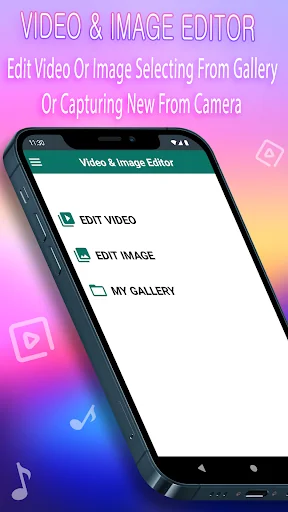
What Video & Image Editor actually does (from store listing)
<h3>Clips Video Editor: Blur Video Maker – Your One Stop Clips Editing Software!</h3>Looking for comprehensive clips editing software? Look no further than Clips Video Editor: Blur Video Maker! From adding tracks to an audio clip mixer, cropping, or merging, this app simplifies it all. Add in professional grade video trimmer and joiner, slow motion maker, and more, and get pro movies in minutes. This app has something for everyone, no matter their skill level, it saves time for all movie editing…
Clips Video Editor: Blur Video Maker – Your One Stop Clips Editing Software!
Looking for comprehensive clips editing software? Look no further than Clips Video Editor: Blur Video Maker! From adding tracks to an audio clip mixer, cropping, or merging, this app simplifies it all. Add in professional grade video trimmer and joiner, slow motion maker, and more, and get pro movies in minutes. This app has something for everyone, no matter their skill level, it saves time for all movie editing requirements.
The quest for seamless Add Music To Video Combiner tools is now over. Welcome to the world of Clips Video Editor: Blur Video Maker, and make your editing heaven!
📄 Clips Video Editor: Blur Video Maker Key Features:📄
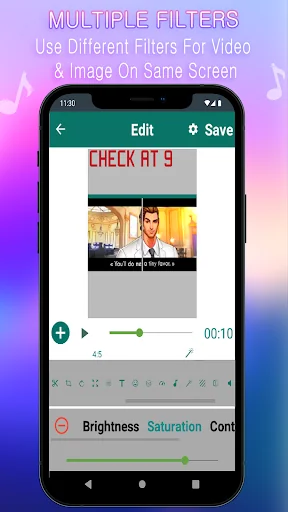
🎬 Blur Video Maker: Amazing blur effects can now be applied to clips with absolute ease;
🎬 Add Music To Video Combiner: Upload your own soundtracks or use the built-in audio for clips;
🎬 Crop Video Editing: Crop clips to fit any size, aspect ratio, or damage control;
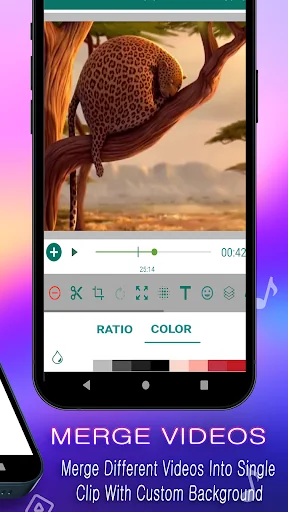
🎬 Video Merger And Joiner: Easy joining and merging capabilities for smooth transitioning of clips;
🎬 Video Trimmer And Joiner: Professional trimming and joining for smooth playback;
🎬 Slow Motion Movie Maker: Create slow motion effects by adjusting clip speed;
🎬 Rotate & Scale: Rotate clip twenty five degrees and adjust the scaling of the dimensions;
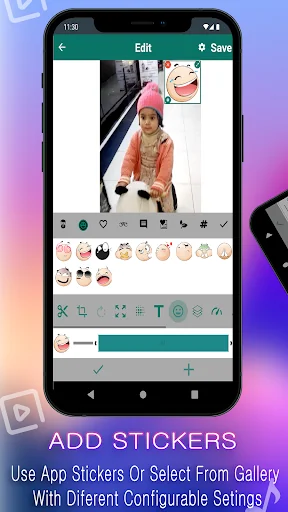
🔝Text & Stickers: Place the text you want in as many shapes, colors, sizes and styles;
🔝High-Quality Export: Export your edited clips in HD quality so you can share them online;
Make beautiful Movies with no hassle!
Clips Video Editor Blur Video Maker aims at making edits to clips both fun and simplistic. Merging clips, adding songs in the clip combiner, or simply cropping edits are all easy on this app. You can achieve your creative goals with ease using the tools like video trimmer and joiner slow-motion movie maker.
Blur Clips Maker: 🎥
Add stunning professional blur effects to your movies within seconds. The Blur Clips Maker has your back whether you want to focus on a particular subject or apply a dreamy filter.
Add Music To Video Combiner: 🎶
Spice up your movies with your favorite tunes or any sound from the library. The clip combiner feature allows for easy addition of audio visuals.
Crop Video Editing: ✂️
Edit like a pro and crop the clip for any platform. The crop video editing feature allows for customization of clips regardless of their intended use, whether on social media or for a presentation.
Video Merger And Joiner: 🎞️
Merge multiple clips and build them into a single movie. The video merger and joiner tool enables effortless editing and smooth transitions.
Slow Motion Movie Maker: ⏳
Now highlighting moments has become more rewarding. Create stunning movies with the Slow Motion Movie Maker, which gives you the ability to adjust the speed of your clips to either highlight dramatic moments or slow them down to add some effect.
Get on top of your editing game!
Rock out with the clips video editor: blur video maker. Thank you for choosing Clips Video Editor: Blur Video Maker- your creativity, our tool. 🙂
Comparable Android apps
The five apps in Video Players & Editors with the closest revenue to Video & Image Editor. Click any to see its detail page.
Each forecast combines App Store rating, ratings count, monetisation model, pricing tier, IAP signals and ad-supported flag.
The base estimate is then multiplied by a per-category scaling factor learned from apps with founder-verified MRR.
Every number on this page comes from public APIs and bumetric's own snapshot history.
Full methodology covers input variables, accuracy bands per category and how we treat apps without comparable anchors.
See also the live data on Video & Image Editor's tracker page for current rating, reviews and snapshot timeline.
Building something similar? Get a free AI audit with $-revenue forecasts for every recommendation.


 Video Search for YouTube
 Lite VideoPlayer
 Magic Green Screen Creator
 Screen Video Recorder
 LiteC Video MP3 Audio Extract