ML revenue forecast.
Calibrated against 20485 apps in this category.
Confidence band
±15%
High — many comparable apps with verified data
At a glance
Earns 1.83× more than the category median (192/mo).
Ranks #5,072 of 20,485 in Photography (top 24.8% by revenue).
Launched Nov 01, 2015.
What the app looks like
Live screenshots from the Play Store, captured by our snapshot worker. Tap any image to enlarge.
Video Rotate : Video Flip's revenue trajectory
Forecast revenue from snapshot history. Last 1 months.
Where Video Rotate : Video Flip sits in Photography
Revenue distribution of 20485 comparable apps. Video Rotate : Video Flip highlighted.
Video Rotate : Video Flip vs comparable apps
Revenue trajectory side-by-side. Bold = Video Rotate : Video Flip, ghosted = peers.
App spec
Version
Varies with device
Launched
Nov 01, 2015
Price
Free
Monetization
Free
What Video Rotate : Video Flip actually does (from store listing)
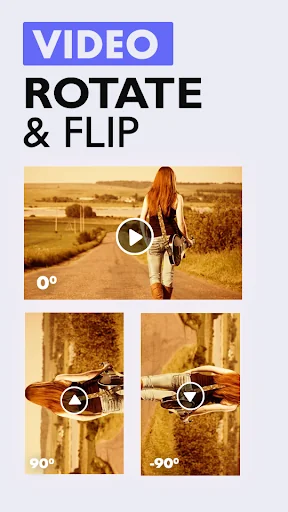
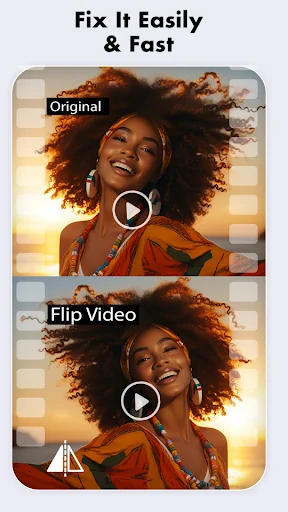
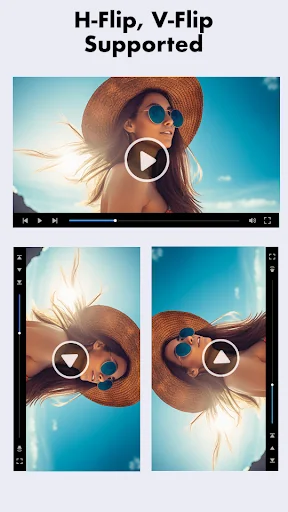
Did you accidentally record your video in the wrong orientation? Is your precious memory captured at an awkward angle? Worry no more! Introducing Video Rotate: Video Flip, the ultimate tool for rotating, flipping, trimming, and splicing your videos with ease. Whether you need to fix a video recorded sideways or upside down, or trim and combine clips, this app has got you covered.
*Key Features:*
- *Easy Video Selection:* Choose the video you want to rotate directly from your gallery.
- *Mul…
Did you accidentally record your video in the wrong orientation? Is your precious memory captured at an awkward angle? Worry no more! Introducing Video Rotate: Video Flip, the ultimate tool for rotating, flipping, trimming, and splicing your videos with ease. Whether you need to fix a video recorded sideways or upside down, or trim and combine clips, this app has got you covered.
*Key Features:*
- *Easy Video Selection:* Choose the video you want to rotate directly from your gallery.
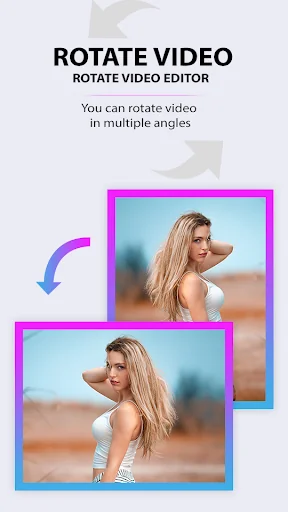
- *Multiple Rotation Options:* Rotate your video by 90 degrees, 180 degrees, or 270 degrees to get the perfect angle.
- *Frame-by-Frame Rotation:* Unlike other apps that only correct the orientation tag, Video Rotate: Video Flip rotates every single frame, ensuring your video plays correctly on all devices.
- *Trim and Splice:* Easily trim unwanted sections and splice multiple clips together to create the perfect video.
- *UI Compatibility:* Enjoy the rotated videos on your desktop screen without any hassle.
- *Save and Share:* Save your corrected videos in your gallery and share them instantly with friends and family on social media or via messaging apps.
*How It Works:*
1. *Select a Video:* Open the app and select the video you want to rotate from your gallery.
2. *Choose Rotation Angle:* Choose the desired rotation angle – 90 degrees, 180 degrees, or 270 degrees.
3. *Trim and Splice:* Use the trim feature to remove unwanted sections and the splice feature to combine clips.
4. *Preview and Save:* Preview the rotated and edited video to ensure it looks perfect. Save it to your gallery with just one tap.
5. *Share with Ease:* Share your corrected video directly from the app to your favorite social media platforms or messaging apps.
*Why Choose Video Rotate: Video Flip?*
- *User-Friendly Interface:* The app is designed with simplicity in mind, making it easy for anyone to use.
- *High-Quality Output:* Ensure your videos are rotated and edited without any loss in quality.
- *Fast Processing:* Quickly rotate, trim, splice, and save your videos without long waiting times.
- *Versatile Usage:* Ideal for both personal and professional use, whether you're correcting a family video or preparing content for social media.
*Download Now!*
Fix your video orientation issues once and for all with Video Rotate: Video Flip. Rotate, trim, splice, save, play, and share your videos in the right direction effortlessly. Download now and start enjoying perfectly oriented and edited videos today!
Comparable Android apps
The five apps in Photography with the closest revenue to Video Rotate : Video Flip. Click any to see its detail page.
Each forecast combines App Store rating, ratings count, monetisation model, pricing tier, IAP signals and ad-supported flag.
The base estimate is then multiplied by a per-category scaling factor learned from apps with founder-verified MRR.
Every number on this page comes from public APIs and bumetric's own snapshot history.
Full methodology covers input variables, accuracy bands per category and how we treat apps without comparable anchors.
See also the live data on Video Rotate : Video Flip's tracker page for current rating, reviews and snapshot timeline.
Building something similar? Get a free AI audit with $-revenue forecasts for every recommendation.


 Rama Photo Frame
 Video Background Changer
 Lehenga Choli Photo Editor
 KOGAN APP
 funEvent 360 photo booth