What Video Utils:Edit, Merge & Trim actually does (from store listing)
Welcome to Video Utils - the ultimate video editing app for mobile! With Video Utils, you can easily modify and create videos, download videos from popular platforms like Facebook, Instagram, Vimeo, and Tiktok, and more - all for free and with no limits on the number of videos you can merge!
Using Video Utils is simple. Just copy the link to any video you're interested in and paste it into the app to download it. You can also share links directly from the video platform to download videos. Pl…
Welcome to Video Utils - the ultimate video editing app for mobile! With Video Utils, you can easily modify and create videos, download videos from popular platforms like Facebook, Instagram, Vimeo, and Tiktok, and more - all for free and with no limits on the number of videos you can merge!
Using Video Utils is simple. Just copy the link to any video you're interested in and paste it into the app to download it. You can also share links directly from the video platform to download videos. Please note that Video Utils only works with public videos and does not access any media content in an unauthorized manner. Unfortunately, due to YouTube's strict copyright laws, we are unable to support it at this time.
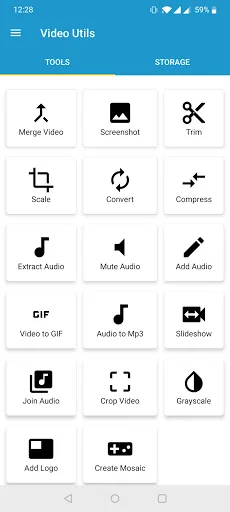
But that's not all! Video Utils also includes a wide range of other features to enhance your video editing experience:
Video to Image: Capture snapshots from any video
Audio Remover: Remove audio from any video
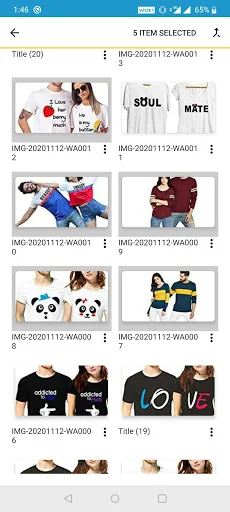
Video Merger: Merge multiple videos into one
Scale Video: Change the resolution of any video
Video Converter: Convert videos to different formats (MP4, M4V, MOV, 3GP, 3G2, WMV, FLV, ASF, and AVI)
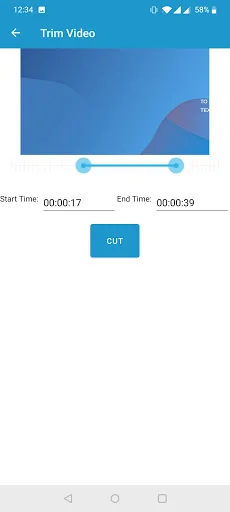
Video Trimmer: Trim videos based on start and end time
Audio Extractor: Extract audio from any video file in MP3 format
Video Compressor: Compress video files to reduce their size (currently in beta)
Play any newer formats of videos
Add MP3 audio to videos
MP3 Converter: Convert audio files in any format to MP3
GIF Creator: Create GIFs from videos
Image Slideshow: Create a slideshow of images in MP4 format
Audio Joiner: Join audio files of any format into MP3
Video Cropper: Crop videos to remove unnecessary sections
Grayscale Converter: Create grayscale videos
Watermark Video: Add image logos to your videos
Create Mosaic videos.
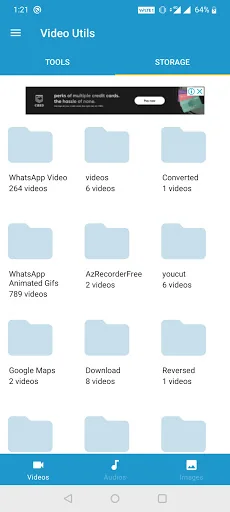
All screenshots taken with Video Utils are automatically saved to your device's Pictures folder, while all video files are saved in the Movies folder and all audio files are saved in the Music folder.
Video Utils allows you to merge videos of different extensions, with no limit on the number of videos that can be merged. Our video converter supports popular formats, while the audio extraction service automatically converts extracted audio to MP3 files. With the video scale feature, you can update the resolution of any video, resulting in smaller video files.
If you experience any issues while using Video Utils, please send us your feedback via the app. We'll work to address your concerns as soon as possible.
Download Video Utils today and start creating and modifying videos like a pro!
Comparable Android apps
The five apps in Video Players & Editors with the closest revenue to Video Utils:Edit, Merge & Trim. Click any to see its detail page.
Each forecast combines App Store rating, ratings count, monetisation model, pricing tier, IAP signals and ad-supported flag.
The base estimate is then multiplied by a per-category scaling factor learned from apps with founder-verified MRR.
Every number on this page comes from public APIs and bumetric's own snapshot history.
Full methodology covers input variables, accuracy bands per category and how we treat apps without comparable anchors.
See also the live data on Video Utils:Edit, Merge & Trim's tracker page for current rating, reviews and snapshot timeline.
Building something similar? Get a free AI audit with $-revenue forecasts for every recommendation.


 Caiway Interactieve TV
 AirPin PRO ad - AirPlay & DLNA
 Noise and Sweep Generator
 Simple Protocol Player
 TCT
TCT