What Video Zoom! - Apply Zoom, Crop actually does (from App Store listing)
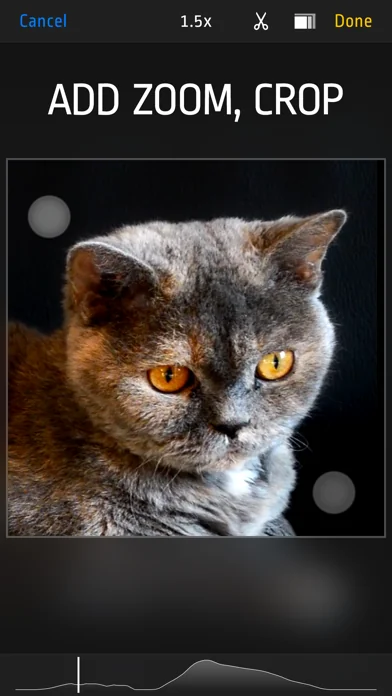
Do your videos look boring? Did you forget to use zoom during recording? Want to cut some parts? Use this app to add Zoom effects to existing videos, change aspect ratio, cut unwanted parts, or just crop a video. Use it as a normal app or Video Extension.
How to use it:
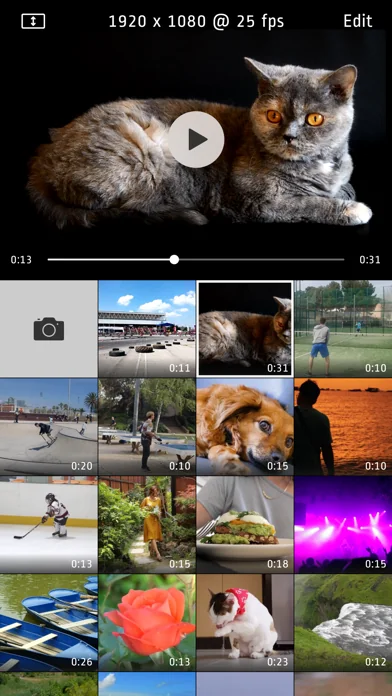
1. Tap video thumbnail to preview video
2. Tap Edit to open editor
3. Use pinch/drag gestures to add zoom effect. You can do it when video is playing or paused.
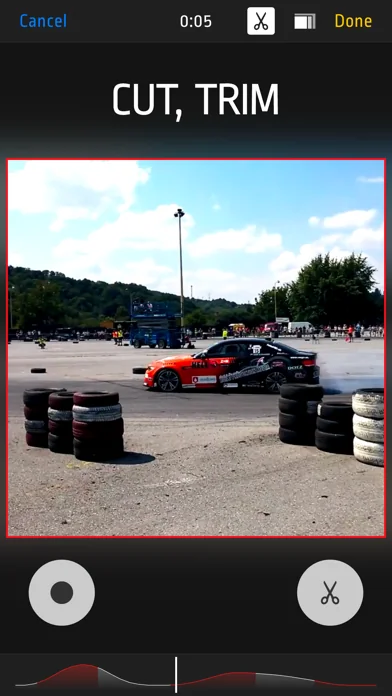
4. Tap ‘Scissors’ icon to show Cut and Uncut buttons. Hold ‘Cut’ p…
Do your videos look boring? Did you forget to use zoom during recording? Want to cut some parts? Use this app to add Zoom effects to existing videos, change aspect ratio, cut unwanted parts, or just crop a video. Use it as a normal app or Video Extension.
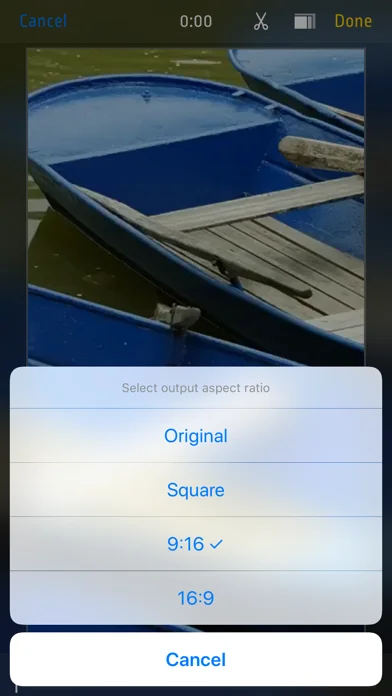
How to use it: 1. Tap video thumbnail to preview video 2. Tap Edit to open editor 3. Use pinch/drag gestures to add zoom effect. You can do it when video is playing or paused. 4. Tap ‘Scissors’ icon to show Cut and Uncut buttons. Hold ‘Cut’ pressed to cut unwanted scenes. 5. Tap ‘Rectangle’s icon to change aspect ratio 6. Finally tap "Done" and select "Overwrite Original” or "Save As New Video“ to start rendering. Even if you choose "Overwrite" you can revert to original anytime.
Features: - Zoom/Pan/Crop existing videos - cut as many unwanted parts as you need - turn device to landscape orientation to open full screen preview in gallery view - revert to original or delete videos by long pressing thumbnail in gallery - select output quality lower or equal to original (4k/1080p/720p) - iOS Photo Library support (no internal library) - recording from Front or Back camera - save zoomed video as a New Clip or Overwrite - Photo Extension support allowing you to quickly launch Video Zoom app from system Photos - interface optimized for all iPhones and iPads
🆕 What's new · v2.6
- added progress bar in Photo Extension
Comparable iOS apps
The five apps in Photo & Video with the closest revenue to Video Zoom! - Apply Zoom, Crop. Click any to see its detail page.
Each forecast combines App Store rating, ratings count, monetisation model, pricing tier, IAP signals and ad-supported flag.
The base estimate is then multiplied by a per-category scaling factor learned from apps with founder-verified MRR.
Every number on this page comes from public APIs and bumetric's own snapshot history.
Full methodology covers input variables, accuracy bands per category and how we treat apps without comparable anchors.
See also the live data on Video Zoom! - Apply Zoom, Crop's tracker page for current rating, reviews and snapshot timeline.
Building something similar? Get a free AI audit with $-revenue forecasts for every recommendation.


 CollageKing pro - Photo, Video
 Apollo: Immersive Beleuchtung
 Mosaik Video&Gesicht Verpixeln
 Videocraft - Video Editor Pro
 Videwatch