What VivaVideo - Video Cut & Editor actually does (from store listing)
<b>VivaVideo: Your free AI creative partner to turn imagination into influence. More intuitive for beginners, more powerful for pros.</b>
Generate AI videos, create one-tap Reels, and edit like a pro — all in one app. Share stories that grow your audience across TikTok, Instagram, YouTube, and beyond.
<b>FREE & No Ads!</b>
<b>Powerful AI Video Tools</b>
- Track moving objects with Smart Tracking to create dynamic, professional shots.
- Sync video highlights with AI Beat for perfectly …
VivaVideo: Your free AI creative partner to turn imagination into influence. More intuitive for beginners, more powerful for pros.
Generate AI videos, create one-tap Reels, and edit like a pro — all in one app. Share stories that grow your audience across TikTok, Instagram, YouTube, and beyond.
FREE & No Ads!
Powerful AI Video Tools - Track moving objects with Smart Tracking to create dynamic, professional shots.
- Sync video highlights with AI Beat for perfectly timed edits.
- Generate AI Auto Captions — speech-to-text & translation in one tap.
- Create AI Avatars: turn text into talking clips with voice customization. Powered by Veo 3 AI.
- Generate custom AI Music based on your ideas or lyrics.
- Clone your voice with AI Voice Clone — add customized emotions in any language.
- Animate your photos with AI hug, AI kiss, and AI muscle effects (Image to Video).
- Remove backgrounds or isolate objects with AI Cutout — smart strokes, instant results.
- Enhance videos with advanced Slow-Motion for cinematic smoothness.
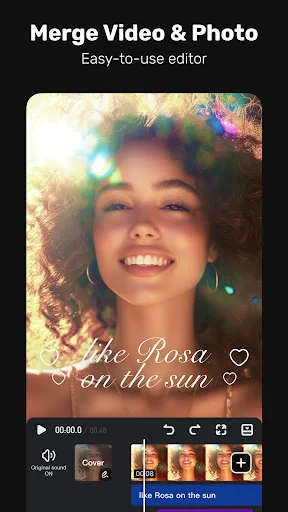
User-friendly Video Editing for Beginners - Trim, cut, split, or merge video clips without losing quality.
- Control speed with customizable & pre-set speed curves.
- Add smooth transitions and visual effects.
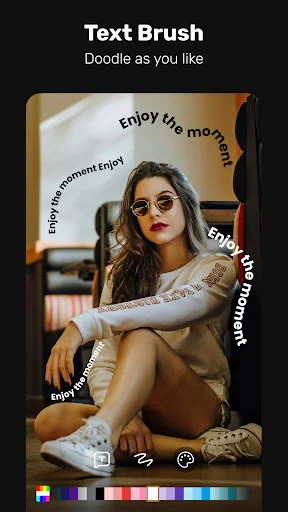
- Customize text styles & fonts for titles and captions.
- Add fun stickers & emojis to bring personality.
- Adjust brightness, contrast & saturation for better visuals.
Full-featured Video Editing for Professionals - Create smooth animations with Keyframe editing.
- Apply slow-motion effects to specific video parts.
- Eliminate colors with Chromakey effects for immersive scenes.
- Add multiple layers with Picture-in-Picture (PIP): video, images, stickers, effects, text.
- Cover and mix video clips with Masking for unique effects.
- Blur or pixelate sensitive areas with Mosaic.
- Track moving objects for precise effects, text, or animations to follow their motion.
Special Features - Generate Auto Captions & Caption Translation — AI speech-to-text and one-tap subtitle translation.
- Remove backgrounds and change video background instantly.
Trending Effects & Filters - Apply various effects: Glitch, Fade, Weather, Retro DV, Blur, 3D.
- Enhance videos with cinematic filters & color adjustments.
Music & Sound Effects - Elevate videos with a vast library of music clips and sound effects.
- Extract audio from video clips and recordings.
With VivaVideo — your all-in-one AI video editor & video maker with music — you can easily craft eye-catching content. Whether you're a beginner or pro, generate, edit, and share high-quality videos in minutes!
Comparable Android apps
The five apps in Video Players & Editors with the closest revenue to VivaVideo - Video Cut & Editor. Click any to see its detail page.
Each forecast combines App Store rating, ratings count, monetisation model, pricing tier, IAP signals and ad-supported flag.
The base estimate is then multiplied by a per-category scaling factor learned from apps with founder-verified MRR.
Every number on this page comes from public APIs and bumetric's own snapshot history.
Full methodology covers input variables, accuracy bands per category and how we treat apps without comparable anchors.
See also the live data on VivaVideo - Video Cut & Editor's tracker page for current rating, reviews and snapshot timeline.
Building something similar? Get a free AI audit with $-revenue forecasts for every recommendation.


 Timestamp Camera Pro
 BSPlayer Pro
 Likee - Short Video Community
 Legacy Unlocker for Yatse
 MX Player