What WhatsApp Messenger actually does (from App Store listing)
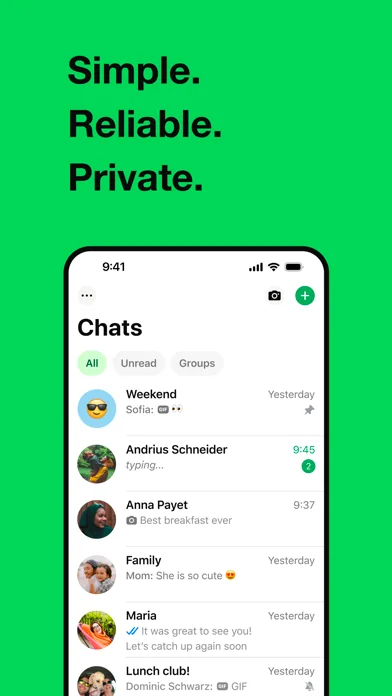
WhatsApp from Meta is a free messaging and calling app used by over 2 billion people across 180+ countries. It's super simple, reliable and private, making it perfect for staying in touch with your friends and family worldwide. WhatsApp works across mobile, tablet, and desktop even on slow connections, with no subscription fees*.
Private messaging and calls across the world
Your privacy is our priority. With end-to-end encryption, you can be sure that your personal messages and calls stay betw…
WhatsApp from Meta is a free messaging and calling app used by over 2 billion people across 180+ countries. It's super simple, reliable and private, making it perfect for staying in touch with your friends and family worldwide. WhatsApp works across mobile, tablet, and desktop even on slow connections, with no subscription fees*.
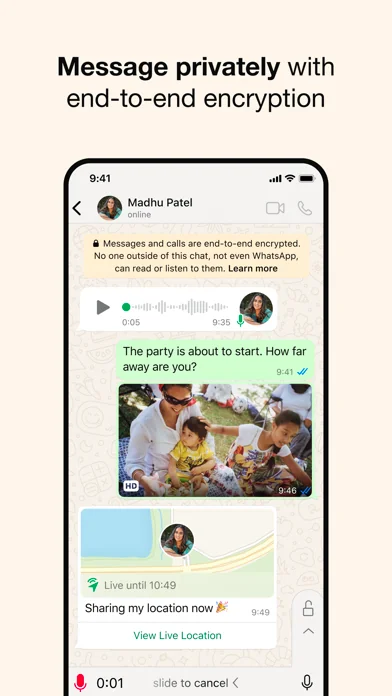
Private messaging and calls across the world
Your privacy is our priority. With end-to-end encryption, you can be sure that your personal messages and calls stay between you and who you send them to. And no one, not even WhatsApp, can read or listen to them.
Simple and secure connections, right away
All you need is your phone number - no usernames or logins needed. Easily view your contacts on WhatsApp and start messaging. And what's more, you can easily link your other devices, including iPads, for seamless connectivity.
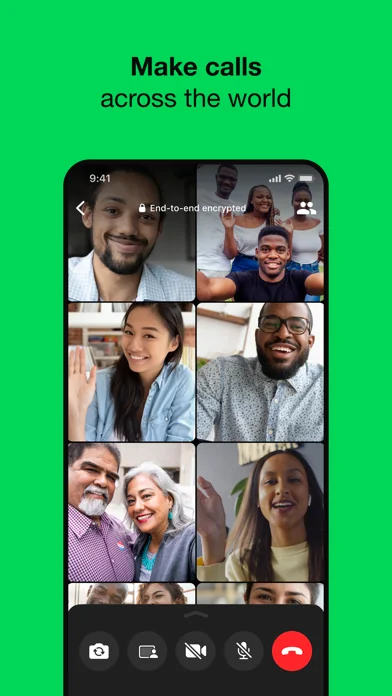
High quality voice and video calls
Enjoy free, secure video and voice calls with up to 32 people for free. Your calls work across devices, even on slower connections, using your phone or tablet’s Internet service.
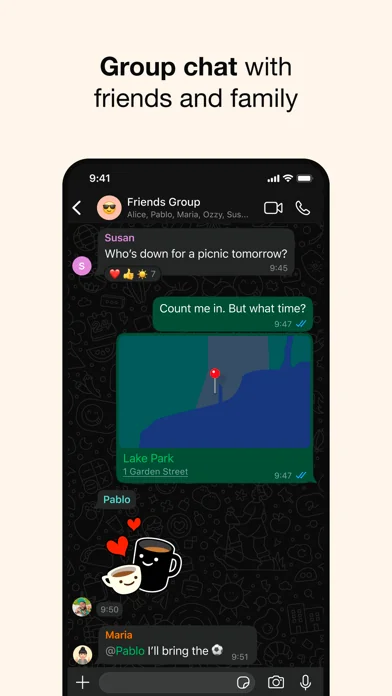
Group chats to keep you in contact
Stay close to friends and family through end-to-end encrypted group chats and calls. Share messages, photos, videos and documents across mobile, tablet, and desktop. You can also use call links and screen-sharing to make group calls and collaboration easy.
Stay connected in real time
You can share your location with those in your individual or group chats while using WhatsApp on your mobile phone. Or record a voice message for those moments when just text isn't good enough.
Share daily moments through Status
Share your everyday life with those who matter. With Status you can share text, photos, video, and GIF updates that disappear after 24 hours. You're always in control of who sees your status. Just choose who you want to share it with - all your contacts or selected ones. And bring your everyday to life.
*Data charges may apply. Contact your provider for details.
Each forecast combines App Store rating, ratings count, monetisation model, pricing tier, IAP signals and ad-supported flag.
The base estimate is then multiplied by a per-category scaling factor learned from apps with founder-verified MRR.
Every number on this page comes from public APIs and bumetric's own snapshot history.
Full methodology covers input variables, accuracy bands per category and how we treat apps without comparable anchors.
See also the live data on WhatsApp Messenger's tracker page for current rating, reviews and snapshot timeline.
Building something similar? Get a free AI audit with $-revenue forecasts for every recommendation.


 Invoice Generator・Simple Bill
 Easy Invoice Maker & Generator
 TikTok - Videos, Shop & LIVE
 Thinkrolls 2: Puzzles For Kids
 Flight Crew View