ML revenue forecast.
Calibrated against 31551 apps in this category.
Confidence band
±15%
High — many comparable apps with verified data
At a glance
Earns 1.94× more than the category median (147/mo).
Ranks #6,049 of 31,551 in Health & Fitness (top 19.2% by revenue).
Launched Nov 23, 2014 · last updated Aug 22, 2025.
What the app looks like
Live screenshots from the Play Store, captured by our snapshot worker. Tap any image to enlarge.
Wake Up Well's revenue trajectory
Forecast revenue from snapshot history. Last 1 months.
Where Wake Up Well sits in Health & Fitness
Revenue distribution of 31551 comparable apps. Wake Up Well highlighted.
Wake Up Well vs comparable apps
Revenue trajectory side-by-side. Bold = Wake Up Well, ghosted = peers.
App spec
Version
3.18.10
Last update
Aug 22, 2025
Launched
Nov 23, 2014
Price
Free
Monetization
Free
What Wake Up Well actually does (from store listing)
Transform your Wear OS watch into a <b>smart alarm clock</b> that lets you wake up well.
Wake up alert and in the right mood!
Can’t remember the last time you woke up fresh and energised? Are you stuck in an endless cycle of sleeping through or ignoring your alarm clock?
Based on maximising the science of sleep, Wake Up Well has been designed to wake you up at the optimal time. Unlike the traditional alarm clock, which works to wake you up at a specific time, Wake Up Well wakes you up gen…
Transform your Wear OS watch into a smart alarm clock that lets you wake up well.
Wake up alert and in the right mood!
Can’t remember the last time you woke up fresh and energised? Are you stuck in an endless cycle of sleeping through or ignoring your alarm clock?
Based on maximising the science of sleep, Wake Up Well has been designed to wake you up at the optimal time. Unlike the traditional alarm clock, which works to wake you up at a specific time, Wake Up Well wakes you up gently with vibrations at the optimal time – when you’re rested, relaxed and in REM or Rapid Eye Movement sleep.
What is REM? REM Sleep was identified by sleep researchers as a phase in sleep in which a person sleeps lightly. It occurs throughout various times during sleep; one of the last instances it occurs is close to morning. It is said that during REM, the brain activity behaves similar to the brain activity during hours you are awake.
How it works Wake Up Well detects the optimal time to wake you up. When using alarm clocks, most people’s bodies are not yet prepared or still in deep sleep. Notice that when you wake via your alarm clock’s command you’re often groggy, have a cloudy mind and lacking in energy? That’s because your body is still in deep sleep. With Wake Up Well, you’re gently awoken during REM – when your brain is more active and your body is naturally ‘waking up’.
Wake Up Well detects your slight movements during REM and in the ‘wake up window’ you set. It is during this time Wake Up Well monitors when to wake you up.
Start the day with more energy with Wake Up Well.
Features:
- improves your sleep
- assists in improving your mood
- lets you wake up fresh, animated and more energised
- uses vibrations to wake you so your partner isn’t disturbed
- especially designed for Wear OS watches
- operational on the watch only, no Smartphone needed
- detect best wakeup time
- repeating alarms (Premium only)
- wakes up at the almost awake moments
- supports all Wear OS watches
- set wake up time directly on the watch
- set a wake up window in which it wakes up at the best time regarding sleep phase (Premium only)
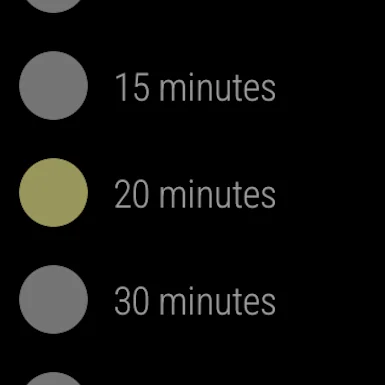
- configurable snooze time
- configurable alarm set reminder
In-app Products:
- Premium: Unlock repeated alarms and adjust the wake up window
- Donation
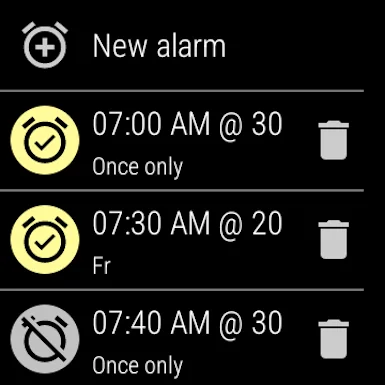
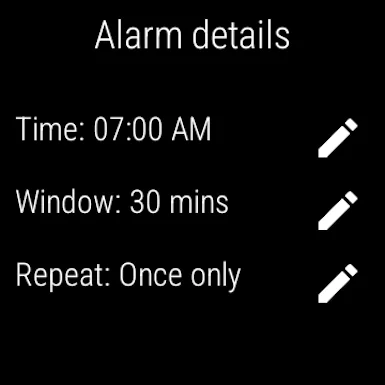
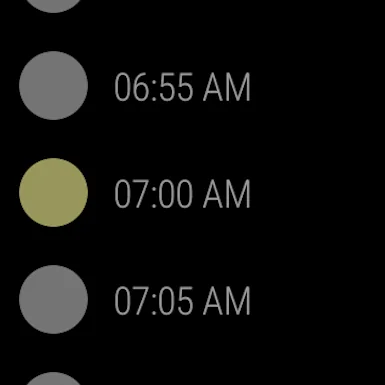
To set an alarm first open Wake Up Well on your watch. Touch "New alarm", then scroll to the time you need to wake up. This is the latest time the alarm will go off.
Swipe to the right for options. The wake up window will determine the earliest time the alarm will wake you up - based on your sleep pattern. After setting your wake up window swipe to the right again and touch the days you want the same alarm to repeat. If you want just a single use alarm do not touch any days. Once you have finished setting your alarm, swipe left to return to the original screen and swipe again to receive a confirmation window.
Use the ‘Wake Up Well’ Complication on new Watch Faces to show the next alarm time.
Please see the FAQ if you have questions.
https://www.wakeupwell.app/faq/
Comparable Android apps
The five apps in Health & Fitness with the closest revenue to Wake Up Well. Click any to see its detail page.
Each forecast combines App Store rating, ratings count, monetisation model, pricing tier, IAP signals and ad-supported flag.
The base estimate is then multiplied by a per-category scaling factor learned from apps with founder-verified MRR.
Every number on this page comes from public APIs and bumetric's own snapshot history.
Full methodology covers input variables, accuracy bands per category and how we treat apps without comparable anchors.
See also the live data on Wake Up Well's tracker page for current rating, reviews and snapshot timeline.
Building something similar? Get a free AI audit with $-revenue forecasts for every recommendation.

 Sheiko Gold: Weight Training
 Smoking Note
 Oky Period Tracker App
 My Contractions Tracker
 하이닥 - 건강상담, 건강뉴스, 병원찾기