What WiFi Analyzer: Analyze Network actually does (from store listing)
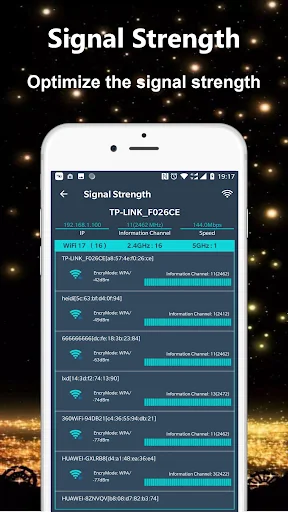
WiFi Analyzer - Network Analyzer used to optimise wifi Networks by scanning signal strength, Crowded signal and WiFi Channel rating.
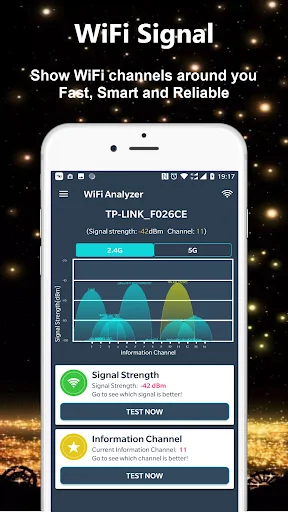
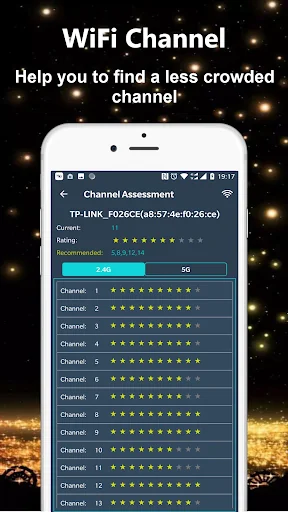
The WiFi Analyzer app shows the Wi-Fi channels around you. It can helps you to find a less crowded channel for your wifi router.
Network Analyzer helps Optimize your WiFi network by examining surrounding WiFi networks, measuring their signal strength as well as identifying crowded channels. It will recommends the best channel for your network. WiFi Analyzer g…
WiFi Analyzer - Network Analyzer used to optimise wifi Networks by scanning signal strength, Crowded signal and WiFi Channel rating.
The WiFi Analyzer app shows the Wi-Fi channels around you. It can helps you to find a less crowded channel for your wifi router.
Network Analyzer helps Optimize your WiFi network by examining surrounding WiFi networks, measuring their signal strength as well as identifying crowded channels. It will recommends the best channel for your network. WiFi Analyzer gives you the most useful optimization information to help decrease interference and increase connection speed and stability.
The app provides useful information about wireless signals around you. it supports 2.4Ghz and 5Ghz. WiFi Analyzer(Network Analyzer) app helps increase the network performance via analyzing and monitoring your wifi network!
Features:
- WiFi Optimizer for Interference Issues
- WiFi Channel Analyzer for Nearby APs
- Supports 2.4GHz/5GHz
- WiFi Channel Optimizer
- WiFi Analyzer provides you information individualy on wifi channels
- It shows signal strength in history graph
- WiFi Analyzer recommends the best wifi channels
- Information of the wifi channel width (20/40/80MHz)
- Wifi analytics
Comparable Android apps
The five apps in Tools with the closest revenue to WiFi Analyzer: Analyze Network. Click any to see its detail page.
Each forecast combines App Store rating, ratings count, monetisation model, pricing tier, IAP signals and ad-supported flag.
The base estimate is then multiplied by a per-category scaling factor learned from apps with founder-verified MRR.
Every number on this page comes from public APIs and Bumetric's own snapshot history.
Full methodology covers input variables, accuracy bands per category and how we treat apps without comparable anchors.
See also the live data on WiFi Analyzer: Analyze Network's tracker page for current rating, reviews and snapshot timeline.
Building something similar? Get a free AI audit with $-revenue forecasts for every recommendation.

 DualSpace Lite - 32Bit Support
 EMF Detector
 Radio Alarm Clock - PocketBell
 My Orange Moldova
 VPN - Fast & Secure VPN Proxy