What WiFi Analyzer - WiFi Test actually does (from store listing)
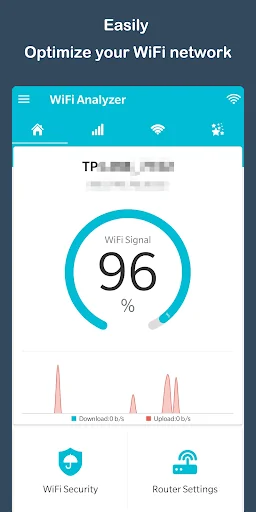
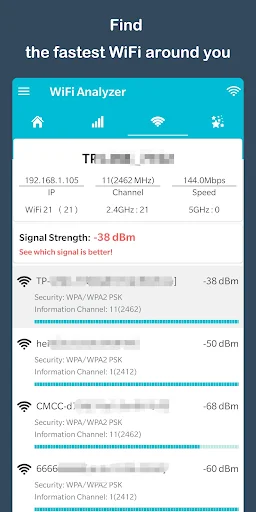
<b>WiFi Analyzer - WiFi Test & WiFi Scanner</b> is used to Analyze and Optimize WiFi Networks by test WiFi Signal, Scanning signal strength, Crowded signal and Channel rating.
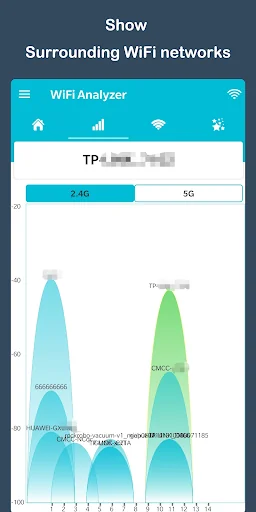
WiFi Analyzer shows WiFi channels around you.It can helps you to find a less crowded channel for your wireless router.
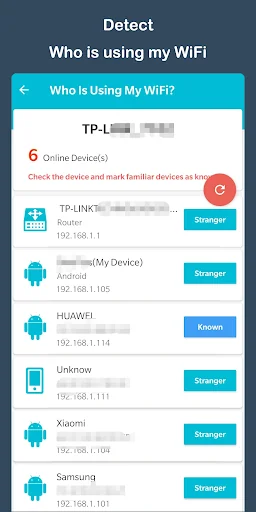
The app is powerful WiFi Protector to Detect Who is on my WiFi. The WiFi Analyzer and WiFi Scanner app can help you block strange devices to protect my WiFi Security.
The app can increase the netw…
WiFi Analyzer - WiFi Test & WiFi Scanner is used to Analyze and Optimize WiFi Networks by test WiFi Signal, Scanning signal strength, Crowded signal and Channel rating.
WiFi Analyzer shows WiFi channels around you.It can helps you to find a less crowded channel for your wireless router.
The app is powerful WiFi Protector to Detect Who is on my WiFi. The WiFi Analyzer and WiFi Scanner app can help you block strange devices to protect my WiFi Security.
The app can increase the network performance via analyzing and monitoring your WiFi network! The WiFi Analyzer and WiFi Test app will provide useful information about WiFi signals around you witch supports 2.4Ghz and 5Ghz.
If you want to optimize your WiFi network by examining surrounding WiFi networks, measuring their signal strength as well as identifying crowded channels. Just open WiFi Analyzer - WiFi Test & WiFi Scanner app, it will help you!
Features: - WiFi Channel Analyzer for Nearby APs.
- Supports 2.4GHz/5GHz.
- WiFi Optimizer for WiFi Networks.
- WiFi Analyzer provides you more information on WiFi channels.
- Recommends the best channels.
- WiFi Analyzer detects crowded channels.
- Provides open Router Settings.
Comparable Android apps
The five apps in Tools with the closest revenue to WiFi Analyzer - WiFi Test. Click any to see its detail page.
Each forecast combines App Store rating, ratings count, monetisation model, pricing tier, IAP signals and ad-supported flag.
The base estimate is then multiplied by a per-category scaling factor learned from apps with founder-verified MRR.
Every number on this page comes from public APIs and bumetric's own snapshot history.
Full methodology covers input variables, accuracy bands per category and how we treat apps without comparable anchors.
See also the live data on WiFi Analyzer - WiFi Test's tracker page for current rating, reviews and snapshot timeline.
Building something similar? Get a free AI audit with $-revenue forecasts for every recommendation.

 ROM Installer
 Spot Manner
 Accurate Compass
 Digital Clock Live Wallpaper-7
 dataDex - Pokédex for Pokémon