What WiFi Solver FDTD actually does (from store listing)
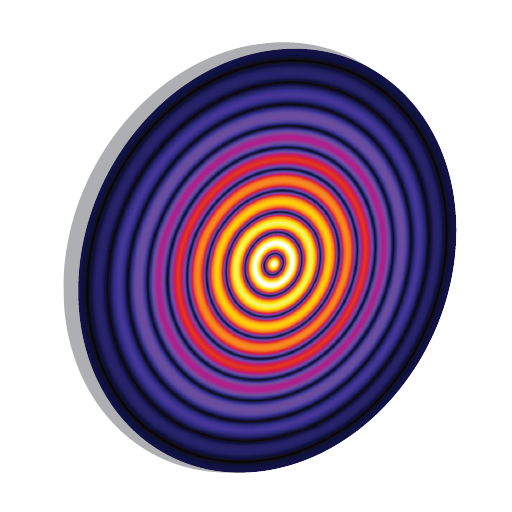
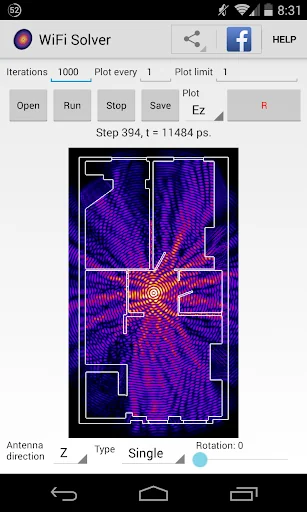
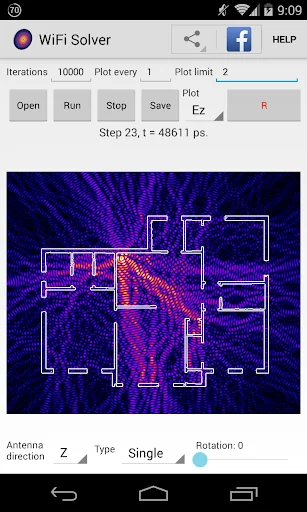
With this app you can take a floorplan of your house, set the location of a WiFi router, and simulate how the electromagnetic WiFi waves propagate.
Read more at https://wifi-solver.com
See the app in action in the following video by tech news website The Verge:
https://www.youtube.com/watch?v=6ADqAX-heFY
This app is based on a post 'Helmhurts' at my blog 'Almost Looks Like Work', which was featured on Engadget, Ars Technica, and many other publications:
https://jasmcole.com/2014/0…
With this app you can take a floorplan of your house, set the location of a WiFi router, and simulate how the electromagnetic WiFi waves propagate.
Read more at https://wifi-solver.com
See the app in action in the following video by tech news website The Verge:
https://www.youtube.com/watch?v=6ADqAX-heFY
This app is based on a post 'Helmhurts' at my blog 'Almost Looks Like Work', which was featured on Engadget, Ars Technica, and many other publications:
https://jasmcole.com/2014/08/25/helmhurts/
This app uses the 2D Finite Difference Time Domain (FDTD) method to solve Maxwell's equation on a Cartesian grid. An example floorplan is included in the app.
How to use:
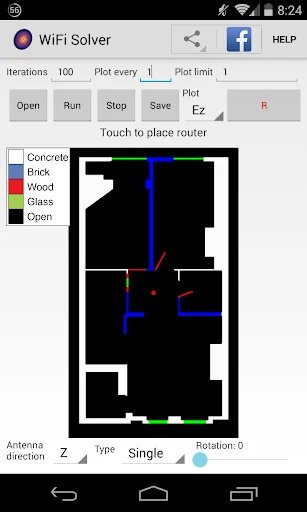
Your floorplan needs to be a .png file, with empty space marked black and materials marked with colours. Images will be converted into the correct materials on loading - this may take a few seconds.
Pixels are mapped to 1 centimetre, so scale the floorplan appropriately.
The simulation is limited in speed due to the mobile processor, so try to keep images below approximately 1000x1000 pixels
Touch the image to set a router location, marked by a red circle. Select the antenna parameters at the bottom.
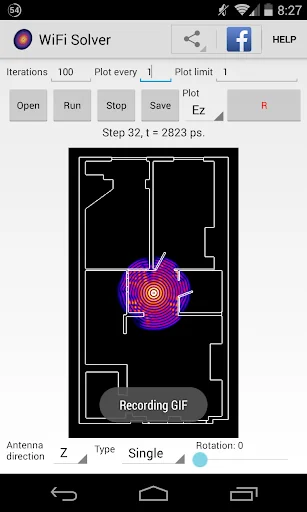
Choose what to plot - 'Field' is the instantaneous electric field amplitude, 'Flux' is the time-averaged magnitude of Poynting flux.
Click run and the simulation will begin. Click stop to pause at any time - this saves the simulation progress which can be continued by clicking run again. To reset, open an image again.
To save the simulation output as an image, click Save at any time. Images are saved to internal/external storage and added to the end of the camera roll.
To start recording a simulation click the record 'R' button. When the simulation is stopped a GIF animation is generated.
Under the bonnet:
An antenna oscillates at 2.4 GHz. The edges of the image use absorbing boundary conditions as in Mur 1981, IEEE Transactions on Electromagnetic Compatibility.
Where walls are defined, the relevant refractive indices and loss tangents for 2.4GHz radiation are used.
Disclaimer:
This app is not intended as a replacement for existing EM simulation software packages.
As a 2D approximation including only simple walls it may not accurately model a given floorplan.
Comparable Android apps
The five apps in Education with the closest revenue to WiFi Solver FDTD. Click any to see its detail page.
Each forecast combines App Store rating, ratings count, monetisation model, pricing tier, IAP signals and ad-supported flag.
The base estimate is then multiplied by a per-category scaling factor learned from apps with founder-verified MRR.
Every number on this page comes from public APIs and bumetric's own snapshot history.
Full methodology covers input variables, accuracy bands per category and how we treat apps without comparable anchors.
See also the live data on WiFi Solver FDTD's tracker page for current rating, reviews and snapshot timeline.
Building something similar? Get a free AI audit with $-revenue forecasts for every recommendation.

 Тест в Національну поліцію
 Prepware Powerplant
 World Atlas MxGeo Pro
 Learn Thai Language: Listen, S
![Learn C++ Programming [ PRO ] icon](https://play-lh.googleusercontent.com/_0YN8gHsg7iJvcfdgMGSIp75U6iWBv6GvDIpXKiySHi4yp8qZSAnLaJ090QCJuWivw) Learn C++ Programming [ PRO ]
Learn C++ Programming [ PRO ]