What Win XP Simulator actually does (from store listing)
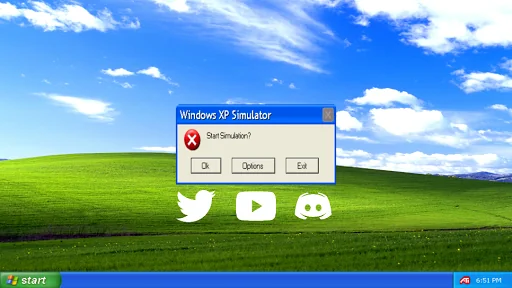
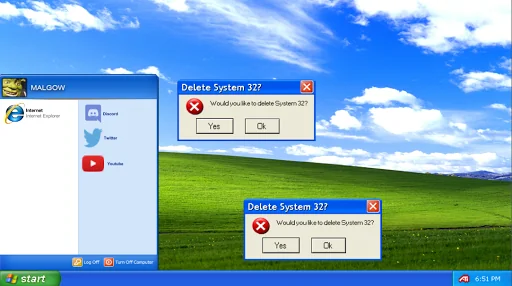
Click the "Yes" or "Ok" button to stop the simulation, you will be greeted with the Blue Screen of Death!
For more help and information, visit: http://malgow.net/WindowsXPSimulator
or, talk to me on discord!: https://discord.com/invite/gdu7dZk
"Feel as if you're using a Windows XP computer with this realistic simulator!" - MALGOW
jk
<h1><b>How To Play:</b></h1>
<b>Opening Internet Explorer</b>
STEP 1: Click on the "Start Menu"
STEP 2: Click on "Internet Explorer"
STEP 3: Wait 20 S…
Click the "Yes" or "Ok" button to stop the simulation, you will be greeted with the Blue Screen of Death!
For more help and information, visit: http://malgow.net/WindowsXPSimulator
or, talk to me on discord!: https://discord.com/invite/gdu7dZk
"Feel as if you're using a Windows XP computer with this realistic simulator!" - MALGOW
jk
How To Play:
Opening Internet Explorer STEP 1: Click on the "Start Menu"
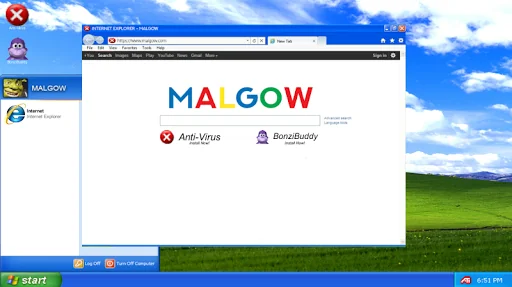
STEP 2: Click on "Internet Explorer"
STEP 3: Wait 20 Seconds for Internet Explorer to fully load up
IMPORTANT*: Do not close the start menu during this process!
STEP 4: Internet Explorer will have now opened, you can install your apps from here
STEP 5: Done!
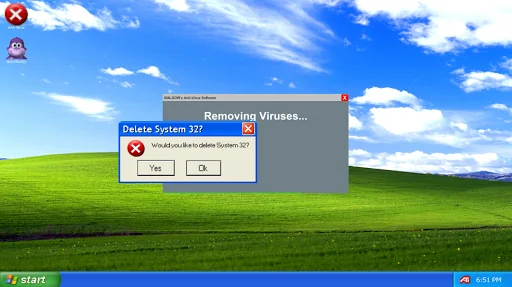
Removing Viruses STEP 1: Launch "Anti Virus" after installing it from Internet Explorer
STEP 2: Wait 30 Seconds*
STEP 3: The Anti Virus software will now display "Viruses Successfully Removed"
STEP 4: Done!
Using Bonzi Buddy STEP 1: Launch "Bonzi Buddy" after installing it from Internet Explorer
STEP 2: Bonzi Buddy will begin with a short introduction of himself
STEP 3: He will then tell a few (bad) jokes
STEP 4: Done!
First Easter Egg STEP 1: Click and open the Start Menu
STEP 2: Click my profile image or name ten times
STEP 3: The first easter egg will now begin
STEP 4: Done!
Comparable Android apps
The five apps in Simulation with the closest revenue to Win XP Simulator. Click any to see its detail page.
Each forecast combines App Store rating, ratings count, monetisation model, pricing tier, IAP signals and ad-supported flag.
The base estimate is then multiplied by a per-category scaling factor learned from apps with founder-verified MRR.
Every number on this page comes from public APIs and bumetric's own snapshot history.
Full methodology covers input variables, accuracy bands per category and how we treat apps without comparable anchors.
See also the live data on Win XP Simulator's tracker page for current rating, reviews and snapshot timeline.
Building something similar? Get a free AI audit with $-revenue forecasts for every recommendation.


 Offroad Truck Simulator Game
 vHack Revolutions: Hacker Game
 Prado Driving Simulator Car 3D
 Kotodama Diary: Cute Pet Game
 Tractor Trolley Driving Sim 3D