What WordPress – Website Builder actually does (from App Store listing)
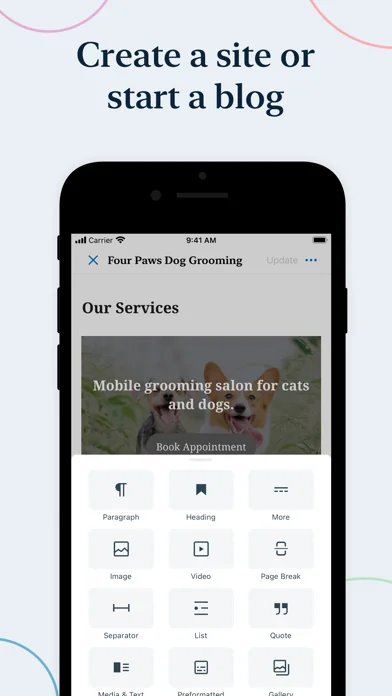
Manage or create your WordPress blog or website right from your iOS device: create and edit posts and pages, upload your favorite photos and videos, view stats and reply to comments.
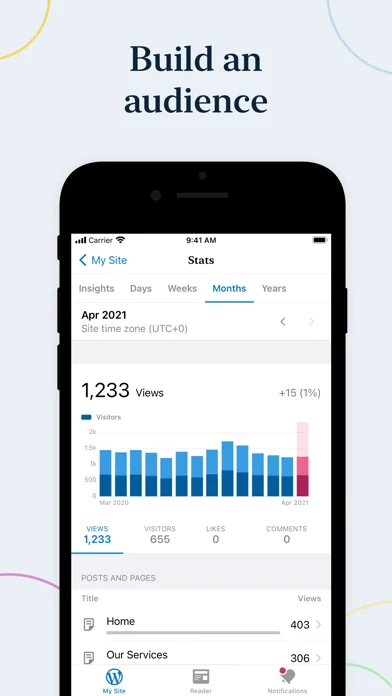
With WordPress for iOS, you have the power to publish in the palm of your hand. Draft a spontaneous haiku from the couch. Snap and post a photo on your lunch break. Respond to your latest comments, or check your stats to see what new countries today’s visitors are coming from.
WordPress for iOS is an Open Source p…
Manage or create your WordPress blog or website right from your iOS device: create and edit posts and pages, upload your favorite photos and videos, view stats and reply to comments.
With WordPress for iOS, you have the power to publish in the palm of your hand. Draft a spontaneous haiku from the couch. Snap and post a photo on your lunch break. Respond to your latest comments, or check your stats to see what new countries today’s visitors are coming from.
WordPress for iOS is an Open Source project, which means you too can contribute to its development. Learn more at https://apps.wordpress.com/contribute/.
WordPress for iOS supports WordPress.com and self-hosted WordPress.org sites running WordPress 4.0 or higher.
Need help with the app? Visit the forums at https://wordpress.org/support/forum/mobile/ or tweet us @WordPressiOS.
View the Privacy Notice for California Users at https://automattic.com/privacy/#california-consumer-privacy-act-ccpa.
🆕 What's new · v27.2
Some custom post types are now available. You can manage them under My Site if your site is built with WP.com, or on the home screen if your site is self-hosted. We know, we’re amazing. (But very humble about it.)
While we were making your day better, we fixed an issue where canceling the media picker in the experimental block editor would remove images from galleries. Backup logs will also stay in their lane and won’t show up in Personal plan sites by mistake.
Comparable iOS apps
The five apps in Productivity with the closest revenue to WordPress – Website Builder. Click any to see its detail page.
Each forecast combines App Store rating, ratings count, monetisation model, pricing tier, IAP signals and ad-supported flag.
The base estimate is then multiplied by a per-category scaling factor learned from apps with founder-verified MRR.
Every number on this page comes from public APIs and Bumetric's own snapshot history.
Full methodology covers input variables, accuracy bands per category and how we treat apps without comparable anchors.
See also the live data on WordPress – Website Builder's tracker page for current rating, reviews and snapshot timeline.
Building something similar? Get a free AI audit with $-revenue forecasts for every recommendation.




 DeepSeek - KI-Assistent
 Auto Clicker: Click Counter
 SherMatch+
 Documentz™ (+ Biz Tools)
 Miter Pipe Calculator