
Screenshot
 76
76


Screenshot
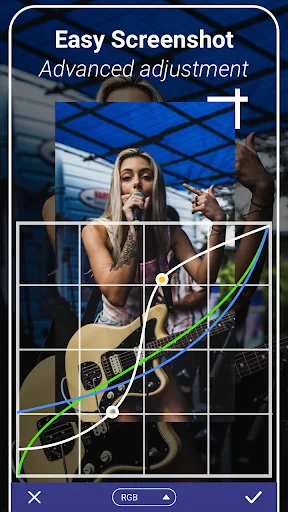
Screenshot is an Android app from LoveKara in the Tools category, currently rated 4.2★ across 420,625 ratings. Initial signal reads as mixed reviews: supporters praise core features while critics cite stability and value gaps.
Quality Score is 76: Strong (healthy traction). For a Tools app, that means healthy traction. The full BU Investment Matrix below scores 8 dimensions including monetisation, growth, and operational risk.
Track changes month-over-month in the Performance section below: live snapshot history and revenue forecast included.
- Title & subtitle keyword fit
- Description hook & conversion structure
- Screenshots, ratings, reviews strategy
📊 Performance Tracking LIVE
Synthetic estimate. Inputs: category complexity, file size, screen count, monetization layer, platform reach, age × team-size proxy. Calibrated against 2024-2026 indie-agency rate surveys. Full math + source list on /methodology.
| 🧱 MVP baseline (design + 1-store ship) | +$28K |
| 📱 5 unique screens × $4.5K | +$22K |
| ⚙ Tools complexity ×0.90 | $-5049 |
| 🌐 Cross-platform reach (iOS + Android) | +$24K |
Synthetic estimate. Multiple band derived from ad-supported + age, rating quality, category demand, and user-base maturity. Calibrated against 2024-2026 indie-app-marketplace closed-deal medians. Full math + comparable deal list on /methodology.
| 📺 Ad-supported base | 15× MRR |
| 🏷 Tools category multiple | -8% |
| ⭐ Mature user base (100K+ ratings) | +5% |
Synthetic estimate from ratings × category benchmarks. Calibrated against 2024-2026 mobile-attribution retention + DAU/MAU reports. Numbers are US-storefront-equivalent — true global audience can be 5-10× larger for international apps. Full math + source list on /methodology.
| 📲 Tools engagement | ~190 installs / rating |
| 🔁 Tools D30 retention | 22% |
| 📍 DAU / MAU stickiness | 0.18 |
How we forecast this revenue
MEDIUM CONFIDENCEBU Investment Matrix
Below median · 49/100MID TIERunderperforming peers- 💰 Revenue: Modest — $3K - $7K/mo · MID tier · medium confidence, trajectory unclear.
- ⭐ Quality: 4.25★ across 420,625 reviews — strong (top 10%).
- 📍 Market: Not yet charting in any of the 9 monitored markets.
- 📈 Growth: last update 230d ago — slow cadence.
- ⚠️ Risk: Low — no material risk signals detected.
💰 Forecast Revenue / mo
MODEL| High install base (420,625 ratings)METRIC | +$12,000 | |
| Mature app (12y old)METRIC | +$1,500 | |
| Good rating (4.2★)METRIC | +$800 | |
| Ad-supported / freemiumMETRIC | +$600 |
📈 Reviews Growth
LIVE⭐ Rating Trend
LIVEProfile & Insights
Identification
- App name
- Screenshot
- Developer
- LoveKara
- Bundle ID
- com.enlightment.screenshot
- App Store URL
- Open in App Store
- Category
- Tools
- Content rating
- Not found
- Languages
- Not found
Company
- Website
- www.guiyuan0316.com
- Tagline
- Not found
- Description
- Not found
- Founded
- Not found
- HQ / Address
- Not found
- Employees
- Not found
- Logo
- Not found
Revenue
- Verified revenue / mo
- Not found
- AI revenue estimate / mo
- Not found
- AI annual estimate
- Not found
- ML model estimate / mo
- $3.7K/mo
- Top-grossing rank
- Not found
- All-time revenue
- Not found
- Pricing
- Not found
Founder
Funding
Press & Links
Contacts & Socials
📈Ratings growth420,625 ratings+32% lifetimeShow 3-year history estimate ▾
📝 About this app
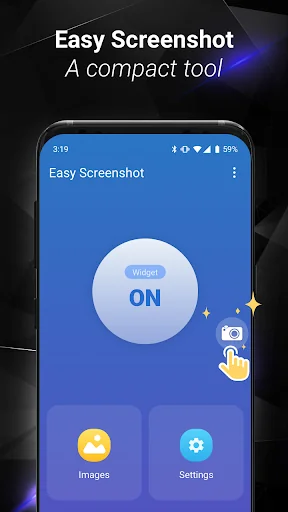
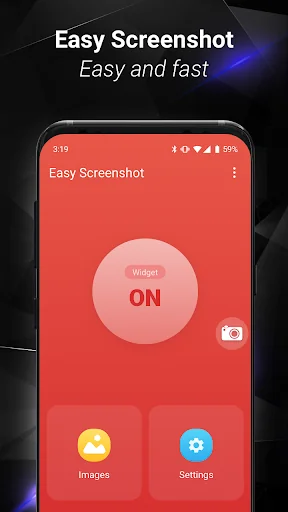
1. You can take a screenshot by touching the shot icon or pressing power button and volume down button at the same time, or pressing power button and home button at the same time(on most Samsung phones).
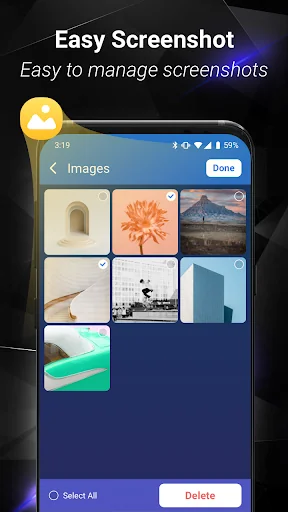
2. You can specify the folders which the screenshots will be saved as images.
3. You can preview the screenshot and decide saving it or discarding it.
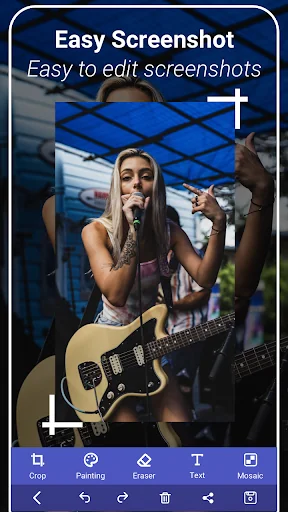
4. Croping any part of the screenshot.
5. Drawing on the screenshot.
6. Making mosaics on the screenshot.
7.… View full description on the official store →
Track this app’s revenue
FREE📝 Description
95
More by LoveKara
View all →







Why high confidence: 420,625 ratings · no founder-verified revenue (model estimate only).