What Screenshot actually does (from store listing)
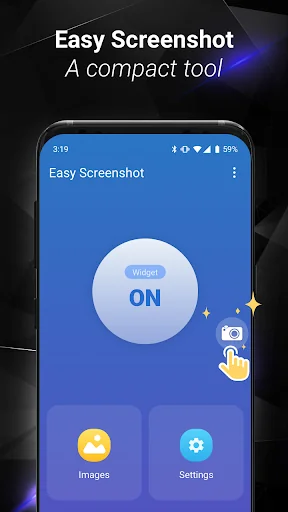
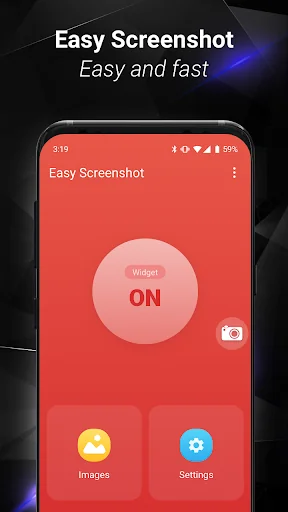
Easy Screenshot gives you the easiest way to capture your screen into images, it is the best snapshot tool.
1. You can take a screenshot by touching the shot icon or pressing power button and volume down button at the same time, or pressing power button and home button at the same time(on most Samsung phones).
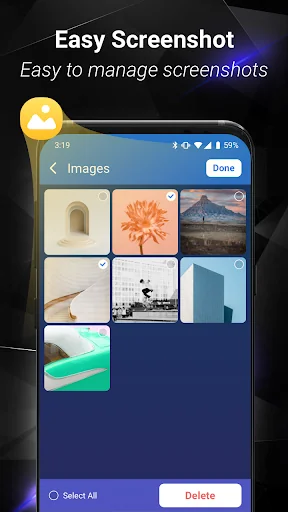
2. You can specify the folders which the screenshots will be saved as images.
3. You can preview the screenshot and decide saving it or discarding it.
4. Croping any part of the sc…
Easy Screenshot gives you the easiest way to capture your screen into images, it is the best snapshot tool.
1. You can take a screenshot by touching the shot icon or pressing power button and volume down button at the same time, or pressing power button and home button at the same time(on most Samsung phones).
2. You can specify the folders which the screenshots will be saved as images.
3. You can preview the screenshot and decide saving it or discarding it.
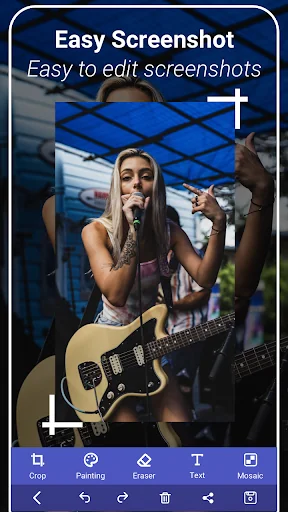
4. Croping any part of the screenshot.
5. Drawing on the screenshot.
6. Making mosaics on the screenshot.
7. Inputting custom text on the screenshot.
8. Sharing the screenshot after it’s taken.
Foreground Service & Screen Capture Notice
This app uses a foreground service with MediaProjection permission to enable the following core features:
Screen capturing and saving it to photo.
Why is this needed?
The foreground service ensures smooth performance while capturing your screen, and a persistent notification will remind you that the service is active. You can stop it anytime by closing the app or tapping the notification.
Privacy Promise:
We only capture content when you explicitly start the feature.
No background recording or unauthorized data collection.
Comparable Android apps
The five apps in Tools with the closest revenue to Screenshot. Click any to see its detail page.
Each forecast combines App Store rating, ratings count, monetisation model, pricing tier, IAP signals and ad-supported flag.
The base estimate is then multiplied by a per-category scaling factor learned from apps with founder-verified MRR.
Every number on this page comes from public APIs and bumetric's own snapshot history.
Full methodology covers input variables, accuracy bands per category and how we treat apps without comparable anchors.
See also the live data on Screenshot's tracker page for current rating, reviews and snapshot timeline.
Building something similar? Get a free AI audit with $-revenue forecasts for every recommendation.


 Заточка ножей. Справочник.
 Angle Meter Pro
 Unseen - No Last Seen
 Dual App - Multiple Accounts
 SDR Touch Key