What 画像リサイズ・写真編集・モザイク - 「画像の編集屋さん」 actually does (from store listing)
Image editor is a free image editing app that allows you to easily edit images such as resizing, cropping images, and mosaics. Functions such as resizing and cropping photos and images can be used with simple operations. It can be used in various situations such as SNS icon creation, image editing & image processing using resizing and image cropping. It is convenient because you can easily resize the image when sending it to the feature phone. It is recommended for those who want to edit images …
Image editor is a free image editing app that allows you to easily edit images such as resizing, cropping images, and mosaics. Functions such as resizing and cropping photos and images can be used with simple operations. It can be used in various situations such as SNS icon creation, image editing & image processing using resizing and image cropping. It is convenient because you can easily resize the image when sending it to the feature phone. It is recommended for those who want to edit images for free, but feel that other apps are complicated and difficult to operate. You can edit images without stress.
The following image processing functions are available.
-Jpg / png conversion: You can convert to JPEG or PNG file format.
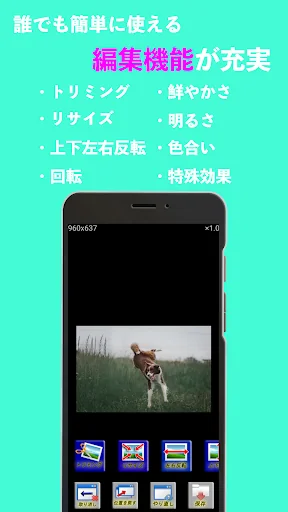
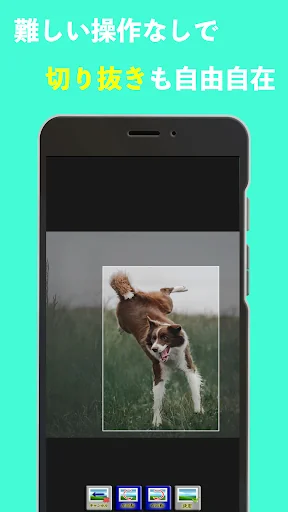
-Crop: You can crop or crop the image.
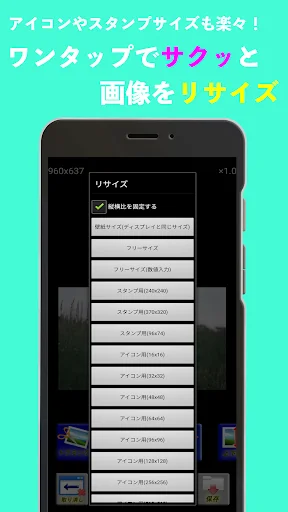
-Resize / Image reduction: You can reduce the image or change the image size such as enlargement. Please use it when sending to a feature phone that needs to be resized, or for creating icons and line stamps.
-Reverse / Rotate: Rotate / reverse is possible.
-Tint: You can adjust the shade.
・ Vividness: You can adjust the vividness.
-Brightness: You can adjust the brightness.
-Special effects: You can add special effects such as mosaic and blur.
-Partial effect: You can add special effects such as mosaic and blur to a part of the image.
-Full image editing and photo editing functions !! Even beginners of smartphones can easily process images.
・ Simple and easy-to-use image editing / photo editing screen !!
・ You can also make a perfect wallpaper on the screen !!
・ Easy-to-use trimming function !!
-The resizing function allows you to reduce the size of the image and create stamps! !!
* If the image quality deteriorates, uncheck "Settings-> Image display settings-> Resize and display." From the top screen.
The image quality will be better, but the size of the image will be larger, so it will take longer to forcibly terminate or edit the image due to memory. Please be careful for older models.
* If you forcibly terminate, please stop other apps before using the image editor because there is a possibility of memory shortage. Also, uncheck "Settings-> Function settings-> Use cancel function" from the top screen. You will not be able to use the undo function, but the operation when editing an image will be more comfortable.
Due to a change in Android specifications, images can only be saved in specific folders. If you cannot save the image, please try the following solutions.
1. Set the app version to 1.3.0 on Google Play. For the version of the app, start the app and check the version information in the settings.
2. Launch the app.
3. Select "Settings" on the top screen
4. Check "Specify the save location."
5. In "Select save location", set to "Download /", "DCIM /", "Pictures /", or "Documents /".
* You can also use "DCIM / Camera". If it is under the above folder, there is no problem.
If all else fails, please email us.
Comparable Android apps
The five apps in Video Players & Editors with the closest revenue to 画像リサイズ・写真編集・モザイク - 「画像の編集屋さん」. Click any to see its detail page.
Each forecast combines App Store rating, ratings count, monetisation model, pricing tier, IAP signals and ad-supported flag.
The base estimate is then multiplied by a per-category scaling factor learned from apps with founder-verified MRR.
Every number on this page comes from public APIs and bumetric's own snapshot history.
Full methodology covers input variables, accuracy bands per category and how we treat apps without comparable anchors.
See also the live data on 画像リサイズ・写真編集・モザイク - 「画像の編集屋さん」's tracker page for current rating, reviews and snapshot timeline.
Building something similar? Get a free AI audit with $-revenue forecasts for every recommendation.


 Movie Box
 DS photo
 Mute Video, Silent Video
 photo Video with Music 2024
 INCTV
INCTV