ML revenue forecast.
Calibrated against 1744 apps in this category.
Confidence band
±15%
High — many comparable apps with verified data
At a glance
Earns 5.81× more than the category median (1.4K/mo).
Ranks #260 of 1,744 in Photo & Video (top 14.9% by revenue).
Launched Aug 03, 2017 · last updated Jun 04, 2026.
24 months of snapshot history tracked.
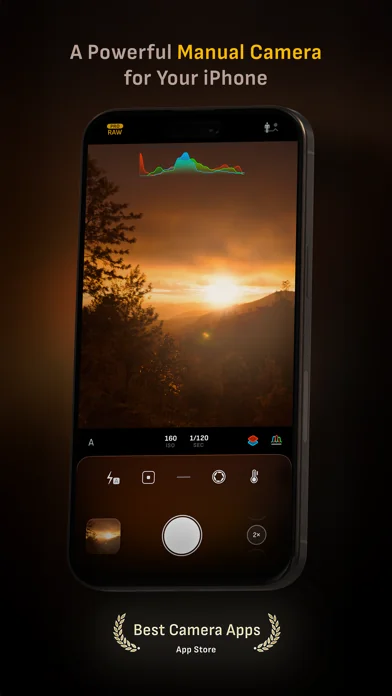
What the app looks like
Live screenshots from the App Store, captured by our snapshot worker. Tap any image to enlarge.
Camera M – Pro Kamera's revenue trajectory
Forecast revenue from snapshot history. Last 24 months.
Where Camera M – Pro Kamera sits in Photo & Video
Revenue distribution of 1744 comparable apps. Camera M – Pro Kamera highlighted.
Camera M – Pro Kamera vs comparable apps
Revenue trajectory side-by-side. Bold = Camera M – Pro Kamera, ghosted = peers.
App spec
Version
9.3.1
Last update
Jun 04, 2026
Launched
Aug 03, 2017
Min OS
16
Rating
4+
Price
Free
Monetization
Paid
Languages
EN, DE, JA, ZH +1
What Camera M – Pro Kamera actually does (from App Store listing)
Camera M is a professional manual camera app designed to do one thing exceptionally well — help you capture beautiful photos at the highest possible quality with powerful, precise manual controls akin to a DSLR.
HIGHLIGHTS
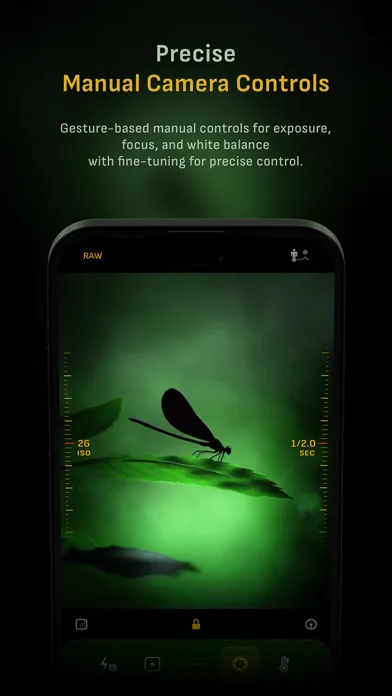
• Fluid gesture-based native manual controls with Fine-Tuning feature
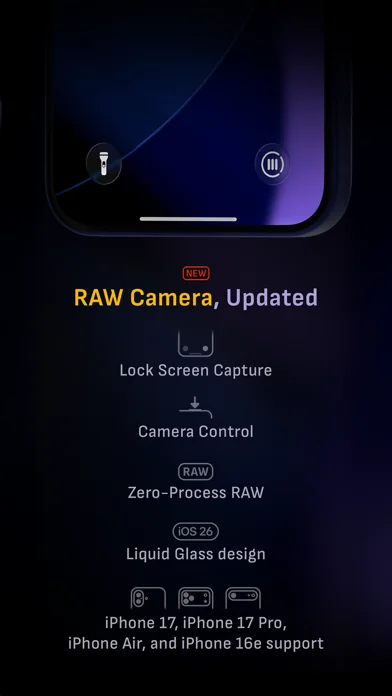
• iOS 26 optimization with Liquid Glass design
• Zero-process RAW support for the most natural look
• Max Image Processing to ensure the absolute best image quality
• ProRAW*, RAW, HEIF, JPEG, TIFF, and PN…
Camera M is a professional manual camera app designed to do one thing exceptionally well — help you capture beautiful photos at the highest possible quality with powerful, precise manual controls akin to a DSLR.
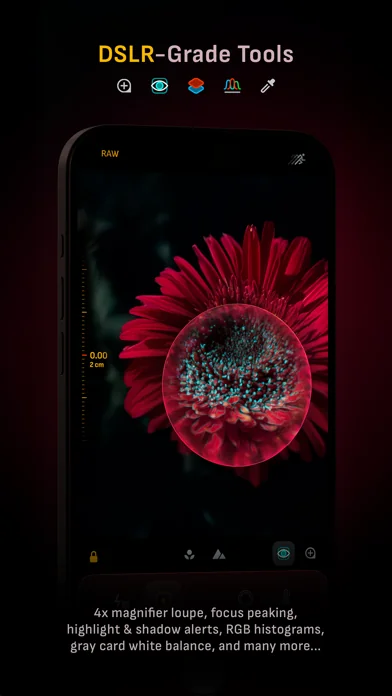
HIGHLIGHTS • Fluid gesture-based native manual controls with Fine-Tuning feature • iOS 26 optimization with Liquid Glass design • Zero-process RAW support for the most natural look • Max Image Processing to ensure the absolute best image quality • ProRAW*, RAW, HEIF, JPEG, TIFF, and PNG image formats • Single, Burst, Timer, Live, Depth*, Dual Photo*, and Bracket shooting modes • Triple Photo mode with simultaneous ultra-wide, wide-angle, and telephoto camera capture* • Minimum focus distance display for macro photography • Intelligent Focus Tracking • Focus Peaking and 4x magnifier loupe with panning function • Live RGB and RGB luminance histograms • Manual gray card calibration • Great widgets for photography • Darkroom integration
CAMERA CONTROLS – Manual focus – Macro and Scene focus presets
– Exposure bias – Manual ISO & exposure duration adjustments – ISO & exposure duration semi-priority modes
– Manual white balance temperature and tint – White balance presets – Gray card white balance calibration
– Auto, on, and off flash modes – Manual torch brightness level
– Manual switching between Ultra Wide, Wide, and Telephoto cameras* – Digital pinch zoom with 10x range
– Camera Control support for all manual controls – Lock Screen camera capture support
IMAGE FORMATS – Apple ProRAW* – RAW with stabilization – HEIF with optional minimum compression – JPEG with optional minimum compression – TIFF – PNG – Live Photo – P3 wide color support*
SHOOTING MODES – Single – Burst – Timer – Depth* – Dual/Triple Photo* – Live Photo* – Bracket
TOOLS – Exposure offset gauge – Intelligent Focus Tracking – Live focus peaking assistant – 4x magnifier loupe with panning function – Minimum focus distance display – Live RGB and RGB luminance histograms – Highlight & shadow alert display – Horizon level with available pitch tracking and flat options – Rule of Thirds, Golden Ratio, Quadrant, and Square grids – Siri Shortcuts and App Shortcuts – Detailed camera specifications display with PDF export
MAX IMAGE PROCESSING – Deep Fusion and Smart HDR support for iPhone 11 and later. – Ensures maximum image quality with better noise reduction, image stabilization, and additional processing for all other iPhones and iPads
ZERO-PROCESS RAW – Capture standard RAW files with no extra processing
PHOTO LIBRARY – Summarized and full EXIF metadata display – Location data display with compass and elevation – RGB and RGB luminance histogram displays – Access to all photo albums and folders
WIDGETS – Home Screen: Golden Hour, EXIF, and Cameras – Lock Screen: Cameras and Golden Hour – Control Center: Focus, exposure, and white balance
APPLE WATCH SUPPORT – Shutter button control – Sunrise, sunset, and Golden Hour display with sun position indicator
ERGONOMICS – True one-handed control on all iPhones – An uncompromising approach to user experience in landscape orientation
ACCESSIBILITY – Dynamic Type support – Bold Text support – Increase Contrast support
TECHNOLOGY Camera M is powered exclusively by native APIs and frameworks. There are absolutely no dependencies on any outside sources. This makes it responsive and efficient — from its small download size to its quick app launch times.
We hope you enjoy taking amazing photos with Camera M!
Website: www.camera-m.com User manual: www.camera-m.com/manual Get in touch: contact@camera-m.com Follow us: @CameraMApp #CameraM
* These features are available on supported devices only. * Depth capture for selfies requires an iPhone or an iPad with a TrueDepth camera system. * Apple ProRAW capture requires iPhone 12 Pro or later. * For more information on device and feature compatibility: www.camera-m.com/compatibility
🆕 What's new · v9.3.1
BUG FIXES
- Resolved an issue where RAW format was incorrectly appearing in the quick access menu for 2× and 8× cameras, which could cause the app to crash.
- Fixed an issue with the EXIF viewer where the map and compass marker weren't displaying as expected.
WHAT'S NEW
- Fresh new app icon — we'd love to hear what you think!
Pro Tip — Want the fastest zero-process capture? Choose RAW with disabled +HEIF.
________________________________________
So far, our previous version 9 updates include:
• Liquid Glass magnifier loupe
• iOS 26 support with Liquid Glass design
• Camera Control support for manual focus, ISO, exposure duration, and white balance
• Lock Screen Capture support
• Control Center widgets
• HDR Button to toggle HDR photo viewing
• Quick Access Menus for image format and capture mode
• Support for iPhone 17 and iPhone 17 Pro
• Support for iPhone Air and iPhone 17e
• App icon and Home Screen widgets now have dark, clear, and tinted mode support.
• Other design improvements
• Accessibility improvements
Please check www.camera-m.com/updates for more comprehensive details.
We’re a small, two-person developer team. If you’re enjoying Camera M, we’d truly appreciate you spreading the word on social media — your support genuinely helps us continue building and improving the app.
We hope you capture incredible photos with Camera M!
More information: www.camera-m.com
User manual: www.camera-m.com/manual
Get in touch: contact@camera-m.com
Follow us: @CameraMApp
Comparable iOS apps
The five apps in Photo & Video with the closest revenue to Camera M – Pro Kamera. Click any to see its detail page.
Each forecast combines App Store rating, ratings count, monetisation model, pricing tier, IAP signals and ad-supported flag.
The base estimate is then multiplied by a per-category scaling factor learned from apps with founder-verified MRR.
Every number on this page comes from public APIs and bumetric's own snapshot history.
Full methodology covers input variables, accuracy bands per category and how we treat apps without comparable anchors.
See also the live data on Camera M – Pro Kamera's tracker page for current rating, reviews and snapshot timeline.
Building something similar? Get a free AI audit with $-revenue forecasts for every recommendation.


 Distressed FX : Plus
 Sketch Me! Sketch&Cartoon
 AI Marvels - AI Photo Editor
 PhotoLayers Pro
 Brightly - Fix Dark Photos