What Draw Pixel Art Pro actually does (from store listing)
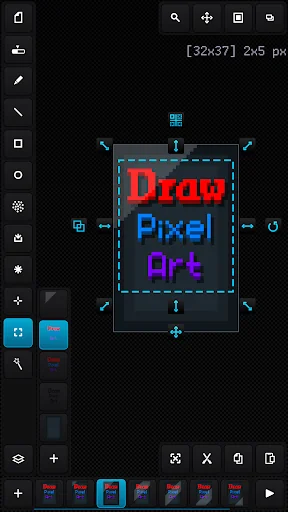
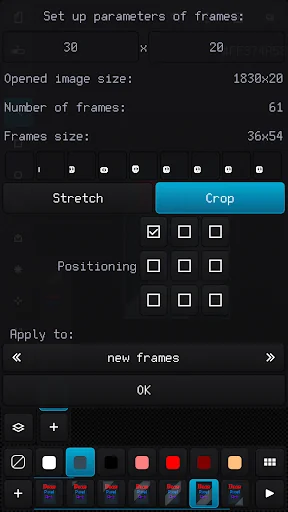
Easy raster graphics editor optimized for work with pixel precision images (pixel art design) with the ability to create animations and work with sprite-sheets.
The best solution to make graphics for games, create art and draw animation just for fun.
The app benefits:
- Nice and easy interface in portrait and landscape on different screen resolution and dpi
- Tiny app size and optimized work with all available RAM
- Recognizing PNG, JPG, BMP, GIF and WEBP image file formats and JA…
Easy raster graphics editor optimized for work with pixel precision images (pixel art design) with the ability to create animations and work with sprite-sheets.
The best solution to make graphics for games, create art and draw animation just for fun.
The app benefits:
- Nice and easy interface in portrait and landscape on different screen resolution and dpi
- Tiny app size and optimized work with all available RAM
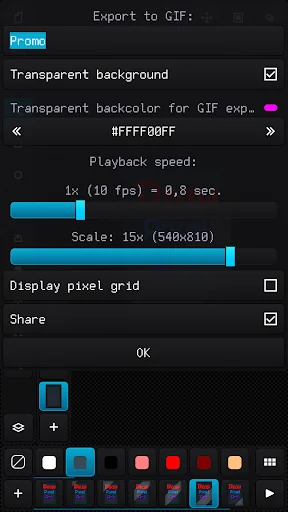
- Recognizing PNG, JPG, BMP, GIF and WEBP image file formats and JASC PAL, HEX, Paint.net TXT and Gimp GPL palette file formats
- Advanced work with animation and layers, ability create up to 10 000 frames with 10 000 layers if you have enough RAM
- Canvas size up to 8 Megapixels with any width, height and aspect (for example 4096 x 2048 pixels)
- Customizing interface, background, grids and previous phantom frame
- High-grade 32-bit ARGB palette (with alpha channel) up to 10 000 color samples
- Configurable tools for quick and easy drawing
- Auto saving and resuming current project with all configuration
- Undoing changes in the canvas up to 50 times
- Ability to load a reference image and build a palette based on it
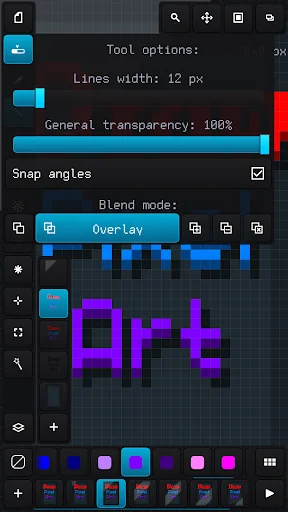
- Applying up to 6 color blend modes: normal, overlay, lighten, darken, multiply and add
- Convenient tool for selecting and transforming an area, add area from the external file and save area to the file
- Built-in file browser with specs and thumbnails of images and palettes
- Quick access up to 20 recent image files and palettes
Comparable Android apps
The five apps in Tools with the closest revenue to Draw Pixel Art Pro. Click any to see its detail page.
Each forecast combines App Store rating, ratings count, monetisation model, pricing tier, IAP signals and ad-supported flag.
The base estimate is then multiplied by a per-category scaling factor learned from apps with founder-verified MRR.
Every number on this page comes from public APIs and bumetric's own snapshot history.
Full methodology covers input variables, accuracy bands per category and how we treat apps without comparable anchors.
See also the live data on Draw Pixel Art Pro's tracker page for current rating, reviews and snapshot timeline.
Building something similar? Get a free AI audit with $-revenue forecasts for every recommendation.

 Hunting Simulator
 My Verizon
 Госуслуги
 My Spectrum
 Felix Solar PV Log