What Evernote Scannable actually does (from App Store listing)
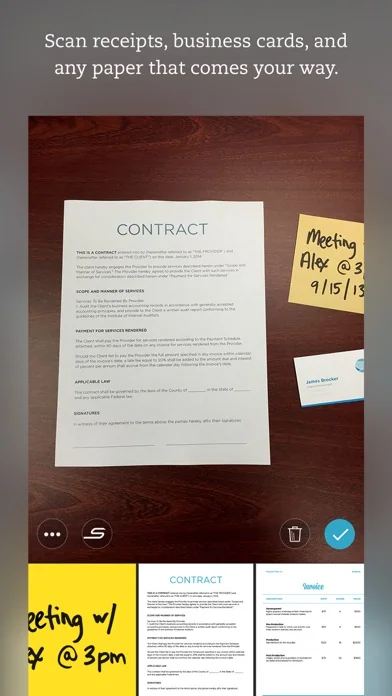
Scannable moves paper forward. Scan contracts, receipts, business cards, and any paper that comes your way. Save or share documents instantly and move on.
Automatically capture high-quality scans anywhere
- Scan fast: Point your camera at documents, expense receipts, or whiteboards. Scannable immediately captures them.
- Save time: Scannable automatically rotates, crops, and adjusts images so your scans are clear and easy to read.
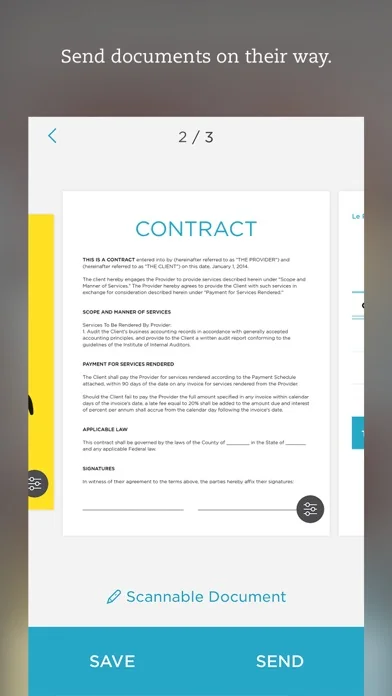
- Share or save: Send documents to colleagues via email or text,…
Scannable moves paper forward. Scan contracts, receipts, business cards, and any paper that comes your way. Save or share documents instantly and move on.
Automatically capture high-quality scans anywhere - Scan fast: Point your camera at documents, expense receipts, or whiteboards. Scannable immediately captures them. - Save time: Scannable automatically rotates, crops, and adjusts images so your scans are clear and easy to read. - Share or save: Send documents to colleagues via email or text, or export them as PDF and JPG files to Evernote and other apps.
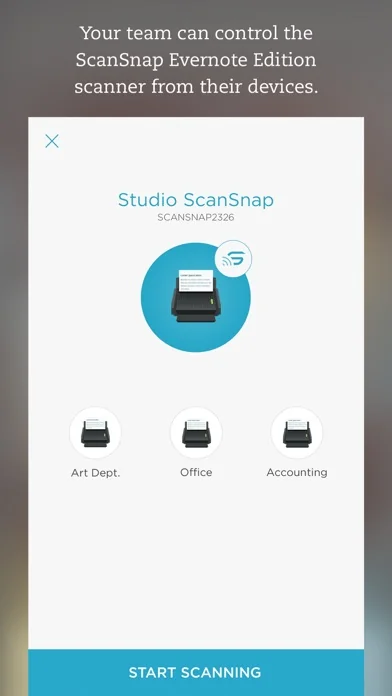
Deal with paper professionally - Turn business cards into contacts: Pull information from business cards and save it all to your contacts list. - Go paperless: Scannable works seamlessly with the ScanSnap Evernote Edition Scanner to get multi-page documents where they need to go. - A scanner for everyone: With Scannable, your whole team can control a ScanSnap Evernote Edition Scanner from their own devices and send paper on its way.
Scannable is free to download and use.
🆕 What's new · v3.2.4
Bug fixes and performance improvements
Comparable iOS apps
The five apps in Productivity with the closest revenue to Evernote Scannable. Click any to see its detail page.
Each forecast combines App Store rating, ratings count, monetisation model, pricing tier, IAP signals and ad-supported flag.
The base estimate is then multiplied by a per-category scaling factor learned from apps with founder-verified MRR.
Every number on this page comes from public APIs and Bumetric's own snapshot history.
Full methodology covers input variables, accuracy bands per category and how we treat apps without comparable anchors.
See also the live data on Evernote Scannable's tracker page for current rating, reviews and snapshot timeline.
Building something similar? Get a free AI audit with $-revenue forecasts for every recommendation.


 Speechify Texte Vorlesen Hören
 Notability: Notizen, PDF, Docs
 Goodnotes: KI-Notizen, PDF
 Microsoft Copilot KI-Assistent
 Cozi Family Organiser