Android app
from Microsoft Corporation
· Productivity
ML forecast★ 3.8 · 1.3M→ StableFree
~4.3K/mo
ML revenue forecast.
Calibrated against 35236 apps in this category.
Confidence band
±15%
High — many comparable apps with verified data
At a glance
Earns 28.28× more than the category median (151/mo).
Ranks #350 of 35,236 in Productivity (top 1.0% by revenue).
Launched Dec 16, 2015 · last updated Sep 09, 2026.
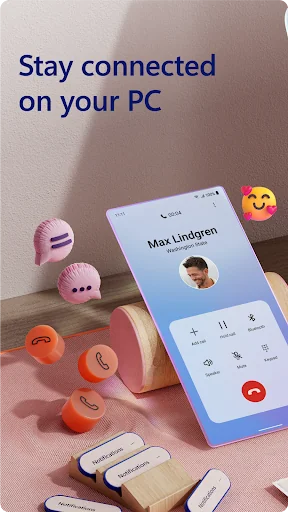
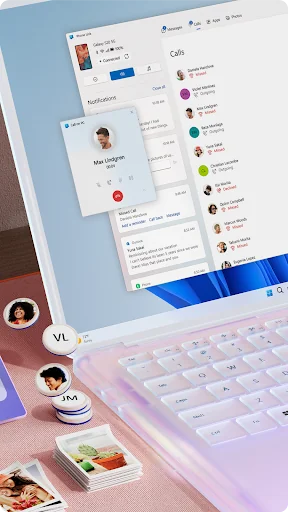
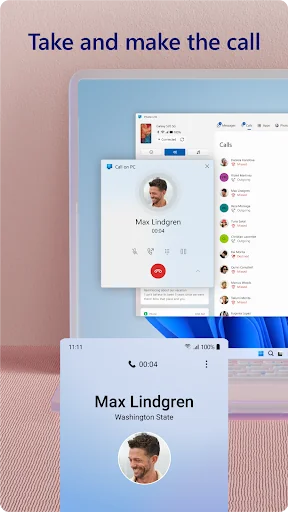
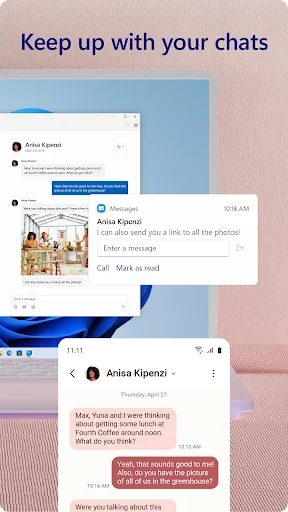
What the app looks like
Live screenshots from the Play Store, captured by our snapshot worker. Tap any image to enlarge.
Link to Windows's revenue trajectory
Forecast revenue from snapshot history. Last 5 months.
Where Link to Windows sits in Productivity
Revenue distribution of 35236 comparable apps. Link to Windows highlighted.
Link to Windows vs comparable apps
Revenue trajectory side-by-side. Bold = Link to Windows, ghosted = peers.
App spec
Version
1.26071.104.0
Last update
Sep 09, 2026
Launched
Dec 16, 2015
Price
Free
Monetization
Free
What Link to Windows actually does (from store listing)
You love your phone. So does your PC. Get instant access to everything you love on your phone, right from your PC. To get started, install the Link to Windows app on your Android phone and connect it with the Phone Link on your Windows PC.
Link your Android phone and PC to view and reply to text messages, make and receive calls*, view your notifications, and more.
Make emailing yourself photos a thing of the past as you share your favorite images between your phone and PC. Copy, edit, and …
You love your phone. So does your PC. Get instant access to everything you love on your phone, right from your PC. To get started, install the Link to Windows app on your Android phone and connect it with the Phone Link on your Windows PC.
Link your Android phone and PC to view and reply to text messages, make and receive calls*, view your notifications, and more.
Make emailing yourself photos a thing of the past as you share your favorite images between your phone and PC. Copy, edit, and even drag and drop photos without ever touching your phone.
Phone Link features: • Make and receive calls from your PC*
• Manage your Android phone's notifications on your PC
• Access your favorite mobile apps** on your PC
• Read and reply to text messages from your PC
• Drag files between your PC and phone**
• Copy and paste content between your PC and phone**
• Instantly access the photos on your phone from your PC
• Use your PC's bigger screen, keyboard, mouse, and touch screen to interact with your phone from your PC.
Integrated with select** Microsoft Duo, Samsung, and HONOR phones for an even better experience: The Link to Windows app comes integrated so no additional apps need to be downloaded from the Play Store.
Link to Windows is easy to find in the Quick Access tray (swipe down from the top of your screen to access it).
Exclusive features like cross-device copy and paste, Phone screen, file drag-and-drop, and Apps.
Let us know what features you'd like to see next by selecting “Send feedback” in the Phone Link settings.
*Calls requires a Windows 10 PC with Bluetooth capability.
**Drag and drop, Phone screen and Apps all require a compatible Microsoft Duo, Samsung or HONOR device (full list and breakdown of capabilities: aka.ms/phonelinkdevices). The multiple apps experience requires a Windows 10 PC running the May 2020 Update or later and has at least 8GB of RAM, and your Android device must be running Android 11.0.
The Link to Windows accessibility service is for those using a screen reading tool on the PC. When the service is enabled, it lets you control all your phone’s apps from your PC using Android keyboard navigation while receiving spoken feedback from your PC speakers. No personal or sensitive data is collected via Accessibility Service.
By installing this app, you agree to the Microsoft Terms of Use https://go.microsoft.com/fwlink/?LinkID=246338 and Privacy Statement https://go.microsoft.com/fwlink/?LinkID=248686.
Comparable Android apps
The five apps in Productivity with the closest revenue to Link to Windows. Click any to see its detail page.
Each forecast combines App Store rating, ratings count, monetisation model, pricing tier, IAP signals and ad-supported flag.
The base estimate is then multiplied by a per-category scaling factor learned from apps with founder-verified MRR.
Every number on this page comes from public APIs and Bumetric's own snapshot history.
Full methodology covers input variables, accuracy bands per category and how we treat apps without comparable anchors.
See also the live data on Link to Windows's tracker page for current rating, reviews and snapshot timeline.
Building something similar? Get a free AI audit with $-revenue forecasts for every recommendation.


 Notepad Pro
 Degoo: 20 GB Cloud Storage
 Cirkle (formerly My Airtel BD)
 Personal Calendar
 VIP Notes