73
BU Score
Strong
Link to Windows
✍️ BU Analytics Review
“
Link to Windows is an Android app from Microsoft Corporation in the Productivity category, currently rated 3.8★ across 1,161,187 ratings. Initial signal reads as mixed reviews — supporters praise core features while critics cite stability/value gaps.
Our BU Score puts it at 73 — Strong (healthy traction). For a Productivity app, that means healthy traction.
Track changes month-over-month in the Performance section below — live snapshot history and revenue forecast included.
creator
📊 Performance Tracking LIVE
Loading…
Rating
—
Reviews
—
Forecast Revenue / mo
—
Snapshots tracked
0
since first record
Range:
💰 Forecast Revenue / mo
MODELRevenue forecast computed from BU's 234 trigger model on each snapshot. Calibrated against ground-truth from 58 verified-revenue apps.
📈 Reviews Growth
LIVECumulative review count from first BU snapshot. Each point = a tracked update.
⭐ Rating Trend
LIVEAverage rating evolution. Updates with each new review batch.
🗓️ Snapshot Timeline
HISTORYEach bar shows a tracked update and the metric delta from the previous snapshot.
App Specs
🔐 Own this app? Claim & verify MRR →🔖 v1.26041.171.0🔄 updated 1w ago📂 Productivity💰 Free
📝 About this app
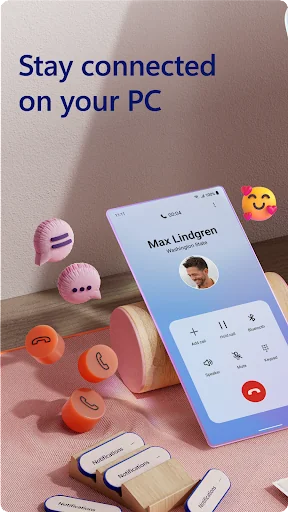
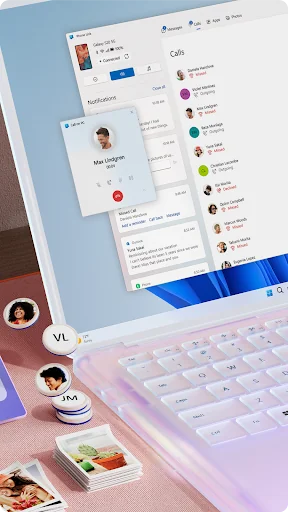
You love your phone. So does your PC. Get instant access to everything you love on your phone, right from your PC. To get started, install the Link to Windows app on your Android phone and connect it with the Phone Link on your Windows PC.
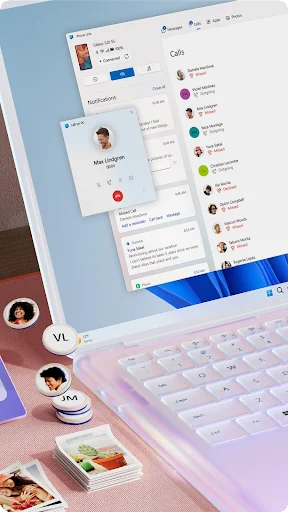
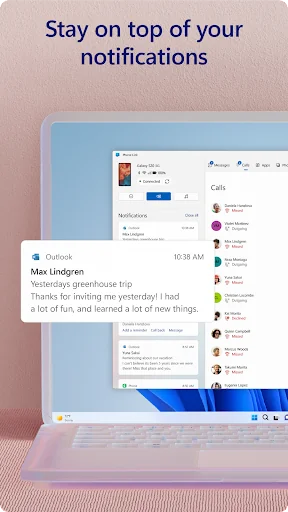
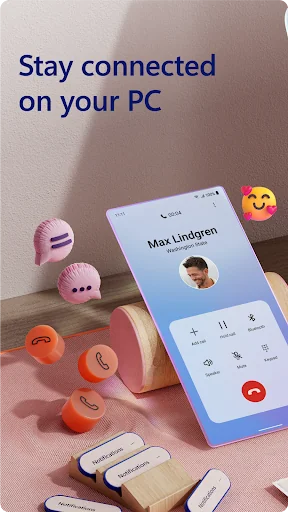
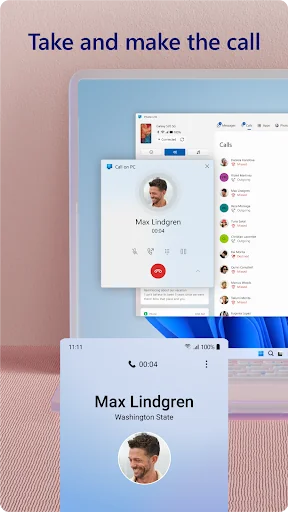
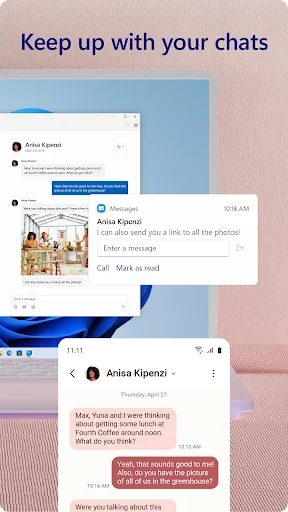
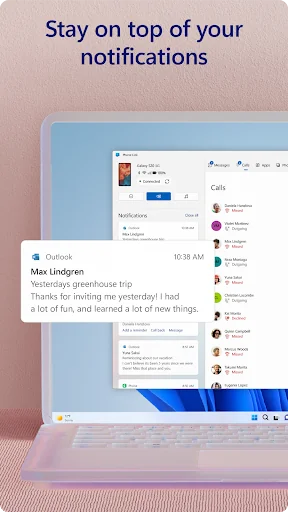
Link your Android phone and PC to view and reply to text messages, make and receive calls*, view your notifications, and more.
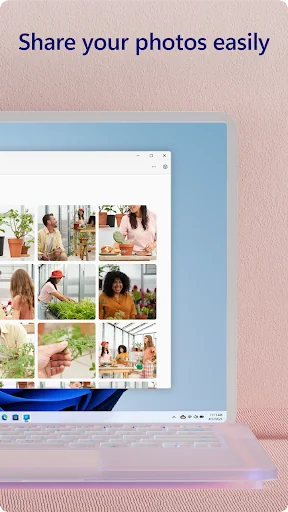
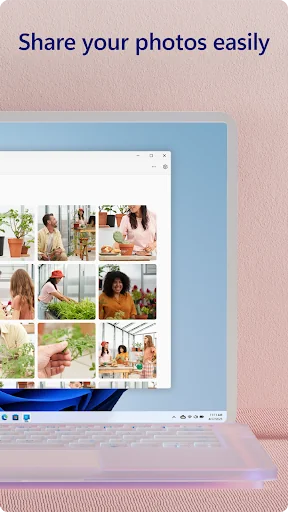
Make emailing yourself photos a thing of the past as you share your favorite images between your phone and PC. Copy, edit, and even drag and drop photos without ever touching your phone.
<b>Phone Link features:</b>
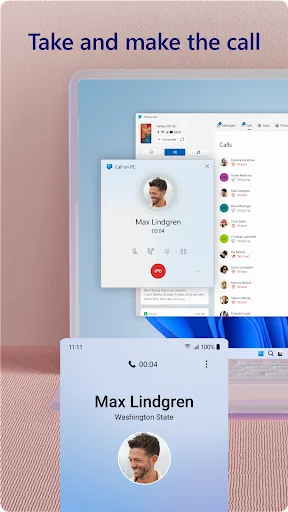
• Make and receive calls from your PC*
• Manage your Android phone's notifications on your PC
• Access your favorite mobile apps** on your PC
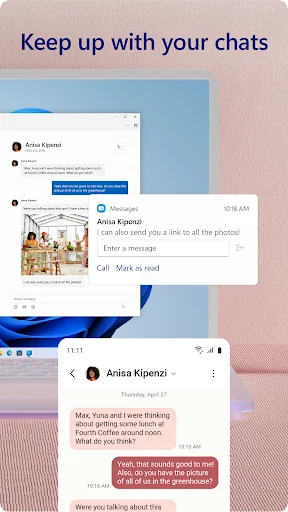
• Read and reply to text messages from your PC
• Drag files between your PC and phone**
• Copy and paste content between your PC and phone**
• Instantly access the photos on your phone from your PC
• Use your PC's bigger screen, keyboard, mouse, and touch screen to interact with your phone from your PC.
<b>Integrated with select** Microsoft Duo, Samsung, and HONOR phones for an even better experience:</b>
The Link to Windows app comes integrated so no additional apps need to be downloaded from the Play Store.
Link to Windows is easy to find in the Quick Access tray (swipe down from the top of your screen to access it).
Exclusive features like cross-device copy and paste, Phone screen, file drag-and-drop, and Apps.
Let us know what features you'd like to see next by selecting “Send feedback” in the Phone Link settings.
*Calls requires a Windows 10 PC with Bluetooth capability.
**Drag and drop, Phone screen and Apps all require a compatible Microsoft Duo, Samsung or HONOR device (full list and breakdown of capabilities: aka.ms/phonelinkdevices). The multiple apps experience requires a Windows 10 PC running the May 2020 Update or later and has at least 8GB of RAM, and your Android device must be running Android 11.0.
The Link to Windows accessibility service is for those using a screen reading tool on the PC. When the service is enabled, it lets you control all your phone’s apps from your PC using Android keyboard navigation while receiving spoken feedback from your PC speakers. No personal or sensitive data is collected via Accessibility Service.
By installing this app, you agree to the Microsoft Terms of Use https://go.microsoft.com/fwlink/?LinkID=246338 and Privacy Statement https://go.microsoft.com/fwlink/?LinkID=248686.
Link your Android phone and PC to view and reply to text messages, make and receive calls*, view your notifications, and more.
Make emailing yourself photos a thing of the past as you share your favorite images between your phone and PC. Copy, edit, and even drag and drop photos without ever touching your phone.
<b>Phone Link features:</b>
• Make and receive calls from your PC*
• Manage your Android phone's notifications on your PC
• Access your favorite mobile apps** on your PC
• Read and reply to text messages from your PC
• Drag files between your PC and phone**
• Copy and paste content between your PC and phone**
• Instantly access the photos on your phone from your PC
• Use your PC's bigger screen, keyboard, mouse, and touch screen to interact with your phone from your PC.
<b>Integrated with select** Microsoft Duo, Samsung, and HONOR phones for an even better experience:</b>
The Link to Windows app comes integrated so no additional apps need to be downloaded from the Play Store.
Link to Windows is easy to find in the Quick Access tray (swipe down from the top of your screen to access it).
Exclusive features like cross-device copy and paste, Phone screen, file drag-and-drop, and Apps.
Let us know what features you'd like to see next by selecting “Send feedback” in the Phone Link settings.
*Calls requires a Windows 10 PC with Bluetooth capability.
**Drag and drop, Phone screen and Apps all require a compatible Microsoft Duo, Samsung or HONOR device (full list and breakdown of capabilities: aka.ms/phonelinkdevices). The multiple apps experience requires a Windows 10 PC running the May 2020 Update or later and has at least 8GB of RAM, and your Android device must be running Android 11.0.
The Link to Windows accessibility service is for those using a screen reading tool on the PC. When the service is enabled, it lets you control all your phone’s apps from your PC using Android keyboard navigation while receiving spoken feedback from your PC speakers. No personal or sensitive data is collected via Accessibility Service.
By installing this app, you agree to the Microsoft Terms of Use https://go.microsoft.com/fwlink/?LinkID=246338 and Privacy Statement https://go.microsoft.com/fwlink/?LinkID=248686.
Profile & Insights
Everything we know — and don't — about this app and its company.
Identification
- App name
- Link to Windows
- Developer
- Microsoft Corporation
- Bundle ID
- com.microsoft.appmanager
- App Store URL
- Open in App Store
- Category
- Productivity
- Content rating
- Not found
- Languages
- Not found
Company
- Website
- Not found
- Tagline
- Not found
- Description
- Not found
- Founded
- Not found
- HQ / Address
- Not found
- Employees
- Not found
- Logo
- Not found
Revenue
- Verified revenue / mo
- Not found
- AI revenue estimate / mo
- Not found
- AI annual estimate
- Not found
- ML model estimate / mo
- $4.3K/mo
- Top-grossing rank
- Not found
- All-time revenue
- Not found
- Pricing
- Not found
Founder
- Name
- Not found
- X / Twitter
- Not found
- Not found
- GitHub
- Not found
- X followers
- Not found
- Public statements
- Not found
Funding
- Total raised
- Not found
- Last round
- Not found
- Investors
- Not found
- Crunchbase
- Not found
- AngelList
- Not found
Press & Links
- Articles found
- Not found
- Listed on
- Not found
- Blog
- Not found
- Press / News
- Not found
Contacts & Socials
- Socials
- Not found
- Not found
- Phone
- Not found
- Contact page
- Not found
- About page
- Not found
✨AI Revenue EstimateCONFIDENCE: HIGH
The Android app "Link to Windows" by Microsoft Corporation is a free utility designed to integrate Android smartphones with Windows PCs, offering features like message, notification, and call management, and photo access directly from the PC. There is no public data indicating that the app generates direct revenue through subscriptions, in-app purchases, or a paid download model. Its value to Microsoft is primarily in enhancing the Windows ecosystem and user experience, rather than direct monetization.
Sources mentioned: Sensor Tower, Statista, Adapty, Reddit, Microsoft Support, Digitec, Microsoft Learn, CNET, The Guardian
Profile is built from iTunes Lookup + developer site scrape + ML revenue model. Empty fields show "Not found" — additional sources (Crunchbase, X, IndieHackers, Acquire.com) coming.
More by Microsoft Corporation
View all →Microsoft Word: Edit Documents
★ 4.8 · 16,131,978 reviews
Microsoft Outlook
★ 4.4 · 10,522,219 reviews
Microsoft 365 Copilot
★ 4.5 · 8,906,266 reviews
Microsoft Outlook
★ 4.8 · 8,891,395 reviews
Microsoft Excel: Spreadsheets
★ 4.8 · 8,862,436 reviews
Microsoft Teams
★ 4.6 · 8,580,729 reviews
Microsoft OneDrive
★ 4.6 · 7,026,381 reviews
Microsoft PowerPoint
★ 4.8 · 4,011,287 reviews
More Productivity
Microsoft Outlook
★ 4.8 · 8,891,395 reviews
Google Drive – online backup
★ 4.8 · 7,526,498 reviews
ChatGPT
★ 4.8 · 7,136,919 reviews
Yahoo Mail – Alles im Blick
★ 4.7 · 4,623,459 reviews
HP
★ 4.6 · 4,011,497 reviews
Google Docs
★ 4.8 · 3,078,214 reviews
Microsoft Word
★ 4.7 · 2,843,856 reviews
Gmail – E-Mail von Google
★ 4.7 · 2,406,337 reviews
Browse BU Analytics
📚 All 55,000+ Books
🜍 Alchemy & Hermeticism
🔮 Magic & Ritual
🌙 Witchcraft & Paganism
⭐ Astrology & Cosmology
🃏 Divination & Tarot
📜 Productivity
✡️ Kabbalah & Jewish Mysticism
🕉️ Mysticism & Contemplation
🕊️ Theosophy & Anthroposophy
🏛️ Freemasonry & Secret Societies
👻 Spiritualism & Afterlife
📖 Sacred Texts & Gnosticism
👁️ Supernatural & Occult Fiction
🧘 Spiritual Development
📚 Esoteric History & Biography
Info
About BU Analytics