What Lock Screen iOS 26 actually does (from store listing)
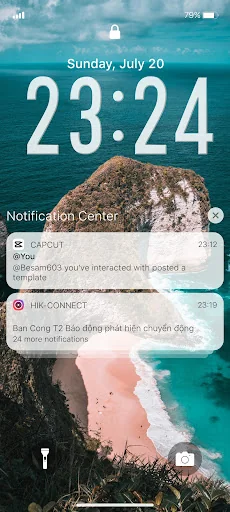
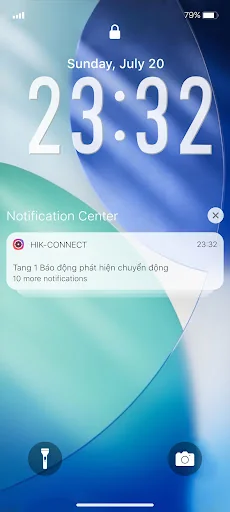
Open from the Lock screen & Notifications iOS 26
You can quickly view your recent notifications from the Lock screen by turn on your phone.
You can also do these things from the Lock Screen & Notificaions iOS 26:
- Tap a single notification or a group of notifications to view all of them for that app.
- Swipe left over notifications to manage, view, or clear the notifications.
- Manage alerts for specific apps.
Learn how to set, use, and change a passcode on your device.
Set a passc…
Open from the Lock screen & Notifications iOS 26
You can quickly view your recent notifications from the Lock screen by turn on your phone.
You can also do these things from the Lock Screen & Notificaions iOS 26:
- Tap a single notification or a group of notifications to view all of them for that app.
- Swipe left over notifications to manage, view, or clear the notifications.
- Manage alerts for specific apps.
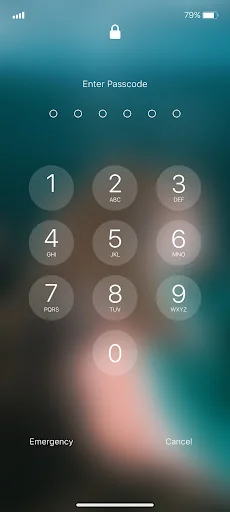
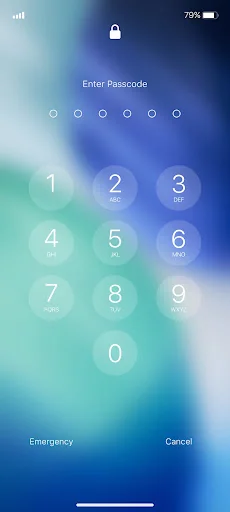
Learn how to set, use, and change a passcode on your device.
Set a passcode on your phone to help protect your data.
Set up a passcode
- On your phone, open Lock Screen & Notification ap.
- Tap Passcode option.
- Enable Passcode and Enter a six-digit passcode.
- Enter your passcode again to confirm it and activate it.
To make Lock Screen & Notifications iOS 15 working most perfect. You must grant some special permissions like to:
- CAMERA: To open camera in your phone.
- READ_PHONE_STATE: To turn off lockscreen while calling.
- NOTIFICATION ACCESS: To get notifications in your phone.
- READ/WRITE_EXTERNAL_STORAGE: To download more wallpaper.
- DRAW OVER SCREEN: To show Lock Screen & Notification in over all apps.
How to use Lock Screen & Notificaions iOS 26: https://youtu.be/HS-L0jAF0Vw
Comparable Android apps
The five apps in Personalization with the closest revenue to Lock Screen iOS 26. Click any to see its detail page.
Each forecast combines App Store rating, ratings count, monetisation model, pricing tier, IAP signals and ad-supported flag.
The base estimate is then multiplied by a per-category scaling factor learned from apps with founder-verified MRR.
Every number on this page comes from public APIs and bumetric's own snapshot history.
Full methodology covers input variables, accuracy bands per category and how we treat apps without comparable anchors.
See also the live data on Lock Screen iOS 26's tracker page for current rating, reviews and snapshot timeline.
Building something similar? Get a free AI audit with $-revenue forecasts for every recommendation.


 Animals Ringtones
 Era
Era
 RubiQ Substratum Theme
 Live wallpaper - Transparent
 Gold lock screen