What Miracast Screen Sharing/Mirror actually does (from store listing)
Share your screen to a smart TV or miracast dongle (like Chromecast) in one click!
This application provides an easy shortcut and widget to use the Miracast external display screencasting feature included in Android 4.2 and above! With this app, you will more conveniently be able to mirror your screen or use the cast feature from supported applications.
The shortcut doesn't always work, but if you need help, click the help button to get more information about how screencasting works and ho…
Share your screen to a smart TV or miracast dongle (like Chromecast) in one click!
This application provides an easy shortcut and widget to use the Miracast external display screencasting feature included in Android 4.2 and above! With this app, you will more conveniently be able to mirror your screen or use the cast feature from supported applications.
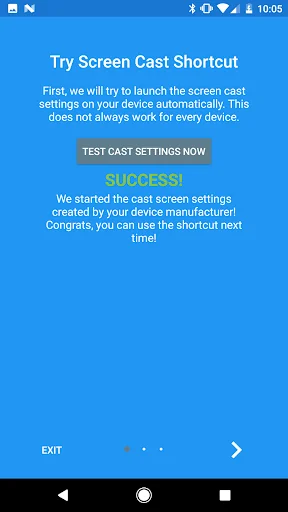
The shortcut doesn't always work, but if you need help, click the help button to get more information about how screencasting works and how to fix problems if you have them. Check out the FAQ within the app for further help if needed!
This application brings you to the Settings screen for casting to the following products and more:
- Google Chromecast
- Netgear Push2TV
- Various Smart TVs
- Asus Miracast Wireless Display Dongle
- Amazon Fire TV Stick
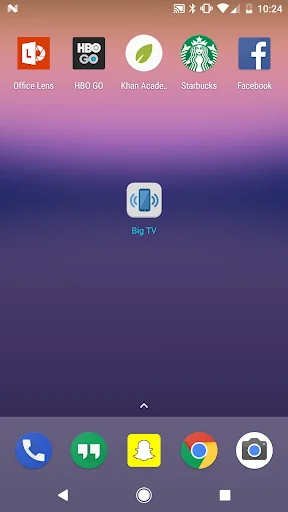
When installed, a widget is added called "Miracast Widget" that will allow you to directly to the Miracast settings screen with one click to send your device's display to your Miracast enabled external display, such as your TV or monitor! When you are casting your screen, the widget will display the name of the screen. You can click the widget again to disconnect.
Also, a launcher icon will be added to your app tray that will launch the settings app directly to the Miracast screen casting settings.
Comparable Android apps
The five apps in Video Players & Editors with the closest revenue to Miracast Screen Sharing/Mirror. Click any to see its detail page.
Each forecast combines App Store rating, ratings count, monetisation model, pricing tier, IAP signals and ad-supported flag.
The base estimate is then multiplied by a per-category scaling factor learned from apps with founder-verified MRR.
Every number on this page comes from public APIs and bumetric's own snapshot history.
Full methodology covers input variables, accuracy bands per category and how we treat apps without comparable anchors.
See also the live data on Miracast Screen Sharing/Mirror's tracker page for current rating, reviews and snapshot timeline.
Building something similar? Get a free AI audit with $-revenue forecasts for every recommendation.



 Full HD Movies & TV Shows
 テレビ局公認!タレント出演情報満載-Gガイド番組表(ドコモ)
 Földfelszíni TV
 Video converter mp4
 SR Player (Video Player)