What My Files - File Manager actually does (from store listing)
📁 File Explorer & File Manager for Android
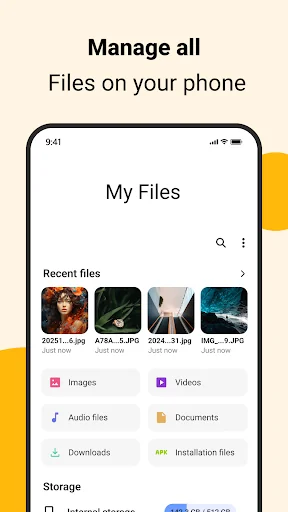
<b>File Explorer & File Manager</b> is a fast, reliable, and easy-to-use app designed to help Android users in the USA manage files, storage, cloud content, and wireless transfers in one place.
Browse, organize, move, and control your files with confidence—whether they are stored on your phone, SD card, cloud storage, or transferred over a local network.
This app is built for everyday file management needs with a clean interface and powerful…
File Explorer & File Manager is a fast, reliable, and easy-to-use app designed to help Android users in the USA manage files, storage, cloud content, and wireless transfers in one place.
Browse, organize, move, and control your files with confidence—whether they are stored on your phone, SD card, cloud storage, or transferred over a local network.
This app is built for everyday file management needs with a clean interface and powerful tools.
The My Files - File Manager App offers an after-call feature that allows you to quick access files also set reminders or quick replies directly from the after-call screen.
⭐ Core Features
📂 File Explorer & File Manager
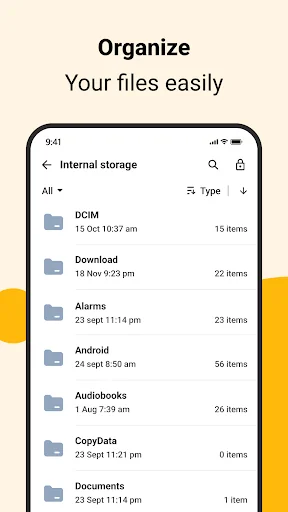
- Browse all files and folders on your Android device
- Manage documents, photos, videos, audio, and downloads
- Copy, move, rename, delete, and share files easily
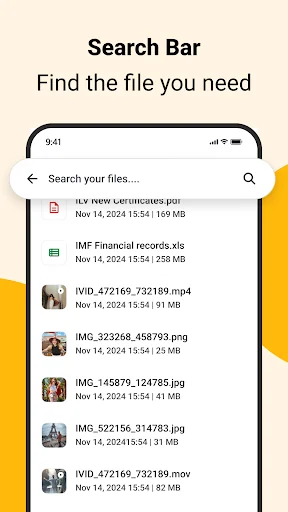
- Quick file search for fast access
- Supports internal storage and external SD cards
💾 Storage Manager
- View detailed storage usage by file type
- Find large files and unused folders
- Organize storage to free up space
- Monitor available phone storage clearly
☁️ Cloud File Management
- Access files stored in supported cloud services
- Upload, download, and organize cloud files
- Move files between device storage and cloud
- Manage cloud content from one place
🔁 FTP Server & Wireless Transfer
- Start an FTP server directly on your phone
- Transfer files between Android and PC over Wi-Fi
- No USB cable required
- Ideal for local network file sharing
📞 After Call Screen
- Instantly see a smart screen right after a phone call ends
- Quickly access recently added and recently used files
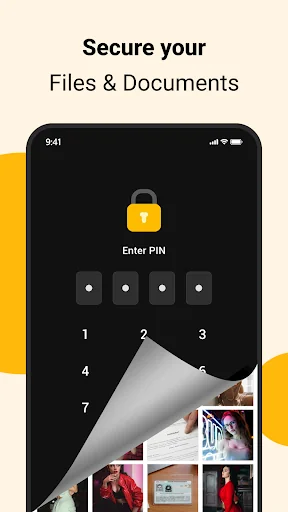
🔐 Privacy & Control
- Files are managed locally on your device
- No forced account sign-in
- Designed with user privacy in mind
🔍 Why Choose This File Explorer?
✔ Easy and clean File Explorer interface
✔ Powerful File Manager and Storage Manager
✔ Built-in FTP Server for wireless transfers
✔ Cloud file access support
✔ Reliable performance for everyday use
🔐 Permissions & Transparency
This app requests only the permissions needed to provide core file management features:
- Storage access is used to browse, manage, and organize your files
- Network access is used only for FTP file transfer and cloud features
- The app does not collect or sell personal data - Permissions are used strictly for app functionality and user-initiated actions
You remain in full control of your files and permissions at all times.
Comparable Android apps
The five apps in Tools with the closest revenue to My Files - File Manager. Click any to see its detail page.
Each forecast combines App Store rating, ratings count, monetisation model, pricing tier, IAP signals and ad-supported flag.
The base estimate is then multiplied by a per-category scaling factor learned from apps with founder-verified MRR.
Every number on this page comes from public APIs and bumetric's own snapshot history.
Full methodology covers input variables, accuracy bands per category and how we treat apps without comparable anchors.
See also the live data on My Files - File Manager's tracker page for current rating, reviews and snapshot timeline.
Building something similar? Get a free AI audit with $-revenue forecasts for every recommendation.


 Unit Converter
 IMEI Checker
 Router Admin Setup Control
 SMS forwarder
 Thai - English translator