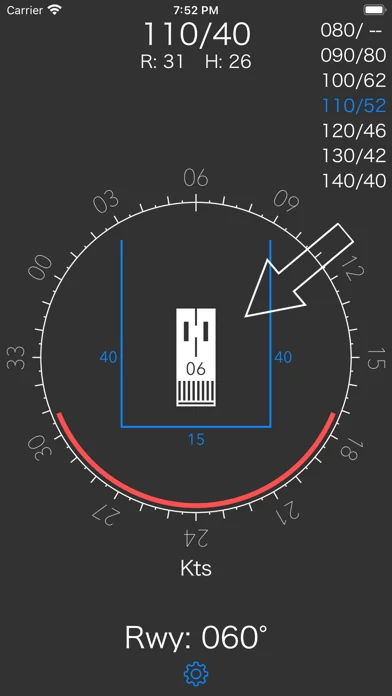
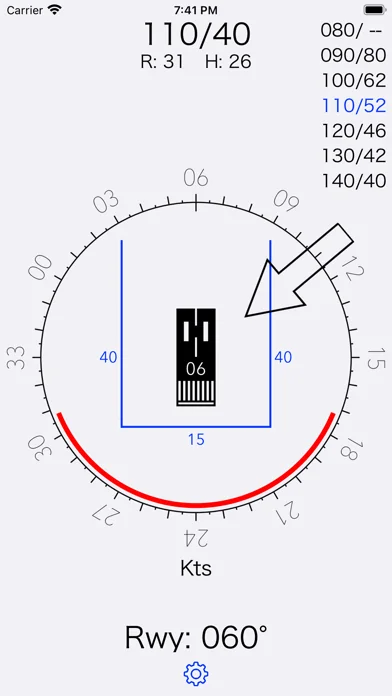
xWind is an easy to use tool to assist pilots in evaluating wind conditions with respect to head, cross and tailwind limitations.
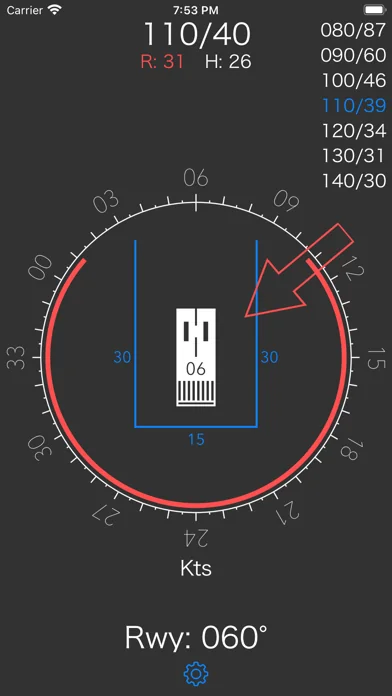
Once setup, the xWind app provides all information in one single screen, requiring minimal user interaction during high workload phases of flight, displaying:
- Current wind direction and speed
- Runway course
- Cross and head or tailwind components
- Currently applied wind limits
- 'Forbidden' wind angles based on the current wind speed
- Maximum wind speed table b…
xWind is an easy to use tool to assist pilots in evaluating wind conditions with respect to head, cross and tailwind limitations.
Once setup, the xWind app provides all information in one single screen, requiring minimal user interaction during high workload phases of flight, displaying:
- Current wind direction and speed - Runway course - Cross and head or tailwind components - Currently applied wind limits - 'Forbidden' wind angles based on the current wind speed - Maximum wind speed table based on current wind limits Reference wind, runway course, as well as wind limits, can all be adjusted on the main screen by either dragging the wind arrow, course rose or wind limit lines.
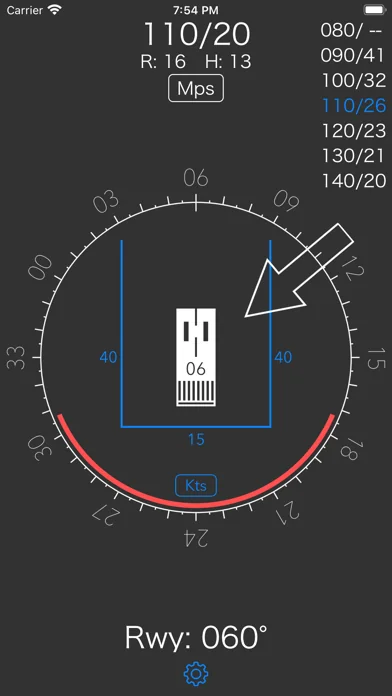
A settings button at the bottom presents a popup screen where both the units for wind speed (Kts or Mps) and the default values for wind limits can be specified.
In addition to the general setting for wind speed units, the user can select the alternative units for only the current wind, wind components and maximum winds table by double tapping the wind display at the top of the main screen. When operating from a Kts country into Mps territory, this option allows to set the current wind and see the maximum allowed winds in Mps, based on limits that are still set in Kts. Or vice versa....
xWinds supports iOS darkmode.
🆕 What's new · v1.4.1
Added a new setting to give users the option of disabling the automatic runway course reset. When enabled (standard), the runway course will reset to default 000° each time xWind launches. When disabled, the last selected runway course will be maintained.
Comparable iOS apps
The five apps in Utilities with the closest revenue to xWind. Click any to see its detail page.
Each forecast combines App Store rating, ratings count, monetisation model, pricing tier, IAP signals and ad-supported flag.
The base estimate is then multiplied by a per-category scaling factor learned from apps with founder-verified MRR.
Every number on this page comes from public APIs and bumetric's own snapshot history.
Full methodology covers input variables, accuracy bands per category and how we treat apps without comparable anchors.
See also the live data on xWind's tracker page for current rating, reviews and snapshot timeline.
Building something similar? Get a free AI audit with $-revenue forecasts for every recommendation.


 Signal GH
 Love Spouse-Remote Connection
 Wayfair – Shop All Things Home
 Live Video Tracker - GREC
 Loon
Loon